First, choose a controller that’s compatible with your console or PC and the specific version of your football game. Then decide whether you want visible lighting in a dark room or as little distracting light as possible. RGB zones don’t mean that individual buttons light up, nor do they guarantee better gameplay. Also check the button layout, connection and power supply.
Which controller is right for you?
Football fans with a dedicated console
If you mainly play on a console, make sure the controller model and console generation are compatible with your device and the specific game version. Nintendo, for example, points out that the Switch 2 Pro Controller doesn’t work with the original Switch.
Playing in a dark room
Think about whether you want visible lighting accents or would prefer to dim the indicators so they’re less noticeable. PowerA describes RGB zones on certain models, while Sony offers a setting to adjust the brightness of the PS5 controller indicators.
PC players with specific control preferences
If you want to use extra inputs or change the button layout, check the features of the specific model and whether your game supports them. Microsoft and 8BitDo each list particular PC connection and control options for their controllers.
What to look for when buying
| What matters |
What to check before buying |
Who is it important to? |
| Compatibility |
Check the console generation or PC operating system, the full controller model and whether the game supports it. |
If I play on a specific console or PC, I want to avoid finding that my controller and game version aren’t compatible. Around 29% of consumers put device and game compatibility first. |
| Lighting in a dark room |
Check the exact model to see which parts light up and whether you can adjust the brightness or lighting. |
In a dark room, I want to decide for myself whether lighting accents are visible or the indicators are as unobtrusive as possible. Around 23% of consumers prioritise lighting and its effect in the room. |
| Button layout |
Check the button layout and how easy the controls are to reach. Only consider extra buttons if you can use them in your game. |
When making quick directional changes and repeating button sequences, I want a layout that feels comfortable to use. Around 18% of consumers pay particular attention to ease of use and button placement. |
| Connection and power |
Check the cable route and length, or the wireless connection, adapter and power supply you’ll need. |
Once I know where I’ll be sitting, I want to know whether a cable will reach comfortably or whether the wireless connection and power supply will suit my setup. Around 18% of consumers prioritise connectivity and freedom of movement. |
| What’s included and making a claim |
Check what’s included and the power requirements of the variant. If there’s a fault, distinguish your statutory rights from a voluntary manufacturer’s warranty. |
Before buying, I want to know which accessories I’ll actually need and who to contact if something is faulty. Around 12% of consumers pay particular attention to what’s included, power requirements and how to make a claim. |
Avoid common buying mistakes
-
Assuming RGB means illuminated gaming buttons
Lighting zones or RGB panels don’t necessarily mean that the lettering on every button lights up.
Check the exact model to see which areas are illuminated and whether you can dim or switch off the lighting.
-
Buying a “Pro Controller” without checking the console generation
Controllers with similar names aren’t necessarily compatible with the same console generation. Nintendo says the Switch 2 Pro Controller doesn’t work with the original Switch.
Compare the full model name with your console and check that it supports the features you need.
-
Assuming “wireless” means it supports every wireless connection
For the 8BitDo Ultimate 2C Wireless, 8BitDo lists 2.4 GHz wireless via an adapter or a wired connection for Windows; Bluetooth is listed for Android.
Check which connection type your platform supports and whether the required adapter is included.
-
Assuming the manufacturer’s warranty is your only way to make a claim
If a product is faulty, your statutory rights generally apply against the seller. These are separate from a voluntary manufacturer’s warranty.
Keep your proof of purchase and contact the seller first if there’s a fault. The Verbraucherzentrale explains the difference for consumers in Germany.
Key brands at a glance
Sony PlayStation
DualSense controllers are an option for PS5 and other explicitly supported devices; the Edge range offers additional customisation options.
- Sony lists a built-in battery, plus game-dependent haptics and adaptive triggers, for the DualSense.
- The brightness setting on PS5 applies to the controller indicators; it doesn’t mean the gaming buttons are illuminated. Haptics and adaptive triggers depend on the game and, in some cases, the connection.
Microsoft Xbox
The Xbox Wireless Controller is designed for supported Xbox consoles and Windows PCs.
- Microsoft lists Bluetooth, button mapping and a hybrid D-pad.
- The quick start guide describes battery use; it doesn’t indicate that the gaming buttons are illuminated. Plan for the power supply you’ll need for your specific use.
PowerA
The illuminated models covered here differ by platform and connection type: a wireless FUSION Pro for Xbox and Windows, and a wired Advantage for docked Switch 2.
- PowerA lists RGB zones for both models.
- RGB zones don’t mean that every gaming button is illuminated. PowerA says the Advantage model covered here can only be used with the Switch 2 docked; the manufacturer also notes limitations with certain Switch features.
8BitDo
The Ultimate 2C Wireless is aimed, among others, at Windows players who want extra remappable bumpers.
- 8BitDo lists Hall Effect joysticks and R4/L4 bumpers. On Windows, it supports wireless connection via a 2.4 GHz adapter or a wired connection.
- Bluetooth is listed for Android. The name “Wireless” doesn’t mean it’s compatible with Xbox or PS5, and the product information doesn’t confirm RGB button lighting.
Nintendo
The Switch 2 Pro Controller is a wireless, platform-specific option for Nintendo Switch 2.
- Nintendo lists assignable GL/GR buttons and an included USB charging cable.
- Nintendo says the controller doesn’t work with the original Switch. Full RGB lighting isn’t confirmed for this model.
Controllers available at Joybuy
The models below are for players looking for RGB lighting or extra inputs. Platform compatibility, features and connection types vary by variant.
 No image available
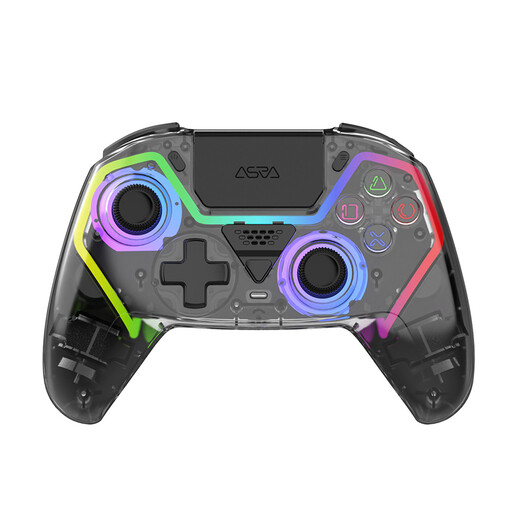
NAXSIR Wireless PS5 Controller with Hall Effect Joysticks and RGB Lighting
For players looking for a wireless PS5 controller with RGB lighting and extra programmable buttons.
The product title lists Hall Effect joysticks and a 1000mAh battery; this doesn’t guarantee “drift-free” performance.
View at Joybuy
 No image available
VIELLAN Wireless Gaming Controller with PS5 Button Layout
For PC players considering RGB lighting and programmable rear buttons.
The product title lists PC and a PS5 button layout; the layout alone doesn’t confirm PS5 compatibility. It also lists Hall Effect joysticks, 255-level Hall triggers, a 1000 mAh battery and USB-C.
View at Joybuy
 No image available
BIGBIG WON Rainbow 2 Pro Wired Controller
For a dedicated gaming setup where a wired controller with RGB lighting and extra button functions could be a good fit.
The product title lists PC, Switch Lite and PS4. It also lists a 6-axis gyroscope, macro and custom button functions, and Dual Shock.
View at Joybuy
 No image available
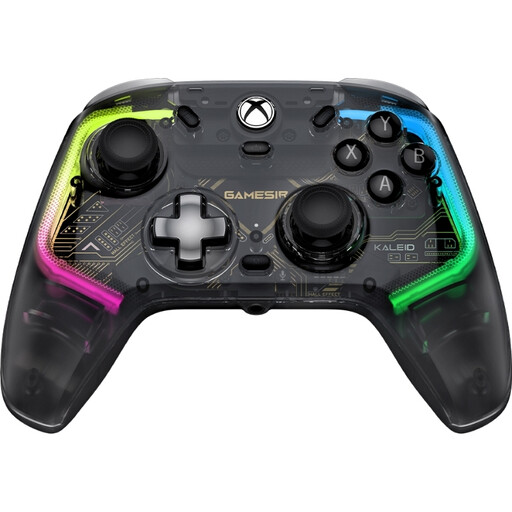
GameSir Kaleid Smoke Transparent RGB Wired Game Controller
For players with an Xbox Series X/S, Xbox One or Windows 10/11 who are looking for a wired controller with RGB lighting.
The detachable USB-C cable is listed as 3 m long; make sure it will reach comfortably to your gaming setup.
View at Joybuy
 No image available
PlayStation DualSense Wireless Gaming Controller, White
The product title lists PS5, PC, MAC and Android as platforms for this wireless controller; check that it’s supported by your device and game version.
The product information lists customisable RGB lighting, 16 mechanical buttons and a 6-axis gyroscope.
View at Joybuy
Frequently asked questions
Are RGB panels the same as illuminated gaming buttons?
No. For the Lumectra models covered here, PowerA describes lighting zones, not necessarily illuminated lettering on individual buttons. Check the exact model details if you want to see specific buttons in the dark.
How can I dim the DualSense lights on PS5?
Sony explains how to adjust the brightness of the controller indicators in the PS5 settings. This doesn’t change the lighting on gaming buttons; for the DualSense Edge, Sony refers to its own controller settings.
What connection do DualSense special features need in EA SPORTS FC 26 on PC?
Electronic Arts says that haptics and adaptive triggers in the PC version of EA SPORTS FC 26 require a USB connection. This applies to that game and version; don’t assume it applies to other football games without checking.
Does the illuminated PowerA controller for Switch 2 work in handheld mode?
No. According to the manufacturer, the wired PowerA Advantage with Lumectra covered here can only be used with the Switch 2 docked. If you play in handheld mode, check for another compatible controller variant.
What rights do you have in Germany if an online-bought controller isn’t suitable or is faulty?
Online purchases generally come with a 14-day right to cancel. If a product is faulty, however, you can make a claim under your statutory rights against the seller. The Verbraucherzentrale distinguishes these rights from a voluntary manufacturer’s warranty.


