Football gaming with a wide seating arrangement
If you’re playing together on the sofa and some people are sitting well off to the side of the screen, the viewing angle of the specific TV is especially important.


When several players are seated to the side, start by checking the viewing angle of the specific TV. Then consider input lag, Game Mode and the HDMI features you need. OLED is an obvious choice for a wide seating arrangement, while LCD or Mini LED models may also suit bright rooms – but you’ll need to assess picture quality from the seats at either side separately.
If you’re playing together on the sofa and some people are sitting well off to the side of the screen, the viewing angle of the specific TV is especially important.
If you want an immediate response to your inputs during a local match, check Game Mode and input lag at the resolution and refresh rate you’ll actually use.
In daylight, assess brightness and reflections alongside the view from the side seats, rather than relying on a single display specification.
A good fit if: several players will be sitting well off to the side and you want the picture to remain as consistent as possible.
Bear in mind: OLED technology alone doesn’t tell you how bright the TV will be in your room or how the viewing angle performs on the specific screen size.
A good fit if: you want a bright-room TV or an especially large picture, and the set also performs well from the seats you’ll actually be using.
Bear in mind: manufacturers’ brightness and refresh rate figures don’t replace checking picture quality from the side.
| What matters | What to check when buying | Who is it important to? |
|---|---|---|
| View from the side seats | Compare viewing-angle tests for the exact model and check how the picture looks from the seats you plan to use. | When we play together, I want the picture to remain clear from the seats at either end of the sofa. For around 31% of consumers, picture quality from the side seats is the top priority. |
| Responsive controls and gaming connections | Check input lag in the signal mode you’ll use, as well as Game Mode, ALLM, VRR and suitable HDMI inputs. | If I want an immediate response to my inputs during a match, I look for the right Game Mode and connections for my source. Responsive controls are the top priority for around 25% of consumers. |
| Daylight and reflections | Compare brightness and reflection tests for the model with your window position and side seating. | If we often play in daylight, I want to assess reflections and visibility from the seats at either end together. Visibility in a bright room takes priority for around 25% of consumers. |
| Size, space and energy use | Take your viewing distance and available space into account; compare the specific model’s SDR and HDR energy consumption figures on its EU energy label. | When I set up the TV for everyone, the screen size needs to suit the space available. Ongoing energy use matters to me, too. Around 19% of consumers focus above all on size, space and running costs. |
What matters for the seats at either end is how the specific TV performs. With LCD TVs, side-viewing performance depends especially on the panel used.
Compare tests of the exact model and, if possible, check the picture from the seats you plan to use before focusing on panel names or brightness figures.
Refresh rate and input lag describe different things. Game Mode can reduce image processing to make the TV respond more quickly.
Look for measurements in the signal mode you’ll actually use, and check the TV’s gaming settings.
The Verbraucherzentrale distinguishes between your statutory rights against the seller and a voluntary warranty with its own terms and conditions.
Before buying, check separately which statutory rights apply and what conditions come with any additional warranty.
OLED models such as the OLED65B68LA may appeal if you’re comparing gaming features for a wide seating arrangement.
The OLED GQ65S90HAEXZG is worth considering if you want to compare anti-glare features and gaming functions for the exact model on offer.
The K-65XR8M2 is an OLED option for buyers who want to pay particular attention to which HDMI ports support which gaming features.
The 75C7K is an LCD or Mini LED option if you’re looking for a large picture and want to check the manufacturer’s brightness and refresh rate specifications too.
The following OLED and QLED Mini LED TVs are options for local football gaming with players seated to the side. Check viewing angles, room brightness and connections for each specific model.
 No image available
The product specifications list wide viewing angles, but still compare the picture from your actual seating positions and in your room’s lighting conditions.
Gaming features listed include VRR up to 144 Hz, G-SYNC, FreeSync, ALLM and four HDMI 2.1 inputs.
 No image available
The product specifications list wide viewing angles; check whether the 55-inch screen size suits your viewing distance and setup.
Gaming features listed include VRR up to 165 Hz, G-SYNC, FreeSync, ALLM and 4K at 165 Hz.
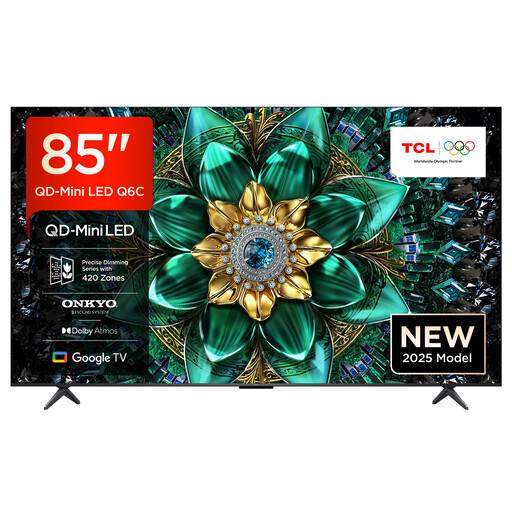 No image available
The product specifications list a wide viewing angle and a matte HVA panel; check how it looks from the seats at either end in your own room.
Listed features include 144 Hz, VRR, FreeSync, Game Master and HDMI 2.1.
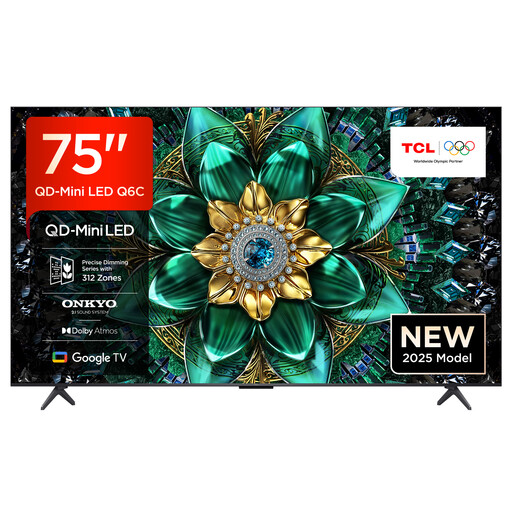 No image available
The product specifications list a wide viewing angle and a matte HVA panel; compare the picture from the seats you plan to use.
Listed features include 144 Hz, VRR, FreeSync, Game Master and four HDMI 2.1 inputs.
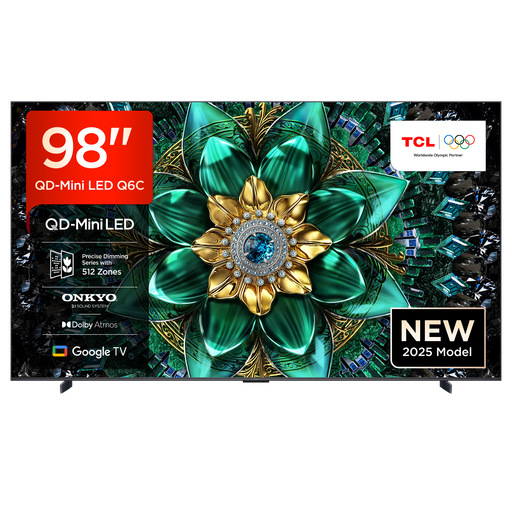 No image available
The product specifications list a wide viewing angle and a matte HVA panel. Make sure you have enough floor or wall space for the 98-inch screen and the stated TV width of 2,18 m.
Listed features include 144 Hz, VRR, FreeSync and Game Master; peak HDR brightness is stated as 1000 nits.
That figure alone isn’t enough to assess responsiveness. Check Game Mode and input lag with the signal you’ll use; whether you can take advantage of a higher refresh rate also depends on the game and signal source.
Check which HDMI inputs are intended for these features on the specific model, along with the signal format and source settings. For the Sony K-65XR8M2, Sony lists VRR for HDMI 3 and 4, and ALLM for HDMI 1 to 4.
Compare the energy consumption figures for SDR and HDR separately on the EU energy labels for the specific TVs. To estimate your own electricity costs, you’ll also need to factor in how long you use the TV and your electricity tariff.
No. Your statutory rights apply against the seller; a warranty is an optional extra with its own terms and conditions. The Verbraucherzentrale also explains that, for purchases made from 31 July 2026, the statutory warranty period is extended if a repair is provided instead of a replacement, subject to the conditions it outlines.
Yes. The European Commission lists TVs under electronic displays, which are subject to energy labelling rules. When comparing specific models, the SDR and HDR figures are also relevant.