What to consider when buying
OLED
A good choice if: picture quality is especially important for seats spread well apart.
Trade-off: The risk of burn-in is still worth bearing in mind if static content is displayed repeatedly for very long periods.
IPS LCD
A good choice if: you prefer an LCD and an independent test confirms the viewing angle of the specific model.
Trade-off: RTINGS says IPS typically offers a wider viewing angle than VA, but lower contrast.
VA LCD, including Mini LED
A good choice if: most of your seats are fairly central and you can check the specific model from those positions.
Trade-off: Mini LED describes the backlight and, by itself, is no guarantee of a wide viewing angle.
If you have a wide seating arrangement, first check the picture from the seats at either end. Then consider screen size, reflection handling and reception in relation to your room and how you’ll use the TV.
The figures refer to the main consideration when choosing a TV to watch a football final from seats off to the side.
| Priority |
What to check when buying |
Who is this especially important to? |
| Picture from the side |
Check independent viewing-angle tests for the model and screen size and, if possible, watch football footage from the seats at either end. |
If guests are sitting well off to the side, I want them to be able to follow the match clearly too. That’s why around 31% of consumers prioritise the picture from the side. |
| Daylight and reflections |
Consider the position of your windows alongside the tested reflection handling and brightness of the specific model. |
In a bright living room, I want to avoid distracting reflections and a picture that’s difficult to see. Around 25% of consumers therefore prioritise visibility in daylight. |
| Motion and screen size |
Measure the viewing distances for your seating arrangement and assess motion handling with TV or sports footage, rather than relying only on gaming specifications. |
If I care about fast-moving action and a suitable screen size for different viewing distances, I consider both together. Around 19% of consumers put these factors first. |
| Purchase price and energy use |
For TVs of a similar size, check the EU energy label and confirm the space required, along with any delivery and installation services available. |
If the purchase price and running costs matter more to me than other picture-related considerations, I compare the models’ energy information. Around 13% of consumers prioritise limits on cost and energy use. |
| Watching the final |
First check who is showing the specific match and how you can watch it, then check the tuner, connections or app availability. |
Before choosing a screen, I want to know how I can actually watch the match I’m interested in. Around 12% of consumers put access to the match first. |
Joybuy TVs at a glance
The Joybuy TVs below range from 65 to 83 inches and include OLED and Mini LED models. Check the viewing angle of the specific variant rather than assuming it from the technology name alone.
 No image available
Hisense 75E8S, 75-inch Mini LED 4K Smart TV
The large screen could suit a group with seats further away; check the picture from the seats at either end.
Features listed in the product name: 144 Hz, QLED, Dolby Vision, VIDAA OS, VRR and ALLM.
View at Joybuy
 No image available
LG OLED77G67LW OLED evo AI G6, 77-inch 4K Smart TV
The 77-inch OLED variant could suit seats further apart; check the position of the TV on your wall and the viewing angle in your room.
The product description lists a native refresh rate of 120 Hz and an included wall mount; according to the description, a stand isn’t included. Bear in mind the risk of OLED burn-in if static content is displayed repeatedly for very long periods.
View at Joybuy
 No image available
LG OLED83C67LA, 83-inch OLED 4K Smart TV
The 83-inch screen could be a good fit for seats further away. Compare viewing distances and check the viewing-angle information for this model independently.
The product description lists OLED, up to 165 Hz with VRR and a table-top stand. Bear in mind the risk of OLED burn-in if static content is displayed repeatedly for very long periods.
View at Joybuy
 No image available
LG OLED77C67LA, 77-inch OLED 4K Smart TV
The 77-inch variant could suit seats further away. LG lists a low-reflection OLED display for this model; check the viewing angle separately.
Features listed in the product name: 120 Hz, webOS and 2026 model year. Bear in mind the risk of OLED burn-in if static content is displayed repeatedly for very long periods.
View at Joybuy
 No image available
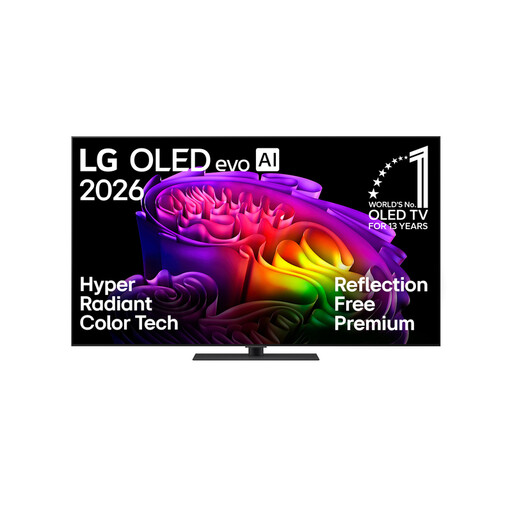
LG OLED65G66LS OLED evo AI G6, 65-inch 4K Smart TV
The product description lists an anti-glare screen surface. Assess reflection handling and viewing angle separately if seats to the side are important.
Features listed in the product name: up to 165 Hz, Dolby Vision, Dolby Atmos and a stand. Bear in mind the risk of OLED burn-in if static content is displayed repeatedly for very long periods.
View at Joybuy
Frequently asked questions
Is Mini LED enough for a good picture from the side?
No, the name alone isn’t enough to tell you that. Mini LED describes the backlight in an LCD TV; the picture from the side also depends on the panel and how it’s implemented in the specific model. Check a viewing-angle test for the model you want.
What should I check before setting up the TV for a group?
Measure the distance from the nearest and furthest seats and check the view from seats at either end of the planned TV position. Germany’s consumer advice centre recommends choosing screen size to suit your viewing distance. Also check that your chosen set-up will work with your available space and mounting options.
Could static graphics make OLED a problem for a single football match?
Watching a single match isn’t the same as displaying static content repeatedly for very long periods. If similar images stay on screen for a long time, bear in mind the risk of burn-in and follow the manufacturer’s guidance.
Can I watch the final using only a Smart TV feature?
Not necessarily: it depends on which provider is showing the specific final. Check how you can access its coverage. To watch a live stream online, you’ll need a suitable app or compatible device and an internet connection.
What energy information and legal rights apply when buying a TV?
For TVs covered by EU rules, compare the energy label and consumption information for SDR and, where applicable, HDR. When you buy as a consumer in the EU, you generally have at least two years of legal protection from the seller if the goods are faulty. A voluntary manufacturer’s guarantee doesn’t replace these legal rights.


