What should you look for when buying?
First check that your catalogue software supports your fields and operating system. Then consider your photo archive, separate backups and a suitably equipped workstation.
| What you need |
What to check before buying |
Who it matters most to |
| Software and custom fields |
Create a sample record and check the number of fields, export options, and the operating system and Java requirements of your chosen software. |
If I want to record where a fossil was found and its identification in custom fields, I’ll check the software first rather than looking for more processing power. Roughly 31% of consumers put software and field structure first. |
| Photos and storage |
Estimate how much space your photos will need and compare it with the SSD capacity of the exact PC configuration; check that it has the connections you need, too. |
If you document specimens with several photos, you’ll need space for the images and related files. Around 25% of consumers prioritise their photo archive and storage space. |
| Restorable backups |
Plan for a backup drive kept separately and check that you can restore your catalogue data and customised programme settings. |
If I don’t want to lose find records and photos after a fault, I need a separate backup that I can check. Around 25% of consumers prioritise protecting their catalogue and being able to restore it. |
| Workstation and upgrades |
Check the monitor connections, what’s included, the space it takes up and the storage options you can access for the specific offer. |
If space is limited, I want to know whether the PC works with my monitor and the input devices I need, and whether I can upgrade it later. Around 19% of consumers prioritise a suitable, fully equipped workstation. |
Suitable desktop PCs at Joybuy
This selection features compact Windows PCs for catalogue work. Before choosing, check that your catalogue programme runs on the version of Windows installed on the PC.
 No image available
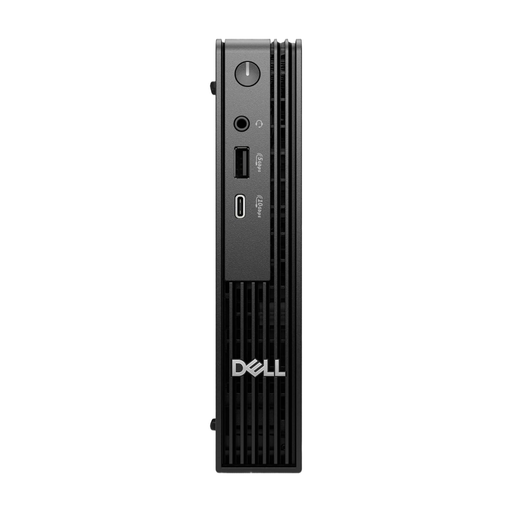
Dell Pro Micro QCM1250 MJ5TK TPM
A compact Windows configuration for a catalogue workflow using software that runs on Windows 11 Pro.
Intel Core i7-14700T, 16 GB DDR5, 512 GB NVMe SSD and Windows 11 Pro.
View at Joybuy
 No image available
HP Z2 Mini G1a Ryzen AI Max+ Pro 395
This compact configuration is worth considering if you’re planning more local storage for your catalogue and photos, provided the software runs on the installed operating system.
128 GB RAM and 2 TB SSD.
View at Joybuy
 No image available
FIREBAT AM02L Mini PC
A mini PC option for a Windows catalogue workstation. Check that Windows 11 Home and the connections work with your software and existing monitor.
AMD 6600H, 16 GB LPDDR5, 512 GB M.2 NVMe storage, Windows 11 Home, HDMI 2.1 and DisplayPort 1.4.
View at Joybuy
Frequently asked questions
Do I need a particularly powerful PC to add custom fields for fossils?
The first thing to check is whether the software supports the fields you need. GS Fossilien-Verwaltung 3 specifies four additional custom fields; with LibreOffice Base, you can create your own tables and forms. Check your list of fields and try a sample record before choosing a PC configuration.
What should I know before setting up LibreOffice Base?
The Document Foundation lists Java as a requirement for Base and a JDK for newer macOS versions. Back up any existing catalogue before changing your software, then check that data entry and export work as you need them to.
Is a second file on the built-in SSD enough for a backup?
No. If the SSD fails, you could lose both files. The Federal Office for Information Security recommends regular backups to a separate storage device; also check that your catalogue data and customised configuration files can be restored.
Is a Windows 10 PC still a good choice for a new catalogue?
According to Microsoft, standard support for Windows 10 ended on 14 October 2025. When buying a new PC, check the support status of the operating system on the specific configuration, rather than relying solely on older catalogue software still running.
Does the GDPR apply to my personal fossil catalogue?
According to the European Data Protection Board’s guidelines, the household exemption applies to personal data processed by a natural person solely as part of a personal or family activity. If you’re using the catalogue for an association, museum or other purpose that isn’t purely personal, you can’t assume this exemption applies; any personal details about collectors or lenders need to be considered separately.


