What should you look for when buying?
First, find out how your cataloguing software handles files. Then work out how much storage you need for your collection and check that the ports and backup options suit your workspace.
| What matters |
What to check before buying |
Who it matters most to |
| Links to source files |
Use your chosen software to test a record with a photo and PDF. Copy the catalogue and source files to another location as a test, then check that you can open them again. |
If I want to link find notes, photos or PDFs to individual entries and may move my collection later, I pay particular attention to whether the file paths still work. Around 36% of consumers prioritise links. |
| Photo storage and upgrades |
Compare the size of your current data collection and expected growth with the installed SSD. If you expect to need more space in future, check what storage upgrades are actually available. |
If I want to store lots of original photos and supporting documents locally, I need an SSD that suits the size of my collection and its expected growth. Around 29% of consumers prioritise photo storage. |
| Data recovery |
Check that your backups include both the catalogue and the linked source folders. Test a restore using sample records. |
If my find records and supporting documents would be difficult to replace, I want to be able to restore the catalogue and files from a separate backup. Around 21% of consumers prioritise data backups. |
| Desk space and ports |
Make a note of your existing devices and connectors, then check the monitor connections, USB ports, operating system and what’s included with the specific configuration. |
If I have limited space at my workstation and need to connect a camera, monitor and backup drive, I check the case size and the ports I need. Around 14% of consumers prioritise workspace and connectivity. |
Joybuy PCs for catalogues and photos
These compact Joybuy PCs are worth considering for locally stored catalogue files and photos. Compare the specifications of each version with your storage needs, cataloguing software and existing devices.
 No image available
ACEMAGIC E3B mini PC, Ryzen 7 7735HS
For storing catalogue files and photos locally, the listed specifications include a 512 GB NVMe SSD and 24 GB LPDDR5.
The title lists two M.2-2280 slots and support for up to 4 TB; check that the specific configuration meets your needs.
View at Joybuy
 No image available
FIREBAT F1 mini PC, Ryzen 5 7640HS
For a catalogue workstation with locally stored files, the title lists a 512 GB PCIe 4.0 SSD and 24 GB LPDDR5 RAM.
USB 4.0 and HDMI 2.1 are listed among the ports. Check that they’re suitable for your monitor and other accessories.
View at Joybuy
 No image available
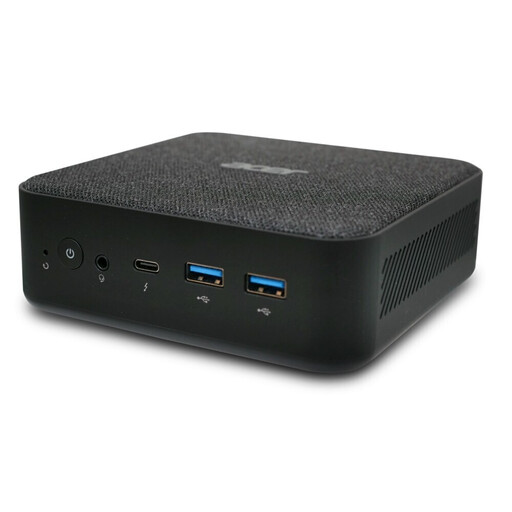
Acer Revo RB102 mini PC, DT.BMCEG.002
The listing title specifies an Intel Core Ultra 5 125U, 16 GB RAM, a 512 GB SSD and Windows 11 Pro.
However, the description gives a different model number: DT.BP5EG.002. Check the model number and specifications carefully before choosing.
View at Joybuy
 No image available
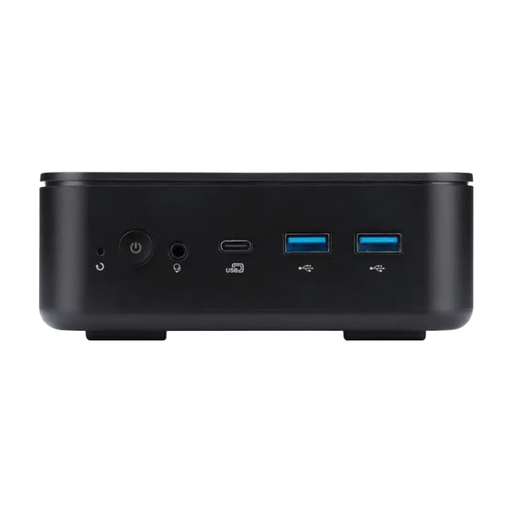
Acer Revo RB102 Mini U5-226V, DT.BPLEG.002
For a compact catalogue workstation, the title lists 16 GB RAM, a 512 GB SSD and Windows 11 Home.
The processor listed is an Intel Core Ultra 5 226V. Also check that the operating system and ports work with your cataloguing software and devices.
View at Joybuy
 No image available
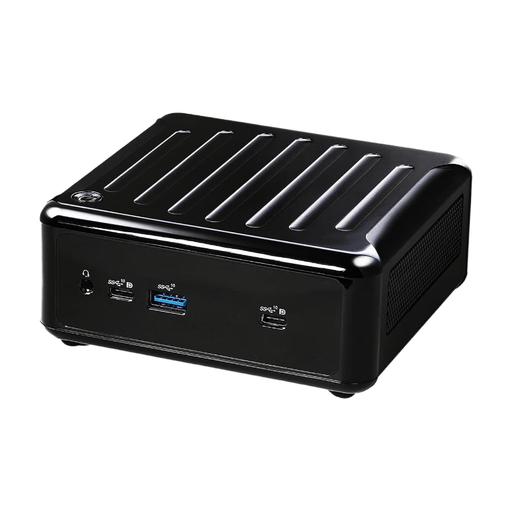
ASRock 4x4 BOX-4500U/EU/AI, Ryzen 4500U
The title describes a compact ASRock PC with an AMD Ryzen 4500U processor.
For the version you choose, check that the memory, drive, operating system, ports and included items meet the needs of your catalogue workstation.
View at Joybuy
Frequently asked questions
Do I need to add photos and PDFs to the catalogue, or can I link to them?
It depends on your cataloguing software. Microsoft Support explains that Access offers both hyperlink fields, which can store paths, for example, and attachments on records. Test your own files to see which method still works after you copy and restore your catalogue.
Is a second internal SSD enough for a backup?
A second internal SSD is no substitute for a separate backup of your catalogue and source files. The German Federal Office for Information Security also recommends testing that you can restore backed-up data.
What size SSD do I need for my photo archive?
Choose an SSD size based on the amount of data you have now and how much you expect it to grow. Remember to allow space for the operating system and software, and if your collection grows, check whether the specific PC version supports a suitable storage upgrade.
What should I check in a mini PC for my catalogue workstation?
Compare the specifications of the exact configuration with your software, storage needs and connected devices. In particular, check the operating system, installed SSD, ports for your monitor and backup drive, and what’s included.
Is a second-hand Windows 10 PC still a straightforward choice?
Not without a suitable update plan: regular support for Windows 10 ended on 14 October 2025. Microsoft says eligible devices can use a Consumer ESU programme until 12 October 2027; check the eligibility requirements or whether the PC can run an operating system that is still supported.


