Filming close-ups of the nib and writing
If you’re filming close to the nib and writing, a larger preview can make it easier to check focus as you record. Fotonomaden notes that an external monitor can make checking focus in macro shots easier.


An external camera monitor isn’t automatically necessary for filming a fountain pen review in your student room. If you can clearly assess the nib and writing on your camera’s screen from your writing position, that may be enough. Otherwise, a suitably positioned HDMI monitor with focus-assist tools is one option to consider. First check that your camera outputs a suitable live signal in your chosen recording mode, and factor in a mount, cables and power. Extra displays, camera control or a recorder are only worth it if you’ll actually use those features.
If you’re filming close to the nib and writing, a larger preview can make it easier to check focus as you record. Fotonomaden notes that an external monitor can make checking focus in macro shots easier.
Before buying, you’ll want to check whether your camera outputs a live image in your chosen recording mode, and whether any control feature you want works with your exact camera model.
You need a preview you can see while writing, without the screen, mount, cables or power supply taking up too much of your workspace.
First, check whether your camera’s screen is good enough for assessing the nib and writing. If it isn’t, check the live signal and the features you want, then plan how you’ll position and power the monitor at your desk.
| What matters | What to check before buying | Who should consider this? |
|---|---|---|
| Focus on the nib and writing | Check whether the monitor offers peaking or image magnification, and whether you can make out the nib and writing from where you’ll be sitting. | If I want to check fine nib details and writing while recording, being able to assess focus is essential. Around 33% of consumers put focus first. |
| Camera compatibility | Check that the HDMI live image, output format and frame rate during recording are compatible with the monitor’s input formats. Check camera control separately. | If you want to keep using your existing camera and avoid incompatible signal formats, pay particular attention to the connection. Around 27% of consumers prioritise camera compatibility. |
| Space, mounting and power | Plan the viewing angle, mount, cable routing and power source. Also check exactly what’s included in the box. | If I’m writing and filming at a small desk, the preview needs to be visible without blocking my workspace or cable route. Around 20% of consumers focus first on space and setup. |
| Exposure for paper and ink | If you want to check exposure while filming, see whether the specific model offers tools such as a histogram or waveform. | If you want to keep an eye on bright areas of paper and changing room light, exposure analysis tools may be useful. Around 20% of consumers put exposure first. |
A monitor may accept a 4K signal while still having a panel with a lower native resolution. For the Atomos Shinobi II, supported input formats and the panel resolution of 1920 × 1080 pixels are listed separately.
Compare input formats and frame rates separately from the display’s native resolution.
According to Atomos, the Atomos Shinobi II doesn’t have a built-in battery. Whether your setup is ready to use also depends on the power supply and exactly what’s included in the box.
Check the box contents before ordering, and plan where the power source and cables will go on your desk.
Depending on your setup, you may also need a compatible power source, connection cable or mount.
Camera control depends on the specific camera model. The Video Assist 5″ 3G adds a recording feature that’s essential for every shoot.
Choose a control feature only if your camera is supported, and an external recorder only if you genuinely need the extra recording option.
The Shinobi II is a compact preview monitor for checking focus and exposure.
The F6 PLUSX combines a 5.5-inch preview with HDMI input and output, plus analysis tools.
The LH5P II is worth considering if you want camera control for a supported model as well as a preview.
The Video Assist 5″ 3G adds external recording to an SD card as well as previewing.
The Joybuy products below are described as desktop, gaming or business monitors. Whether a model will work as a fixed camera preview depends on your camera’s live signal, the connections available and the space you have.
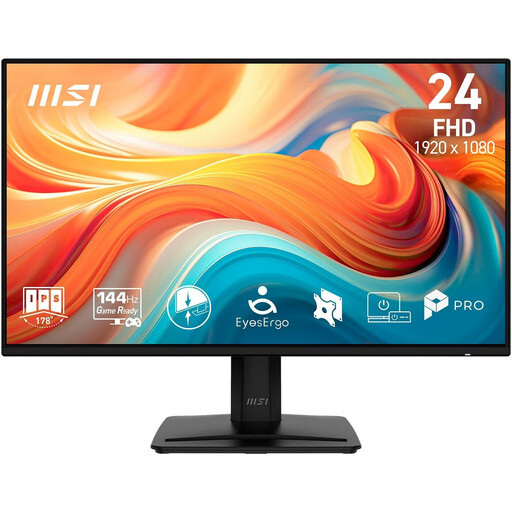 No image available
Consider it for a fixed preview only if your camera’s live signal is compatible with the HDMI input and the screen will fit on your desk.
23.8 inches; Full HD; IPS; 144 Hz; 1 ms MPRT; HDMI, DisplayPort and VGA.
 No image available
It’s only suitable for a fixed camera preview if the camera output and monitor input are compatible. Also consider how much space it will take up.
24 inches; 1920 × 1080; IPS; 144 Hz; HDMI and DisplayPort.
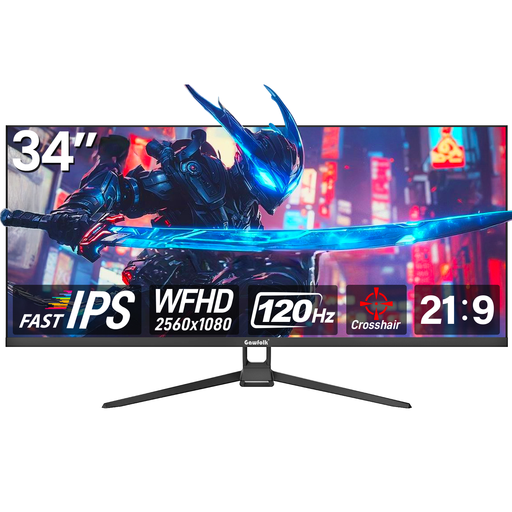 No image available
This wide desktop monitor could work as a fixed preview if it’s compatible with your camera’s signal. At 34 inches, it takes up a lot of space on a small desk.
34 inches; 21:9; WFHD 2560 × 1080; 120 Hz; HDMI and DisplayPort.
 No image available
Before using it as a camera preview, check that your camera’s live signal works with the connection on this specific monitor.
The product name specifies an integrated 5 MP IR webcam and microphone.
 No image available
Consider it for a fixed preview only if your camera output and the HDMI input are compatible. Make sure you have room for its 27-inch screen on your desk.
27 inches; WQHD; IPS; 100 Hz; HDMI; USB-C with 98 W PD.
No. Having a compatible connector isn’t enough on its own. Check your camera’s manual to see whether it outputs an HDMI live image in your chosen recording mode, and what resolution and frame rate it uses. Compare these with the monitor’s input formats. Camera control is an additional feature that depends on the camera model.
No. Atomos lists the Shinobi II’s supported HDMI input formats and its 1920 × 1080 pixel panel as separate specifications. Check the signal format and the display’s native resolution separately.
Position the monitor so you can see the nib and the edge of the frame, and keep the mount and cables clear of your writing space. Check the power supply too: Atomos says the Shinobi II has no built-in battery and can be powered by an NP-F battery or USB-C PD.
Consumers generally have a right to cancel a distance contract with a trader. Section 355 of the German Civil Code (BGB) sets out a 14-day period. Check when the period starts and whether any legal exceptions apply to your specific contract.