Creators who focus on writing samples
You mainly film the paper, nib and writing hand, so you need a repeatable frame above your desk. IPEVO lists a capture area of 34,2 × 25,5 cm for the V4K PRO. Check that it suits the size of paper you use.


For continuous writing samples, a stable, adjustable overhead view matters most. A desk mode that simply tilts the camera down isn’t automatically an overhead mount. For close-ups of nibs, compare the distance between the lens and the nib with the focus range of the specific model. If you mainly present to camera and only occasionally show your desk, a tilting webcam can make switching views easier. Resolution alone won’t give you the right framing or good lighting.
You mainly film the paper, nib and writing hand, so you need a repeatable frame above your desk. IPEVO lists a capture area of 34,2 × 25,5 cm for the V4K PRO. Check that it suits the size of paper you use.
You hold the nib up to the camera for close-ups. The focus range listed for the specific model affects how close you can position it. OBSBOT lists a focus range starting at 10 cm for the Meet 2; Elgato gives a range of 30–120 cm for the Facecam Neo.
You mostly speak to camera and want to show a writing sample now and then. Logitech describes a Show Mode for the MX Brio, where the webcam tilts downwards.
A good fit if: You usually present to camera and occasionally want to show paper or a fountain pen on your desk. Logitech describes this feature for the MX Brio.
Keep in mind: Tilting the camera down doesn’t automatically give you a straight-down view. Check the framing on your monitor.
A good fit if: You want to choose the camera angle yourself and film nib details. The manufacturer lists a focus range starting at 10 cm and a 1/4-20 thread for the OBSBOT Meet 2.
Keep in mind: The mount and the space it takes up need to suit your desk. The stated focus range doesn’t guarantee clear detail in every lighting condition.
A good fit if: Continuous writing on paper is the main focus, and a camera positioned above your work surface suits your setup.
Keep in mind: Check the space it needs, its field of view and its connection. A document camera isn’t automatically designed for presenting to camera.
When filming a fountain pen review at a small desk, camera position, focusing distance and the light you actually have are all important factors. This table shows what to check with your own setup before you buy.
| What you need | What to check before buying | Who should pay particular attention |
|---|---|---|
| Overhead view and space needed | Check the work surface, mounting points and framing with a sheet of paper and your writing hand in view. | If I want to film a complete writing sample, including my hand, from the same angle each time, I need a suitable camera position. Around 40% of consumers are primarily interested in filming writing samples. |
| Focus on nib details | Compare the planned distance from the lens with the focus range of the specific model, and take a test shot. | For small nib details, the key is whether the camera can focus from the distance you plan to use. Around 30% of consumers are mainly interested in close-ups of the nib. |
| Clarity in your available light | Compare a test shot using your own paper and ink in your usual lighting, and check the available exposure and white balance settings. | If I want to assess the writing and material details under my actual lighting conditions, the lighting needs to be right too. This is a priority for around 20% of consumers. |
| Switching between your face and desk | Check the tilt, monitor position, connection and framing in both camera positions. | If you mostly present to camera and occasionally need a desk view, look for an easy way to switch perspectives. Around 10% of consumers have this as their main priority. |
Logitech describes the MX Brio as tilting downwards, not as a freely positionable overhead mount. As a result, the framing of your paper and writing hand may not be what you expect.
Check the angle with paper and your hand on your own monitor. For a fixed overhead view, compare a separate mount or a document camera.
A separate mount may take up extra space on your desk.
Focus ranges vary: Elgato lists 30–120 cm for the Facecam Neo, while OBSBOT gives a range starting at 10 cm for the Meet 2. The term autofocus alone doesn’t tell you whether the camera will work at your planned distance.
Measure the distance between the lens and the nib with your intended mount, then test the smallest detail you want to be able to see in the video.
The focus specifications for the OBSBOT Meet 2 don’t automatically apply to the differently named Meet 4K. Logitech models with similar names may also refer to different versions.
Check the full model name against the relevant manufacturer’s specifications rather than applying details from one version to another. On a product page, make sure the title and description refer to the same version.
The MX Brio may suit you if you mainly present to camera and occasionally want to show your desk.
The Meet 2 may be worth considering if you plan to position your webcam close to the detail you want to film.
The Facecam Neo is a Full HD webcam for filming with enough space between the camera and the writing surface.
The V4K PRO is a USB document camera for filming paper and work surfaces.
Joybuy webcam options for filming at your desk.
 No image available
An option if you’re looking for an adjustable webcam for filming.
Full HD 1080p; with microphone.
 No image available
An option if you need adjustable framing while filming. Check that the setting you want works with your setup.
Full HD 1080p at 60 frames/s.
 No image available
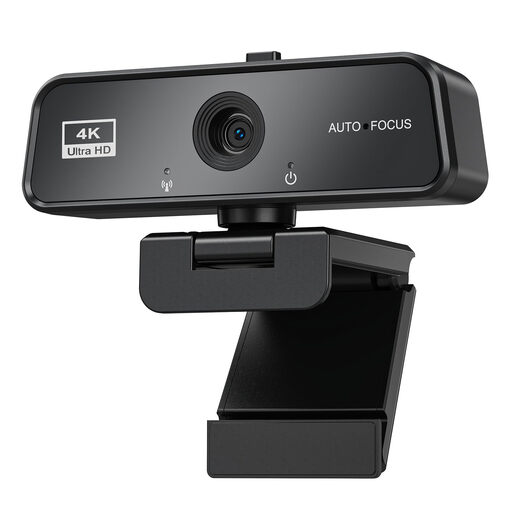
An option if you’re looking for a 4K webcam for filming and streaming. Check the focus and framing with your nib and paper.
4K webcam; Sony IMX363 sensor.
 No image available
An option if you’re looking for a webcam for an adjustable setup. Check that the tripod and camera position work with your small desk.
4K webcam.
 No image available
An option for video recording if you want to adjust the camera position at your desk.
USB webcam.
No, 4K alone isn’t enough. First check the focus distance and framing where you plan to film, then compare test shots in your actual lighting conditions.
Check that the specific model is compatible with your computer’s port, and make sure your recording app recognises the camera. The German-language IPEVO V4K PRO specifications list USB-A, USB 2.0 UVC and a 150 cm cable.
Check the mount, focus and framing again before each recording, especially if you’ve moved the camera or paper. A short test recording with your usual paper and lighting can serve as a reference.
For a consumer purchase from a retailer, your statutory rights are initially against the seller. A voluntary manufacturer’s guarantee is separate. The European Union generally provides for a minimum guarantee period of two years from receipt of the goods.
There’s no blanket requirement for permission when filming a fountain pen without any other identifiable people. If identifiable people or their personal data are involved, you need to check the appropriate legal basis for the specific purpose. Valid consent is one possible legal basis, but it isn’t the only one.