When filming a nib and handwriting, the first things to consider are whether the camera can focus from your intended distance and capture the framing you want. 4K alone won’t solve problems with close focusing or limited space. A webcam is best suited to a PC setup, a compact camera with a fixed lens to a standalone setup, and an interchangeable-lens camera if you want to choose a lens specifically for close-ups and desk shots. Specifications from Canon, DJI, Elgato, Logitech and Sony describe technical features, but they don’t tell you how your particular fountain pen will look in your chosen setup.
Which setup is right for you?
Close-up reviewers
If you want to show the nib, ink flow and writing sample from close up, check the focusing distance and framing of the specific camera and lens setup. Canon lists a minimum focusing distance of 0.05 m for the PowerShot V1. This doesn’t automatically tell you how much of the writing area will fit in the frame at that distance.
Solo reviewers with limited desk space
You need to position the camera without pushing your hands and paper out of the usable workspace. Plan your framing from the actual mounting position and check that enough of the writing area remains visible.
Reviewers filming at a PC
If you’re recording at your computer, connections and mounting are part of the setup. With a webcam, you should also test the sound and framing in the position you plan to use. A desk-view mode alone doesn’t guarantee that the finest nib details will be in focus.
What should you consider when choosing?
PC webcam
A good fit if: you record directly at your computer and can mount the camera above your workspace.
Things to consider: Check the framing, mounting and connection. A desk view doesn’t guarantee the right close-up focus.
Compact camera with a fixed lens
A good fit if: you want to film independently without having to choose a separate lens. Canon lists manual focus and a minimum focusing distance of 0.05 m for the PowerShot V1.
Things to consider: The minimum focusing distance alone doesn’t tell you whether the nib, your hand and the whole writing sample will fit in the frame together.
Interchangeable-lens camera
A good fit if: you want to create both close-ups and wider desk shots with a lens chosen for the job. The Canon EOS R50 V uses RF and RF-S lenses; the Sony ZV-E10 is also an interchangeable-lens camera.
Things to consider: Check the minimum focusing distance and angle of view for the specific lens. Canon states that EF-M lenses are not compatible with the EOS R50 V.
Compact gimbal camera
A good fit if: you also want to film moving shots as well as fixed desk scenes. DJI lists the Osmo Pocket 3’s weight as 179 g.
Things to consider: DJI lists a minimum focusing distance of 20 cm. Check that the nib and writing sample will fit in the frame from that distance.
| What you need |
What to check before buying |
Who is it important to? |
| Sharp details of the nib and handwriting |
Check the distance to the subject, focusing range and framing for the specific model or lens. |
If I want to show the nib and handwriting from close up, the camera needs to focus from where I’ll be filming. Around 33% of consumers put sharp close-up detail first. |
| Framing and mounting |
Decide on the camera position and available height; check that the nib, hand and paper are in frame from that position. |
With limited space, I want to be able to write without the camera or mount taking up my workspace. Around 27% of consumers prioritise space and framing. |
| Recording and commentary at a PC |
Check that the connection and software work with your computer; make a test recording while speaking and writing. |
If I’m recording at my computer and want to include commentary, the recording setup needs to work with my PC. Around 20% of consumers prioritise their PC workflow and commentary. |
| What the complete setup involves |
Compare what’s included with the lens, mount, storage media and audio solution you need. |
Before choosing a camera type, I want to know what I’ll need for a complete, usable setup. Around 20% of consumers say the overall setup is their main concern. |
Common buying mistakes
-
Assuming 4K means you can shoot close-ups
A high video resolution doesn’t tell you whether the camera can focus on a fountain pen nib from the distance you plan to film at. DJI lists a minimum focusing distance of 20 cm for the Osmo Pocket 3.
Compare the focusing distance and framing from your intended camera position before deciding how important resolution is.
-
Buying a camera body without choosing the right lens
With an interchangeable-lens camera, the minimum focusing distance depends on the lens you choose. Canon lists RF and RF-S as compatible lens mounts for the EOS R50 V and states that EF-M lenses aren’t compatible.
For the specific lens, check the mount, minimum focusing distance, angle of view and what’s included.
Key brands to consider
Canon
The PowerShot V1 has a built-in lens, while the EOS R50 V is an interchangeable-lens camera.
- Canon lists manual focus and a minimum focusing distance of 0.05 m for the PowerShot V1.
- With the EOS R50 V, the minimum focusing distance depends on the lens; Canon states that EF-M lenses aren’t compatible.
Sony
The ZV-E10 is an interchangeable-lens camera with a Product Showcase Setting.
- Sony lists an APS-C sensor and a Product Showcase Setting for the ZV-E10.
- For fountain pen close-ups, check the angle of view and minimum focusing distance of the specific E-mount lens separately.
DJI
The Osmo Pocket 3 is a compact, standalone gimbal camera that’s also worth considering for moving shots.
- DJI lists a weight of 179 g and 4K recording.
- The listed minimum focusing distance is 20 cm. Check that the nib fits in your desired frame from this distance.
Elgato
The Facecam Pro is a PC webcam with adjustable focus, designed for a fixed setup.
- Elgato lists a focusing range from 10 cm to infinity and requires a USB 3.0 connection.
- Elgato marks the Facecam Pro as Legacy/EOL. Its technical specifications don’t confirm current availability.
Logitech
The MX Brio is a PC webcam with a feature designed to show your desk.
- Logitech describes Show Mode for displaying notes and sketches on your desk, as well as white balance and exposure settings.
- The desk view alone doesn’t confirm a suitable minimum focusing distance for nib details.
Joybuy products for your desk
This selection includes PC webcams and compact cameras for video recording. For close-up nib details, check the focusing distance and framing of your specific setup before buying.
 No image available
Full HD 1080P Webcam with Microphone
This model is listed as a webcam with a microphone, making it an option for recording commentary at a PC.
The product name specifies Full HD 1080P and USB plug-and-play for PC and laptop.
View at Joybuy
 No image available
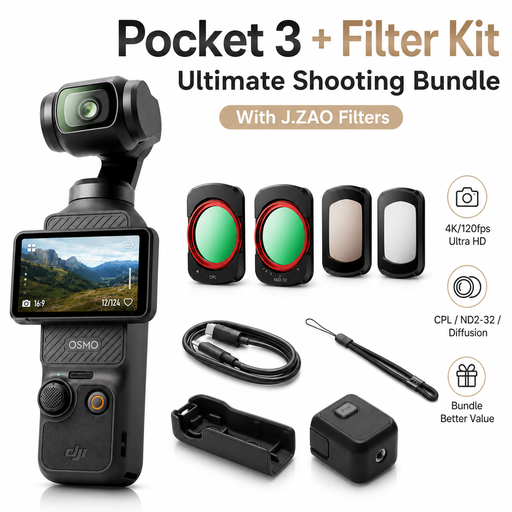
DJI Osmo Pocket 3 Standard Combo + J.ZAO Pocket 3 Camera Filter Kit
If you’re looking for a compact, standalone camera, this offer is listed as a gimbal camera bundle. For filming a nib, check whether the minimum distance suits your setup.
The product name specifies 3-axis mechanical stabilisation, a 2-inch touchscreen and 4K/120-fps recording. DJI lists a minimum focusing distance of 20 cm for the Osmo Pocket 3.
According to the product name, the bundle includes a J.ZAO Pocket 3 Camera Filter Kit.
View at Joybuy
 No image available
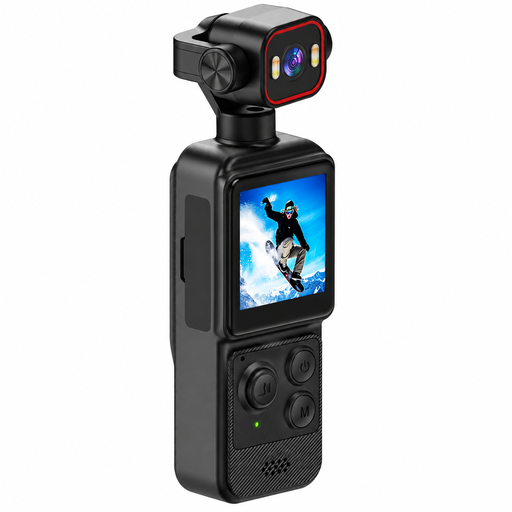
4K Mini Action Camera with Clip, 1.54-inch Display and 140° Wide Angle
For a compact mounting option, compare the clip attachment and rotating lens listed in the product name with your planned camera position.
The product name specifies 4K recording, a 1.54-inch display, 140° wide angle, app control, LED lighting and a 1200-mAh battery.
View at Joybuy
 No image available
Razer Kiyo V2 X, Full HD 1080p, 60 FPS, Black
This PC webcam could suit a computer-based workflow. Check that its connection and your chosen recording software work with your setup.
The product name specifies Full HD 1080p and 60 FPS.
View at Joybuy
 No image available
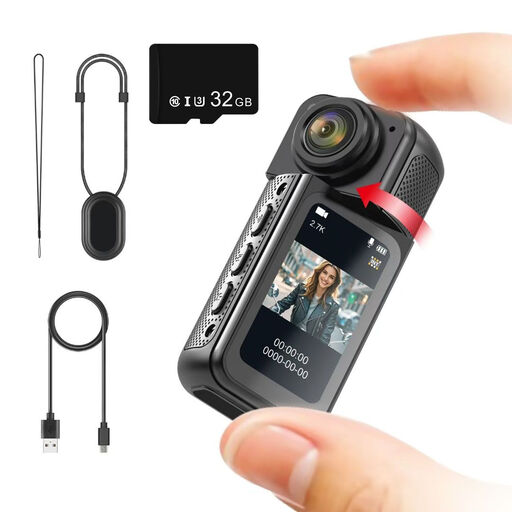
NAXSIR Mini Action Camera 2.7K, 180° Rotating Lens
If a compact camera position is important, check whether the magnetic mount listed in the product name suits your planned setup.
The product name specifies 2.7K recording, a 180° rotating lens, a 1.47-inch IPS display and an included 32GB memory card.
View at Joybuy
Frequently asked questions
Is 4K enough to get a sharp shot of a fountain pen nib?
No, 4K alone isn’t enough. What matters is whether the camera can focus from your planned position and capture the framing you want. Canon lists a minimum focusing distance of 0.05 m for the PowerShot V1, DJI lists a minimum focusing distance of 0.2 m for the Osmo Pocket 3, and Elgato lists a focusing range from 0.1 m for the Facecam Pro. These specifications apply to the respective models and don’t replace testing your own setup.
What should I check before my first desk recording?
Put the camera in the position you plan to use, then check the focus on the nib and writing sample, as well as the framing with your hand writing. Canon provides manual focus on the PowerShot V1, while Logitech lists white balance and exposure settings among the MX Brio’s features. Also make a test recording to check that your commentary is clear.
Is a manufacturer’s guarantee the same as statutory warranty rights?
No. For a consumer purchase in Germany, statutory warranty rights apply against the seller; a guarantee is an additional voluntary promise with its own terms and conditions. If a product is faulty, the first step is to seek a remedy, such as repair or replacement. The Verbraucherzentrale explains the difference between statutory warranty rights and a guarantee.
Can I publish a fountain pen review if another person is recognisable in it?
Under § 22 KunstUrhG, consent from the person shown is generally required to distribute or publicly display an image of them; § 23 provides limited exceptions. Where personal data is processed and the GDPR applies, the processing must also have a legal basis. A video showing only a fountain pen, paper and your own hands is therefore not automatically the same as a video featuring identifiable third parties.


