What should you look for?
The percentages give an indication of the main considerations for consumers choosing labels for freezer containers at a community centre.
| Consideration |
What to check when buying |
Who it matters most to |
| Adhesion and legibility after freezing |
Check the material type, stated temperature resistance, application conditions and suitability for the container surface. |
If I want to avoid containers becoming difficult to identify after freezing, I pay attention to the material and how it should be applied. This is the main consideration for around 36% of consumers. |
| Room for clear information |
Try laying out the contents, quantity and date on the intended tape width or label size. |
If other helpers need to see the contents and date at a glance, there must be enough space for clear, legible details. This is the main consideration for around 29% of consumers. |
| Input by different helpers |
Check whether the device’s keyboard is enough, or whether you need a mobile device, PC and templates. |
When I’m working with a team of different helpers, I want a process everyone can use without unnecessary extra steps. Around 21% of consumers prioritise this shared workflow. |
| Consumables and existing equipment |
Consider compatible cartridges or sheets, the number of labels you need and the type of printer you already own. |
If I already have a printer, I want to choose the right material for it and keep an eye on how much I use. This is the top consideration for around 14% of consumers. |
Brother lists TZe tapes up to 24 mm wide for the P-touch CUBE Plus; the manufacturer states that the PT-H110 takes tapes up to 12 mm wide. Avery Zweckform gives the size of the L7970-25 sheet as 63,5 × 33,9 mm. The right size also depends on how much information you need to put on each container.
Label printers at Joybuy
The following Joybuy products are mainly app-controlled label printers for recurring labelling tasks. Before choosing one, check that its printing material and application are suitable for the storage conditions of your freezer containers.
 No image available
Phomemo M110 label printer with roll of labels
For recurring labels using templates and batch printing; the product description says it is controlled via an app.
Bluetooth; Print Master app; label widths from 20 to 50 mm; one roll of labels included. An iOS or Android device is required for the printing process described.
View at Joybuy
 No image available
Phomemo P15 2-in-1 satin ribbon and label printer
Can be used for app-controlled labels; according to the product details, this model also prints on satin ribbon.
Bluetooth; Print Master app; one roll of labels included. The app is required to operate the printer; additional satin ribbon is sold separately.
View at Joybuy
 No image available
Mini Bluetooth thermal label printer
For app-based labels with text or QR codes; the product description also mentions printing photos and notes.
Fun Print app; ten rolls of thermal paper included. The described operation uses an iOS or Android smartphone. Check whether the paper provided is suitable for use on freezer containers.
View at Joybuy
 No image available
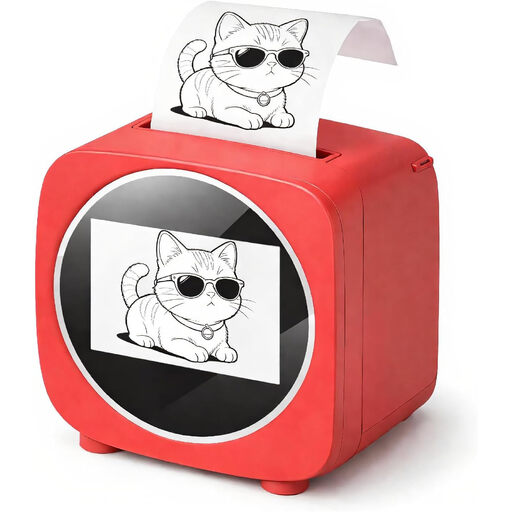
Bluetooth label printer with 2.4-inch colour display
For creating organisation labels using app templates; the product description mentions a preview on the colour screen.
2.4-inch colour display; Tiny Print app; uses rolls of thermal paper. Before using it in a freezer, check that the specific material is suitable for the conditions.
View at Joybuy
 No image available
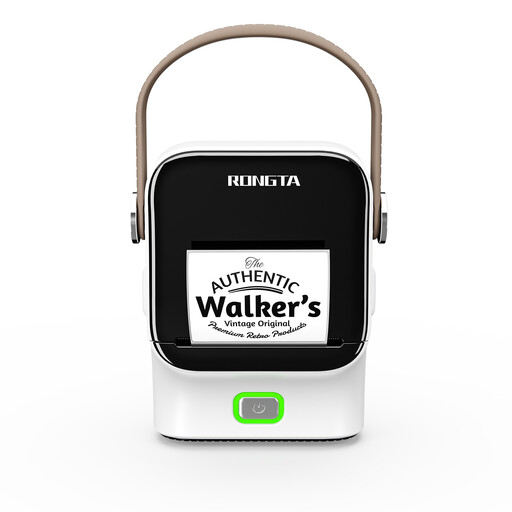
Rongta R22 Bluetooth label printer with NFC
For recurring labels using app templates; the product description says it can be operated with a smartphone or tablet.
NFC detection; label rolls from 16 to 54 mm; 1500 mAh battery. According to the product description, it is operated using an app.
View at Joybuy
Frequently asked questions
What should you write on a freezer container?
To keep track of stored food, the German Federal Centre for Nutrition recommends noting the contents, quantity and date. This practical recommendation does not automatically mean that all information requirements for serving food have been met.
Can I stick a label on a container that is already frozen?
Do not assume you can simply because the label is rated for low storage temperatures. The Avery Zweckform L7970-25 product page gives conflicting application temperature information. Before using it this way, check the specific material type and the manufacturer’s guidance.
Is a label on a freezer container enough to provide guests with allergen information?
Not automatically. When certain non-prepacked foods are served, § 4 LMIDV requires information about specific ingredients and processing aids; this can also be provided in other clearly visible and easily accessible written or electronic formats. Whether the regulation applies to the community centre’s particular activities depends on how they are carried out. The regulation is published by the Federal Ministry of Justice and the Federal Office of Justice on the “Gesetze im Internet” website.
Does a label stuck to the outside of a container need to be suitable for direct food contact?
A label on the outside of a closed container does not automatically come into contact with the food. If direct food contact is intended, check the suitability of the specific material separately; Avery Zweckform limits its stated adhesive suitability to dry, non-greasy foods.
How do I plan ahead for buying replacement labels?
Before buying, check the device against the exact cartridge or compatible material: the DYMO LabelManager 160 uses D1 cartridges, while the Brother PT-H110 uses TZe tapes. Follow the device manufacturer’s cleaning and replacement instructions, and check which widths are compatible with your printer.


