Containers that are already frozen
If you apply labels after freezing, pay particular attention to the application temperature specified by the manufacturer. HERMA states that its 4388 paper label can be applied from −25 °C.


Start by choosing a label that suits both the container and the conditions when it will be applied. Then choose a device that can handle that material. For changing, individual labels, a handheld device with a keyboard is an obvious choice; recurring templates can also be prepared on a mobile device or PC. A stated resistance to low temperatures does not replace an adhesion test on your own container, particularly if it is already frozen when you apply the label.
If you apply labels after freezing, pay particular attention to the application temperature specified by the manufacturer. HERMA states that its 4388 paper label can be applied from −25 °C.
If several people need to label containers on the spot, a device with its own keyboard lets them enter text right where they need it. Brother Deutschland lists a QWERTZ keyboard for the PT-H110, while DYMO describes the LabelManager 160 as a portable handheld device.
If you regularly create labels with a similar layout, you could consider entering the text on a mobile device or computer. Brother Deutschland describes these ways of using the P-touch CUBE Plus PT-P710BT.
Suitable if: You want to enter changing labels directly on the container without using a smartphone.
Bear in mind: The tape width limits the space available for longer text. You’ll need to check that it adheres to the specific container.
Suitable if: You want to use a standalone device with compatible D1 tape.
Bear in mind: The temperature rating applies to D1 Durable tape and does not prove it will adhere to your container. LetraTag cassettes are a different system.
Suitable if: Your team often prepares labels with a consistent layout.
Bear in mind: You’ll need an additional mobile device or computer to enter text. You’ll also need to choose suitable label material separately.
Suitable if: You only label containers occasionally or already have a suitable office printer.
Bear in mind: Handwriteable labels and A4 sheets are different from printer cassettes. Check the application and operating temperatures for the specific material.
| Priority | What to check before buying | Who is this important to? |
|---|---|---|
| Adhesion in cold conditions | Application and operating temperatures for the specific material; take the container surface and any moisture into account. | If you’re applying a label to a cold or already frozen container, it needs to be suitable for those exact conditions. Around 36% of consumers prioritise adhesion in cold conditions. |
| Clear identification across the team | Required text length and label space; agree on a shared labelling system. | If other team members need to identify the contents or person responsible at a glance, the label should suit the task you share. Around 29% of consumers prioritise clear identification. |
| Labelling on the spot | Built-in keyboard or input via an app or PC; agree as a team on how to use it. | If container contents change frequently and you want to label them there and then, the input method matters. Around 21% of consumers prioritise being able to label items on the spot. |
| Templates and refills | Check compatibility with the tape family or A4 sheets; if you use templates, consider whether you need an app or PC. | If similar labels are needed regularly, a suitable workflow and compatible consumables are important. Around 14% of consumers pay particular attention to templates and refills. |
The temperature an applied label can withstand is not necessarily the temperature at which it can be applied. HERMA makes this distinction explicitly for its 4388 label.
Check both temperature ratings for the specific material and test it on your container.
If a label comes loose, you may need to replace and reapply it.
TZe, D1, LetraTag and A4 label sheets are different systems and are not interchangeable.
First decide on the material and format you need, then check which devices are compatible.
Incompatible cassettes or sheets may not work for the labelling task you have in mind.
The label printer test published by COMPUTER BILD does not prove that every tape will adhere to every container surface.
Use device tests only as a guide when choosing a printer, and check the specific material on your own container.
Brother offers handheld devices and a model operated via mobile device or computer, using TZe tapes.
DYMO offers handheld devices that use different tape systems. D1 Durable tapes are one option for labels exposed to cold conditions.
HERMA 4388 is an A4 freezer label for suitable inkjet and laser printers, not a cassette for a handheld device.
The write-on freezer labels 59371 are an option for occasional labelling without a dedicated device.
The options below are designed for labelling via a mobile device. For freezer containers, check the label material and adhesion separately.
 No image available
Could be worth considering for recurring labels, with customisable templates and batch printing in the app.
The product description lists Bluetooth and label widths of 20 to 50 mm. The device should be protected from moisture and extreme temperatures.
 No image available
App-based operation could suit you if you want to create label text on a smartphone.
The product name states that the set includes 10 rolls of thermal paper. The product description notes that printed images may turn black if rubbed.
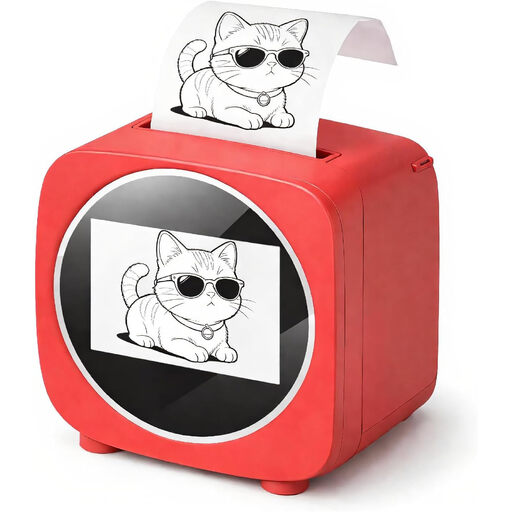 No image available
Could be useful for template-based labels if you want to prepare them in an app.
The product name lists a 2.4-inch colour display. The product description mentions thermal paper and an app with templates.
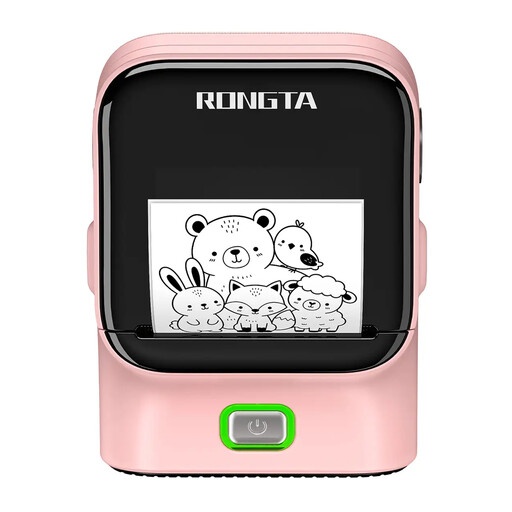 No image available
Bluetooth operation could suit labels that your team prepares on a mobile device.
The product name lists a print resolution of 203 DPI and a print speed of 50 mm/s.
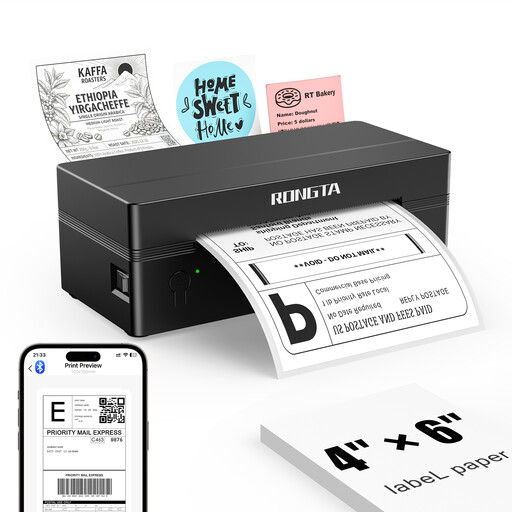 No image available
Could be worth considering if you want to create labels in an app on a smartphone or tablet.
The product name lists a 4-inch model. Both the product name and description state that it is designed for use with iOS and Android devices.
For frozen food, the German Federal Centre for Nutrition recommends stating the contents, quantity and date. For other workshop items, your team should agree on a shared labelling system suited to the task.
It depends on the application temperature for the specific label and the conditions around the container. HERMA states that its 4388 paper label can be applied from −25 °C. A rating for temperature resistance after application does not answer this question.
No. DYMO lists the LabelManager 160 as compatible with standard D1 and Durable tapes, while LetraTag cassettes are designed for LetraTag devices.
Before buying, check which cassettes, tapes or A4 labels are suitable for both the device and its intended use. If you regularly create the same labels, it may also matter whether you want to make templates in the designated app or on a computer.
Cold resistance alone does not prove that a label is suitable for direct contact with food. The EU rules summarised by EUR-Lex cover materials intended to come into contact with food or that could transfer substances to it. So check the specific material if this kind of contact is intended. A label on the outside of a sealed container is not automatically in direct contact with the food.