Choose your label material based first on the temperature at application, the container surface and freezer storage conditions. A low-temperature rating does not automatically mean a label will stick to a container that is already frozen. For short texts that change frequently, a label maker may be suitable; for larger quantities of identical information, A4 labels or rolls are also worth considering. In every case, check that the consumables are compatible and that there is enough room for all the information you actually need.
Which solution is right for you?
Businesses labelling containers that are already frozen
If you only label containers after freezing them, you’ll need a label whose specifications cover application at the actual temperature. A stated storage temperature alone doesn’t tell you whether it will stick to a cold, potentially damp surface. Avery Zweckform specifies an application temperature of down to −25 °C for its L7971-25 freezer labels.
Shops with frequently changing contents
For short texts that change regularly, consider whether you’d rather type directly on the device or create templates on your smartphone or PC. Brother says the PT-D460BTVP lets you enter text using its keyboard, a mobile device or a computer, while the PT-P710BT can be used with a mobile device or PC.
Businesses handling lots of batch information
If you need to include business details, dates or identification information on a label, make sure the text is legible and fits on the container. Compare the longest entry you actually need with the available label size. The European Commission outlines food traceability requirements; business labelling and consumer information are not the same thing.
What should you look for when buying?
For freezer containers in a small shop, the key considerations go beyond the printing process. Make sure the application temperature is right, there’s enough room for the information and the consumables are compatible.
Label maker with tape
A good choice if: You label individual containers with short texts that change frequently and want to enter them directly on the device or via a connected device.
Keep in mind: Brother describes TZe-251 as resistant to temperature and smudging. This doesn’t establish that it will stick when applied to containers that are already frozen and damp. Narrow tapes also limit the space available for text.
A4 printer with freezer labels
A good choice if: You have a compatible inkjet or laser printer and need several identical labels or more text per container.
Keep in mind: Avery Zweckform gives the L7971-25 a resistance range of −50 °C to +70 °C and specifies application at temperatures down to −25 °C. These manufacturer specifications apply to the label and don’t replace testing it on your own container surface.
Direct thermal roll printer
A good choice if: You regularly print individual roll labels with changing information from a PC.
Keep in mind: DYMO says the LabelWriter 550 needs neither ink nor toner, but only works with DYMO LabelWriter labels. Before buying, check that a specific compatible label is approved for application and storage on your freezer containers.
Handwrite-on freezer label roll
A good choice if: You only have a few containers to label, or the designated writing areas provide enough room for your internal information.
Keep in mind: Avery Zweckform states that ETICOLD.DE is freezer-resistant down to −35 °C. If you’re writing by hand, you should also consider the pen you use and how legible the writing remains in your own process.
| What you need |
What to check before buying |
Who should pay particular attention |
| Adhesion in cold conditions |
Check application and storage temperatures separately, and take the container surface and any moisture into account. Avery Zweckform specifies application at temperatures down to −25 °C and storage resistance down to −50 °C for L7971-25. |
If you also need to label containers that are already cold, adhesion at the point of application is your main concern. Around 36% of consumers prioritise adhesion in cold conditions. |
| Quick labelling of individual items |
Check whether typing on a keyboard or creating templates on a smartphone or PC better suits your workflow, and whether suitable tapes are available in the width you need. |
If you frequently need to change short entries, a quick way to go from text to label is important. Around 29% of consumers prioritise fast, individual printing. |
| Legibility and space for text |
Check the longest text you need against the actual space available on the container. Don’t treat internal information as a substitute for full consumer labelling. |
If several business details need to remain legible, you’ll need enough room on the label. Around 21% of consumers prioritise information space and legibility. |
| Consumables |
Check that the tape or roll is compatible and the right size. DYMO specifies that the LabelWriter 550 uses only DYMO LabelWriter labels; write-on rolls may be an alternative if you don’t need a printer. |
If you’re thinking about ongoing purchases and finding suitable labels, the choice of consumables is particularly important. Around 14% of consumers put consumables first. |
Common labelling pitfalls
-
Confusing storage temperature with application temperature
A label may be rated for storage at low temperatures without being suitable for application to a container that is already frozen. Avery Zweckform gives separate application and storage specifications for L7971-25.
Check the stated application temperature for the specific label and compare it with the container’s temperature when you apply it.
-
Assuming a narrow container label can provide all the required sales information
Internal storage details aren’t automatically the same as the mandatory information required for prepacked food sold to consumers. The European Commission distinguishes consumer information from business requirements.
Before choosing a format, confirm whether the container will be used internally only or sold to consumers as prepacked food.
-
Choosing the device first and looking for labels later
A printer may only work with certain tapes or rolls. DYMO says the LabelWriter 550 is designed for DYMO LabelWriter labels only; you’ll also need to check separately that a specific compatible label is suitable for freezer use.
Choose a suitable label in the format you need, with the required application and storage specifications, before settling on a printing system.
Brands to consider
Brother
P-touch devices offer options for changing labels. The PT-D460BTVP works with a keyboard, mobile device or PC and TZe tapes up to 18 mm wide; the PT-P710BT lets you enter text using a mobile device or PC and supports TZe tapes up to 24 mm wide.
- Brother describes the laminated TZe-251 as resistant to smudging and temperature.
- This tape specification doesn’t establish that it will stick to a container that is already frozen and damp. Check its suitability for the specific surface and application temperature.
DYMO
The LabelWriter 550 is a PC-based direct thermal roll printer for individual labels.
- DYMO says the device needs neither ink nor toner.
- According to DYMO, the LabelWriter 550 works exclusively with DYMO LabelWriter labels. Check whether a specific roll is suitable for your containers and freezer use.
Avery Zweckform
The range includes printable A4 freezer labels and write-on rolls for food businesses.
- For L7971-25, Avery Zweckform specifies application at temperatures down to −25 °C and storage resistance from −50 °C to +70 °C. For ETICOLD.DE, the manufacturer states freezer resistance down to −35 °C and suitability for indirect food contact.
- These specifications relate to different products and don’t apply to the brand as a whole or to every container surface.
Epson
Epson’s range includes LabelWorks tapes. For LK-4YBW tape, Epson describes properties for use with water and in cold conditions.
- Epson describes LK-4YBW as waterproof and resistant to cold.
- Epson Germany marks the tested LW-K400 (Qwertz) as no longer available. The tape specification doesn’t establish that a suitable device is currently available or that the tape will stick to containers that are already frozen.
Label makers at Joybuy
These devices are designed for product and container labels that change over time. Before buying, check whether the suitable consumables are compatible with your container surface and with the temperature when you apply them and during storage.
 No image available
Phomemo M110 portable label printer
An option for changing product labels if you want to use templates and batch printing through an app.
Supported label widths: 20 to 50 mm. A label roll is mentioned in the product title.
View at Joybuy
 No image available
Mini Bluetooth thermal label printer
An option for changing information if you want to design labels using a smartphone app.
The product title says that ten rolls of thermal paper are included.
View at Joybuy
 No image available
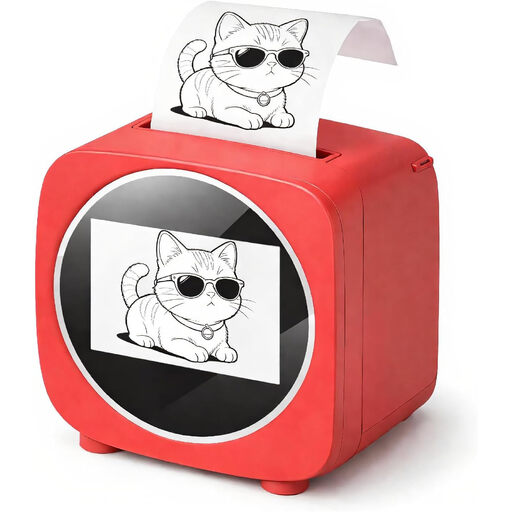
Bluetooth label printer with 2.4-inch colour display
An option for short, changing texts if you want to use templates through an app.
The description mentions thermal paper rolls and voice control.
View at Joybuy
 No image available
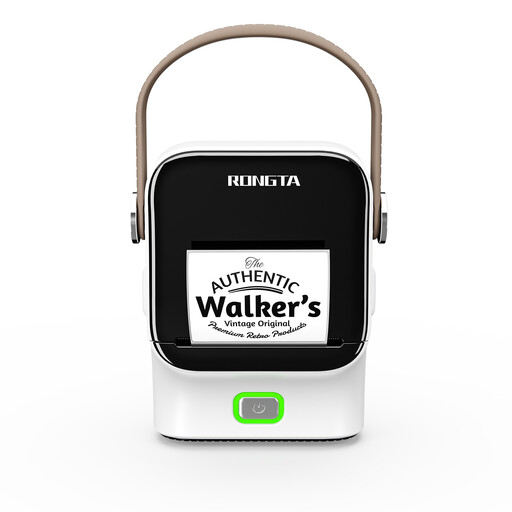
Rongta R22 Bluetooth label printer
An option for regularly changing information if you want to use templates and operate the printer from a smartphone or tablet.
Supported roll widths: 16 to 54 mm. The description states a print resolution of 203 dpi.
View at Joybuy
 No image available
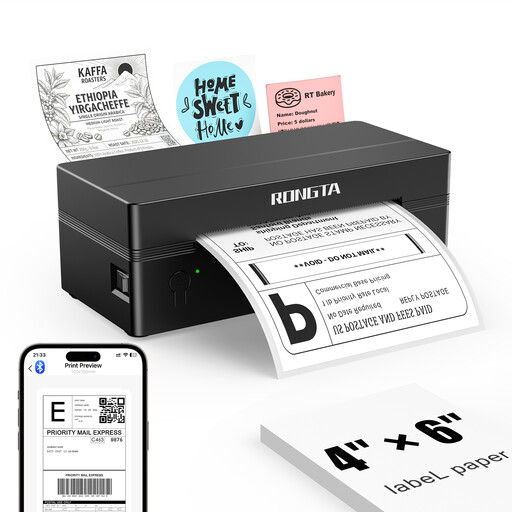
Rongta RP425 portable 4-inch label printer, black
An option for changing label information if you want to use templates through an app and need larger formats.
The description lists print widths of 2 to 4 inches and an external roll holder.
View at Joybuy
Frequently asked questions
Can I stick any temperature-resistant tape onto a container that is already frozen?
No. A storage resistance rating doesn’t establish that the label will stick when applied to a frozen container. Check the application temperature for the specific label and make sure it’s suitable for the surface you’re using. Avery Zweckform specifies application at temperatures down to −25 °C for L7971-25.
What labelling is required in a shop?
That depends on whether the containers are used internally or supplied to consumers as prepacked food. The European Commission distinguishes business requirements for hygiene and traceability from the mandatory information for prepacked food under Regulation (EU) No 1169/2011. So first establish how the containers will be used; a label on a container alone doesn’t replace your business’s wider system.
How can I avoid unsuitable labels or printing problems?
Choose the specific tape or roll to match your printing system, and check the format and compatibility in advance. DYMO says the LabelWriter 550 only works with DYMO LabelWriter labels; Avery Zweckform describes L7971-25 as suitable for compatible inkjet and laser printers.
What should I bear in mind when writing labels by hand?
Check that the writing stays legible when using the pen you actually plan to use at work. Avery Zweckform states that ETICOLD.DE is freezer-resistant down to −35 °C; this doesn’t automatically mean that every type of ink will remain legible on the label in your conditions.


