For those who write a lot
If you’re drafting longer sections in your hotel room, look for a keyboard that works with your tablet and lets you edit your template reliably.


For longer writing sessions, a tablet with a suitable physical keyboard is a portable option. If your funding application process relies on specific desktop software or peripherals, a Windows 2-in-1 may be a better fit. Before you buy, test your template and submission process using the apps you plan to use. Microsoft notes that some applications and devices may have compatibility issues with ARM-based Surface models.
If you’re drafting longer sections in your hotel room, look for a keyboard that works with your tablet and lets you edit your template reliably.
If comments, formatting or a particular submission process matter, make sure the whole process works with the apps available on your chosen operating system.
If your hotel room’s internet connection might drop out, prepare the files you need in advance. Microsoft Support recommends downloading and opening documents before working offline.
When choosing a tablet setup for working on a funding application in a hotel room, your priorities will mainly depend on how much you write, how you submit the application, whether you need to work offline and how much you want to carry.
Choose this when: The apps you need have already proved they can handle your template and submission process.
What to consider: According to Apple, the larger iPad Air with M4 is heavier than the 11-inch Wi-Fi model. Remember to factor in a keyboard and, if needed, a suitable Microsoft 365 subscription.
Choose this when: Your Android apps support the template, editing and submission process you need.
What to consider: Accessories vary by model: Samsung lists the Book Cover Keyboard Slim for the Galaxy Tab S11. Check compatibility with your exact model.
Choose this when: Your application process requires a particular Windows desktop programme or peripheral.
What to consider: Microsoft says the keyboard and pen are sold separately for Surface Pro. If you choose an ARM model, test the specific programmes and devices you need.
| What you need | What to check before buying | Who is this important to? |
|---|---|---|
| Writing longer texts | Check the keyboard layout, confirm compatibility with your exact model and see what’s included in the box. | If I’m writing longer sections in a hotel, I want to type comfortably and position the keyboard properly. Around 36% of consumers say writing is their main priority. |
| Editing a template and submitting an application | Edit a copy of the actual template, including its formatting and comments, and test the submission process with the apps you plan to use. Microsoft Support lists devices over 10,1 inches among those that may require an eligible Microsoft 365 subscription to use Word on mobile devices. | If my application has to follow a particular template or portal, the whole process needs to work on the device. Around 29% of consumers say working with a template and submitting an application are their main priorities. |
| Continuing to work on a weak Wi-Fi connection | Open or download the files you need while online, then test offline editing and syncing afterwards. | If the connection drops in my hotel room, I want to keep working on my document and sync it later. Around 21% of consumers put uninterrupted offline access first. |
| Luggage and a complete setup | Consider the weight of the specific model alongside the tablet, compatible keyboard and software you need. | If I carry my device regularly, I want to keep my luggage and setup manageable. Around 14% of consumers prioritise portability and the total cost of a complete setup. |
Screen size alone doesn’t tell you whether all the Word features you need or your chosen submission process will work.
Before deciding, edit a copy of the template and run through the submission process using the apps you plan to use.
A compatible keyboard isn’t necessarily included. Microsoft says the keyboard and pen for Surface Pro are sold separately.
Check which accessories work with your exact model and what’s included with the specific version.
To work offline with certain cloud files, you’ll need to open or download the documents you need while online first.
Test the offline process before you travel, then check that everything has synced once you’re back online.
In Germany, the iPad Air with M4 is available in 11- and 13-inch versions and, according to Apple, supports the Magic Keyboard.
Samsung lists the Book Cover Keyboard Slim as a compatible accessory for the Galaxy Tab S11.
Surface Pro is a Windows 2-in-1 with a detachable keyboard.
Lenovo describes the Tab P12 as an Android tablet with a large display and keyboard accessories.
The Joybuy products below include Windows 2-in-1, iPad and Android tablet setups for longer writing sessions. For each model, check that the keyboard and apps you need will work with your application process.
 No image available
This Surface Pro setup could suit an application process that relies on Windows apps. This version is listed with Windows 11 Home, a 12-inch touchscreen, 24 GB RAM, 1 TB storage and a device weight of 686 g. Microsoft lists the Surface keyboard as sold separately.
 No image available
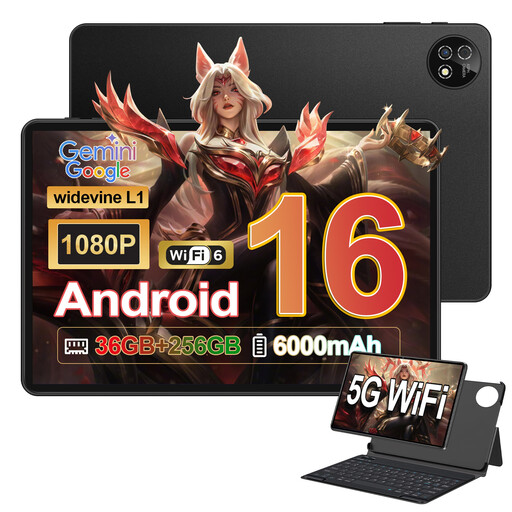
The keyboard set could be useful for writing longer texts on the go; test the Android apps you need with your template. The listed specifications include Android 16, a 10.1-inch display, a Unisoc T310 processor, 36 GB RAM and 256 GB ROM. Support for a 1-TB TF card is also listed.
 No image available
The accessories set could be a good choice for a portable setup with a keyboard and mouse; test the apps you need for your application process in advance. The listed specifications include Android 16, a 10.1-inch touchscreen, a Unisoc T310 processor and 256 GB of internal storage.
 No image available
For longer writing sessions, compatibility with the Magic Keyboard is worth considering. This 11-inch Wi-Fi model is listed at 464 g; the stated contents include the iPad Air and a USB-C charging cable, but not the Magic Keyboard.
 No image available
This version, listed as the Pad 7 with keyboard, could work well for a portable writing setup; test your template and submission process with the apps you need. Other listed features include a 3.2K display with 144 Hz and a Snapdragon 7+ Gen 3.
Yes. According to Microsoft Support, you can edit prepared files offline in Word for iPad and Android. Open any cloud files you need while online first, then check that they’ve synced once you’re reconnected. You’ll need to submit the application online separately.
You can’t assume this is the case with tablets in general. Microsoft lists the keyboard and Slim Pen for Surface Pro as sold separately. For other devices, check compatibility with your exact model and what’s included with the specific version.
It depends on your mobile device and the features you need. Microsoft Support lists devices over 10,1 inches, certain advanced features and editing files in certain business storage locations among the cases that may require an eligible Microsoft 365 subscription.
No, don’t assume they will without checking. Microsoft notes that some applications and peripherals may have issues with ARM-based Surface devices. Test the specific programmes and devices you need on the model you’ve chosen.
For a distance contract with consumers, § 312g BGB generally provides a right of withdrawal; § 355 BGB specifies a period of 14 days. The conditions, when the period starts and any statutory exceptions depend on the individual case. This consumer right cannot automatically be assumed to apply to a business purchase. Source: Federal Ministry of Justice, Gesetze im Internet.