For a one-off fundraising appeal, a recorder with built-in microphones is a sensible starting point, provided a test recording made from your speaking position captures your voice clearly while the fan is running. Shure explains that background noise and speech intelligibility depend, among other things, on the noise level and the distance from the microphone. If the fan remains distracting, or you want to record several voices separately, suitable inputs for external microphones give you more flexibility over positioning. Neither 32-bit float nor advertised noise reduction guarantees a clear recording.
Which recording option is right for you?
Solo speakers with a fan in the room
If you’re recording the appeal on your own, first check whether a suitably positioned microphone can capture your voice clearly with the fan running. Shure explains that distance and noise levels affect the balance between your voice and background noise.
Small teams with several speakers
If you’re recording several voices or want to position microphones separately, compare the inputs you need and the connection type with your microphones. Zoom and Tascam list a range of connection and microphone configurations for this purpose.
Producers making repeated short recordings
If you want to check, transfer or edit recordings quickly, consider the whole process, from starting the recording to editing it. Audacity describes ways to reduce steady background noise; listen carefully to the result afterwards.
What should you look for when buying?
When recording a fundraising appeal with a fan running, the first thing to check is whether your voice remains clear from your planned speaking position. Next, consider the microphone setup you need and how you want to record and edit your audio.
Recorder with built-in microphones
A good fit if: you’re speaking on your own and can position the recorder close enough to your voice.
The trade-off: The microphones are fixed in relation to the recorder, so a test recording will show whether the fan is distracting.
Recorder with inputs for external microphones
A good fit if: you want to position a compatible microphone closer to the speaker or record several voices separately.
The trade-off: Your microphones, cables and setup need to suit the recorder and the way you plan to use it.
| Priority |
What to check before buying |
Who is this important to? |
| Clear voice recording |
Position the recorder or a compatible microphone where you’ll be speaking, then make a test recording with the fan running. |
If I’m recording the appeal on my own, I want my voice to remain clear despite the fan. Around 42% of consumers prioritise speech intelligibility. |
| External microphones and multiple voices |
Count how many voices you need to record at the same time, then check the connection type and power requirements for each microphone you plan to use. |
If several people are speaking, or I want to position a microphone separately from the recorder, I need the right inputs. Around 25% of consumers have this as their main priority. |
| A straightforward recording process |
Compare the start controls, monitoring options, storage and file transfer with the way you plan to work. |
For a short appeal, I want to record without a complicated setup and check the voice straight away. Around 17% of consumers prioritise a simple, one-person recording process. |
| Editing and file backup |
Check the recording format, storage, power supply and how files transfer to your editing software. |
If I want to edit or reuse the recording later, I need to be able to transfer the file reliably into my workflow. Around 16% of consumers have this as their main priority. |
Avoid common buying mistakes
-
Assuming noise reduction is guaranteed to work
How clearly the fan comes through in a recording also depends on how loud it is and how far the microphone is from your voice. Noise reduction in post-production also has its limits.
Make a short test recording from your planned speaking position with the fan running, then listen back before recording the final version.
An extra test and any post-production work will take time.
-
Assuming microphone inputs are interchangeable
An XLR/TRS input and a stereo 3.5 mm input are different connection types. Whether a microphone is compatible depends on the specific input and, where applicable, its power requirements.
Decide on your microphone setup and check that it connects to the recorder model you’re considering before buying accessories.
Depending on your setup, you may need compatible microphones, cables or mounts.
-
Leaving storage and power checks until recording day
For standalone recording and playback with the Tascam DR-07XP, the manufacturer’s manual specifies a microSD card and two AA batteries.
Check what’s included, get everything you need ready and make a full test recording.
You may need to have a microSD card and AA batteries ready separately to use the Tascam DR-07XP.
Key brands and product ranges
Zoom
The H1essential range is a compact option with built-in X/Y microphones. According to Zoom, the H4essential also has two XLR/TRS inputs.
- Zoom specifies 32-bit float recording for both models.
- The manufacturer’s specifications don’t prove that a particular fan will be eliminated. You’ll need compatible external microphones to use the H4essential’s additional inputs.
Tascam
The DR-07XP has adjustable built-in directional microphones, while the DR-05XP uses fixed omnidirectional microphones.
- Tascam specifies 32-bit float for both models. The manufacturer also lists a stereo 3.5 mm input for the DR-07XP.
- The microphone configurations are different and don’t guarantee that fan noise will be reduced. For standalone use of the DR-07XP, the manual specifies a microSD card and two AA batteries.
Sony
The ICD-UX570 is an option for short voice recordings, with internal storage and recording monitoring.
- Sony specifies 4 GB of internal storage and promotes Auto Voice Recording, which optimises recording for voice frequencies.
- These manufacturer specifications don’t show how well it will handle a fan in your room. Make a test recording there to check that your voice is clear.
OM SYSTEM
The LS-P5 is worth considering if you need adjustable directionality, internal storage and file management for a fixed speaking position.
- OM SYSTEM specifies a three-microphone system with narrower and wider recording coverage, plus 16 GB of internal storage.
- The narrower recording coverage doesn’t prove that fan noise will be reduced in your particular room.
Philips
The VoiceTracer DVT4115 is another voice recorder option, with internal storage and app-based remote control.
- Philips specifies three microphones and 8 GB of internal storage.
- Its advertised long-distance recording isn’t proof of clearer speech beside a fan. Positioning the recorder nearby and listening back are still important.
Joybuy product selection
The Joybuy products below are voice recorders for spoken recordings. Make a test recording to check whether your voice remains clear from your planned speaking position with the fan running.
 No image available
Mobvoi TicNote Standard AI Voice Recorder, 64 GB
For recording a spoken appeal and processing it as text afterwards; the product name specifies 64 GB and AI transcription.
View at Joybuy
 No image available
Digital Voice Recorder, 64 GB, with transcription function
The product name lists meetings and interviews as suitable uses. Its advertised noise reduction doesn’t prove that it will have a particular effect on fan noise in your recording room.
View at Joybuy
 No image available
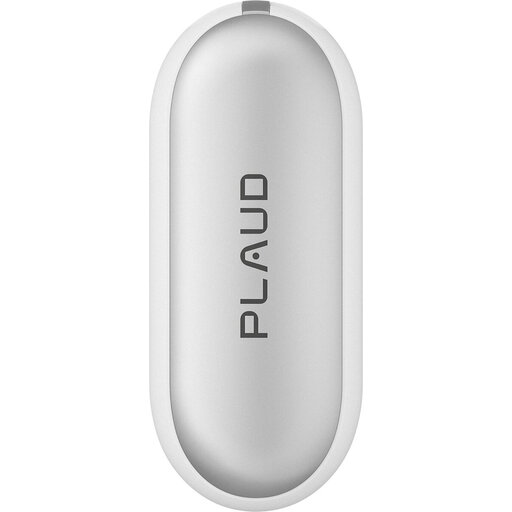
PLAUD NotePin S Wearable AI Voice Recorder, 64 GB
For hands-free voice recording if its wearable design suits the way you work; the product name specifies AI transcription and 20 hours of recording time.
View at Joybuy
 No image available
AI Voice Recorder, 32 GB
For recording a spoken appeal and processing it as text afterwards; the product name specifies real-time transcription, translation and summaries.
View at Joybuy
Frequently asked questions
Does 32-bit float help with fan noise?
No. The recording format doesn’t separate your voice from the fan. What matters first is how loud both sound at the microphone, so check the positioning with a test recording. Manufacturer claims about 32-bit float don’t prove that noise will be removed.
How can I reduce steady fan noise after recording?
Audacity describes a noise reduction process that uses a section containing only steady background noise as a reference. The result may be unsatisfactory if the noise is very loud or changes over time, or if the voice and noise are at similar levels. Keep the unedited recording and listen carefully to the edited voice.
What do I need before recording with the Tascam DR-07XP?
The Tascam manual lists a microSD card and two AA batteries as necessary for recording and playback. Get both ready and check your recording before making the appeal.
What does German law say if other people speak in the recording?
Section 201 of the German Criminal Code (StGB) prohibits recording another person’s non-public spoken words without authorisation, as well as the uses of such a recording described in that section. Discuss the recording and any planned sharing with the people concerned before recording their non-public conversations. Processing personal data also requires a legal basis; the BfDI explains that consent is one possible basis, but not the only one.
What are my rights if a recorder I’ve bought is faulty?
Under section 439 of the German Civil Code (BGB), subject to the statutory requirements, a buyer can request that the fault be remedied or that a fault-free item be supplied. This is separate from voluntary manufacturer warranties.


