Joybuy products for sketching in your home office
The Joybuy products below range from a standalone tablet for pen sketches to a simple LCD writing tablet for freehand ideas.
 No image available
TECLAST ArtPad Pro tablet
As a standalone tablet, it’s an option for sketching without a connected home PC. Check that your chosen drawing app works with Android 15.
13.4-inch 2K display; Android 15; 256 GB storage.
The product name specifies an included T-Pen with 4,096 pressure levels.
View at Joybuy
 No image available
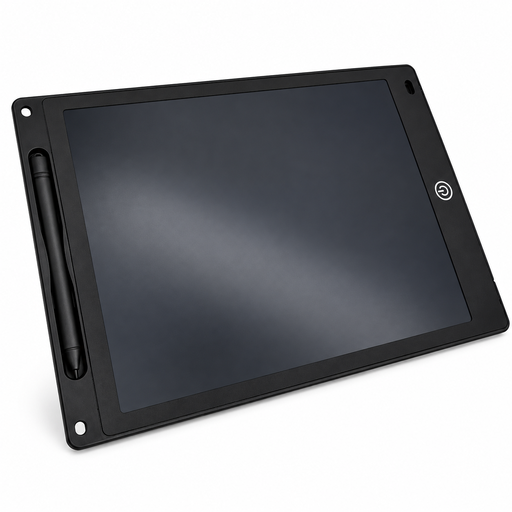
12-inch LCD writing tablet with pen
For simple freehand sketches on a reusable surface. According to the product description, the erase button clears the whole screen, so you can’t keep individual versions separately.
12-inch LCD writing tablet with pen, erase button and lock function.
View at Joybuy
Frequently asked questions
Do I need a computer to use a pen display?
Yes, for the computer-connected models described here: the image and drawing software come from a connected device. Huion describes the Kamvas Studio 16 as a standalone pen computer, so check which type the specific model is.
Is a spare USB-C port enough for a pen display?
Not necessarily. For the single-cable connection described for the Wacom One DTC141, Wacom specifies Thunderbolt 3 or later, or DisplayPort Alt Mode. Huion Support also lists requirements for data transfer, DisplayPort Alt Mode and the cable for the relevant USB-C displays. Compare the instructions for the specific display with the ports on your computer.
Will a pressure-sensitive pen automatically create accurately scaled furniture plans?
No. You’ll need suitable drawing or modelling features in your software to work with precise dimensions; SketchUp documents dedicated tools for this. Check that your intended workflow and input device are compatible with the software you plan to use.
Which app and pen compatibility should I check for an iPad?
Check the requirements of your chosen app for the exact iPad model, then make sure they match the Apple Pencil compatible with it. SketchUp Help’s system requirements page, updated on 29 September 2026, lists iPadOS 18.0+ for SketchUp for iPad; Apple notes that Pencil compatibility varies by model.
What are my rights if I need to return a product or it’s faulty?
When you buy online from a trader in the EU, you generally have 14 days from delivery to withdraw from the purchase; legal exceptions may apply. Your Europe, the European Union’s information portal, states that new goods bought from a trader are covered by a legal guarantee of at least two years. The right to withdraw and your rights regarding faulty goods are separate claims.


