For recording a gallery audio description in a reverberant room, the best starting points are a quieter recording spot and a boom arm you can keep consistently close to your mouth. Shure points out that a microphone cannot reliably distinguish direct speech from reflected speech, so a headset alone will not eliminate room echo. USB can make connecting to a compatible computer easier, while analogue and broadcast headsets require suitable connections and may need additional power or cables. Before recording, compare an unprocessed voice sample made in the actual room.
Who is this selection for?
Speakers recording in a reverberant room
If you can’t record your gallery audio description in a studio, keeping the microphone at a consistent distance and checking that your voice is clear at the intended location are key. Shure explains why a microphone cannot simply filter out reflected speech.
People recording on a computer they already own
If you want to record without extra studio equipment, first check which microphone and headphone connections your device actually supports. RØDE and Audio-Technica specify different connection options for their headsets.
Producers creating several language versions
When you’re recording multiple takes, a repeatable microphone position and checking quieter and louder passages can help. Audacity recommends checking the recording level beforehand and, if a recording is distorted, testing again at a lower level.
What should you look for when buying?
Wired USB headset
Suitable if: your computer has a compatible USB port and you want to keep the signal path simple.
Bear in mind: A stated microphone noise-cancelling feature does not prove that room echo will disappear.
Analogue headset with a TRRS connection
Suitable if: your device has a compatible combined headset socket or suitable separate 3.5 mm sockets.
Bear in mind: RØDE states that you need a suitable adapter to provide plug-in power when connecting the RØDE NTH-100M microphone to an XLR input.
Broadcast headset with separate connections
Suitable if: your recording device or audio interface already has compatible microphone and headphone connections.
Bear in mind: The cables, connections and, where necessary, power supply must be suitable for the specific version; the type of headset alone does not guarantee a recording free from room echo.
| Concern |
What to check before buying |
Who is this important for? |
| Clear speech despite room echo |
Check whether you can position the boom arm close to your mouth, then compare an unprocessed sample recorded at your intended location with one recorded somewhere quieter. |
If I have to record the audio description in a reverberant room, I want to keep my speech as clear as possible. Around 36% of consumers have clarity despite echo as their main concern. |
| A compatible connection |
Check your device’s sockets against the microphone and headphone plugs and the cable supplied; check the required signal path too, if necessary. |
If I want to use my existing computer or recording device, I don’t want to find out after buying that the connection isn’t compatible. Around 29% of consumers have connection compatibility as their main concern. |
| Controllable recording levels |
Test quiet and emphatic passages, watch the level meter and listen back to the saved recording. Audacity recommends lowering the level and testing again if clipping occurs. |
When my speech varies in volume, I want to spot distortion before recording several takes. Around 21% of consumers prioritise level control. |
| Comfort during repeated takes |
Assess the fit over the length of your planned recording session and check whether parts that matter to you, such as the cable or ear pads, can be replaced. |
If I have several language versions to record, I want the headset and boom arm to stay comfortable and consistent through repeated takes. Around 14% of consumers prioritise fit and maintenance. |
Common pitfalls when buying headset microphones
-
Confusing noise cancellation with eliminating room echo
A manufacturer’s claim about microphone noise cancellation doesn’t prove that reflections in the recording room will disappear. Shure points out that a microphone cannot reliably distinguish direct speech from reflected speech.
Listen to an unprocessed voice sample recorded at your intended location before relying on a noise-cancelling feature.
-
Treating a broadcast headset like a USB headset
Broadcast models may have separate microphone and headphone connections. The Audio-Technica BPHS2a has an XLR connection for the microphone and a 6.3 mm connection for the headphones; beyerdynamic supplies the DT 297 versions mentioned without a connection cable.
Check that the inputs, outputs, cables and any required microphone power supply are compatible with your recording device.
-
Testing only at your normal speaking volume
A particularly loud passage can clip even if quieter sentences sound fine. Audacity describes clipping as distortion that may be picked up in a test recording.
Record your loudest passage too, then check the level meter and listen back to the saved recording.
Brands worth considering
RØDE
The NTH-100M may suit you if you’re looking for an analogue headset with a detachable microphone and headphone functionality.
- RØDE specifies a TRRS cable and a splitter for devices with separate 3.5 mm microphone and headphone sockets.
- RØDE states that a suitable adapter to provide plug-in power is needed to connect the microphone to an XLR input.
- These connection details are not the result of a comparative test of echo cancellation.
Audio-Technica
The BPHS2a is designed for people recording with compatible separate broadcast connections.
- Audio-Technica specifies a dynamic microphone with a hypercardioid pickup pattern, a positionable boom and a supplied cable with XLR and 6.3 mm plugs.
- This model isn’t a direct USB solution if your recording device only has a suitable USB connection.
- The described focus on speech is a manufacturer’s claim, not proof that room echo will be removed.
beyerdynamic
The DT 297 PV MK II may suit an existing broadcast setup, provided you check the connections on the specific version.
- The manufacturer specifies a directional condenser microphone and a flexible gooseneck.
- The manufacturer states that the DT 297 versions mentioned are supplied without a connection cable, so you’ll need to check the connection and power supply separately.
Logitech
The H390 is a USB-A option for recording on a computer, if your device supports this connection.
- For the USB-A version, Logitech specifies a positionable microphone boom and in-line controls.
- The advertised microphone noise-cancelling feature is not independent evidence of recording quality and does not promise to remove room echo.
Joybuy products for voice recording
The models below include wired USB and 3.5 mm headsets, as well as a headset with a base station. Before recording, check that the connections and signal path are compatible with your device.
 No image available
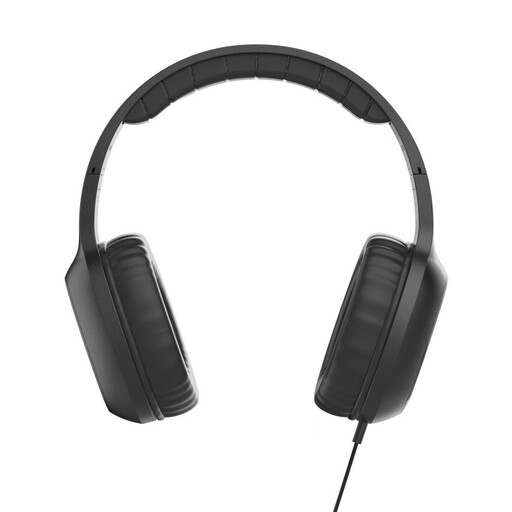
Fun C on-ear headphones with microphone, USB-C, black
For voice recording on a device with USB-C audio output; check whether it supports microphone input.
USB-C connection, microphone and integrated remote for calls and volume.
View at Joybuy
 No image available
Logitech H540 stereo headset with USB connection
For recording on a computer, if your device supports the headset’s USB connection.
The product description specifies an adjustable microphone, stereo sound, volume control and microphone mute. The stated noise-cancelling feature does not prove that room echo will be removed.
View at Joybuy
 No image available
Logitech 960 stereo headset with USB connection
For recording on a computer, if a compatible USB connection is available and you want to adjust the microphone boom.
The product description specifies an adjustable microphone boom, in-line volume control and mute, and a 2.4 m cable. The stated noise reduction does not prove that room echo will disappear.
View at Joybuy
 No image available
Jabra Engage 75 SE Wireless Stereo, DECT, with stand and USB-C to USB-A cable, black
For recording on a computer via the base station, if you can set up its connection and power supply.
The product description specifies DECT, a microphone and a supplied USB-C to USB-A cable. To use it with a computer, the base station must be connected and powered. The stated microphone noise-cancelling feature does not prove that room echo will be removed.
View at Joybuy
 No image available
Logitech H151 stereo headset with adjustable microphone and 3.5 mm connection
For voice recording with a device that supports a compatible 3.5 mm audio connection.
The product description specifies an adjustable microphone, with in-line volume control and mute. Check whether your device’s connection supports both the microphone and headphones in the configuration you need.
View at Joybuy
Frequently asked questions
Will a noise-cancelling headset get rid of audible room echo?
You shouldn’t rely on it to. Shure explains that a microphone cannot reliably distinguish direct speech from reflected speech or improve the room’s acoustics. Compare an unprocessed sample recorded at your planned location with one recorded somewhere quieter.
How should I set up and test my headset before recording?
First, check that the microphone input and headphone output work on your recording device. Position the boom arm consistently, record a quiet passage and an emphatic one, then check the recording for echo and clipping. Audacity recommends watching the level beforehand and lowering it if clipping occurs.
What extra equipment might I need for a broadcast headset?
It depends on your recording device and the specific headset version. XLR microphone and separate headphone connections may require compatible sockets, an audio interface or a cable; beyerdynamic supplies the DT 297 versions mentioned without a connection cable. Check the entire signal path and what’s included with the version you’re considering.
Could I accidentally record other people’s conversations in Germany?
§ 201 StGB makes the unauthorised recording of another person’s private speech a criminal offence. Whether a specific situation falls under this law or is authorised depends on the circumstances. Plan your recording so that other people’s conversations aren’t captured.


