Adventure gamers with a dedicated console
If you mainly play on PS5, Xbox or Switch, make sure the controller is compatible with that specific platform and generation. Also check that your game supports the gamepad you want to use.


First, choose a controller that works with your platform and the game you want to play. Then consider the feel you’re after, extra controls and power options. A different gamepad won’t make dark scenes easier to see in a bright room: check your display and console’s picture and HDR settings separately. DualSense features on PC depend on the game; PlayStation Support specifies a USB connection for haptic feedback.
If you mainly play on PS5, Xbox or Switch, make sure the controller is compatible with that specific platform and generation. Also check that your game supports the gamepad you want to use.
If tactile in-game effects matter to you, check whether the PC game supports them and which connection mode you’ll need. For haptic feedback with DualSense on PC, PlayStation Support specifies a compatible game and a USB connection.
If you want to make dark scenes easier to see in daylight, check the picture output and the settings on your display and console. PlayStation Support and Xbox Support explain HDR settings for picture quality, not for the controller.
First check your platform and game, then consider picture quality and the input features you want, and finally make sure the controller will be comfortable during longer sessions.
| What matters when buying | What to check | Who is it most important for? |
|---|---|---|
| Platform and game | Check the full model name, console generation, operating system and support for the specific game. | If I want to be sure the gamepad works with my console or PC game, compatibility comes first. Around 31% of consumers say platform and game compatibility is their top concern. |
| Picture quality in daylight | Check your display and, if relevant, the HDR settings in the lighting conditions in your room. | If dark scenes are hard to see in a bright room, I want to adjust the picture output first rather than buy a gamepad to fix the picture. Around 25% of consumers put picture visibility first. |
| Haptics and triggers | Check support in the specific game; for haptic feedback on PC, also check the required connection. | If I want to feel effects during cinematic game scenes, it matters whether my game supports them. Around 25% of consumers prioritise immersion and haptic feedback. |
| Session comfort and power | Check the controls, connection and power supply for the specific model. | If I play for longer, I want the buttons to be comfortable to reach and to know how the gamepad is powered. Around 19% of consumers mainly consider comfort and ease of use during longer sessions. |
On PC, the availability of individual DualSense features depends on the game. PlayStation Support specifies a USB connection for haptic feedback.
Check support for the specific game and make sure you have the required connection.
The 8BitDo Ultimate 2 Wireless and Ultimate 2 Bluetooth have different stated platform compatibility. For the Bluetooth version, the manufacturer specifies a firmware update for Switch 2.
Compare the full model name with the manufacturer’s compatibility information.
HDR settings affect the picture output from your console and display, not the input device. An unnecessary controller purchase won’t solve a picture-quality issue.
First check the picture mode and calibration in the lighting conditions in your room. Then choose a controller based on your platform and the input features you want.
The notes below apply to the specific product ranges and features mentioned. Check that the platform and variant are right for you before buying.
DualSense for PS5 and supported PC games, when you’re looking specifically for haptics and adaptive triggers.
Xbox Wireless Controller for compatible Xbox devices and Windows PCs.
Pro Controller for Switch or Switch 2; the generations differ in their extra features.
Ultimate 2 variants for buyers who want to compare platform compatibility and customisation options by exact model.
G7 Pro for buyers specifically looking for extra controls and customisation options for Xbox or PC.
The range includes controllers for PC, PlayStation, Xbox, Nintendo Switch and Switch 2. Choose based on your platform, the features supported by your games and the controls you want.
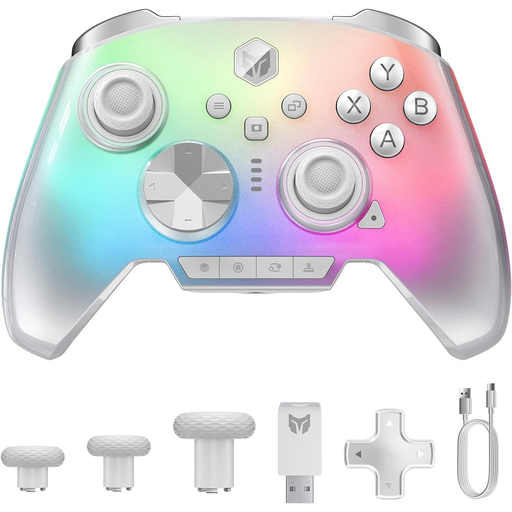 No image available
For gamers looking for a wireless controller for PC or Switch 2.
The product title also mentions iOS and Android, a 2000 Hz polling rate, capacitive joysticks, 16 mechanical buttons, a 6-axis gyroscope and switchable Hall/microswitch triggers.
 No image available
For Nintendo Switch gamers; Nintendo also confirms that the older Switch Pro Controller can be used wirelessly with Switch 2.
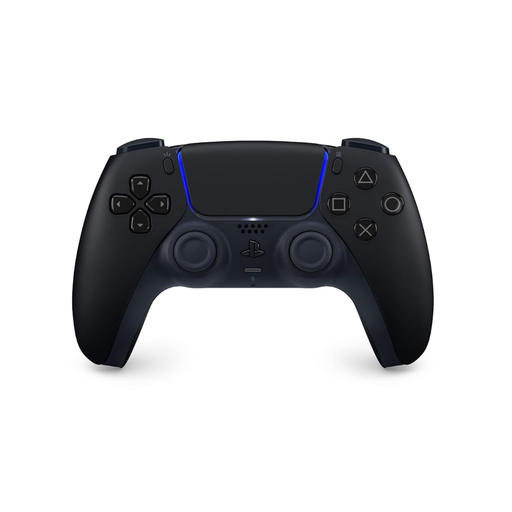 No image available
For PS5 and PC gamers who want to use haptics and adaptive triggers in supported games.
The title states that a USB cable is included. For haptic feedback on PC, PlayStation Support specifies a compatible game and a USB connection.
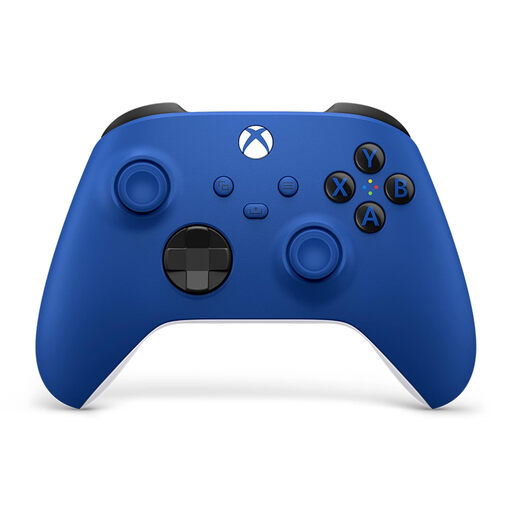 No image available
For gamers with a compatible Xbox or Windows PC; Microsoft lists both platforms for the Xbox Wireless Controller.
The product name lists Xbox One, Xbox Series X/S and PC as supported platforms.
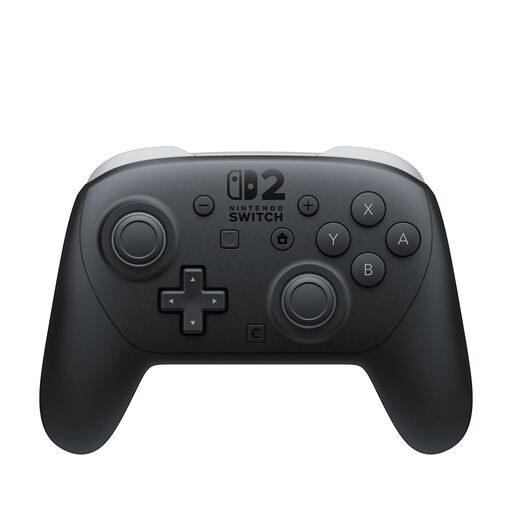 No image available
For Switch 2 gamers who want extra controls or a headphone jack.
Nintendo lists assignable GL/GR buttons and a headphone jack. This model is also specified as having HD Rumble 2, motion controls and a rechargeable battery.
No. Picture adjustment is a separate matter: PlayStation Support explains how to adjust HDR on PS5, while Xbox Support covers HDR settings for TV output. Check your display and console in the lighting conditions in your room.
Sony lists USB and Bluetooth as connection options. For haptic feedback on PC, PlayStation Support requires a USB connection and a compatible game; other features may vary depending on the device and game.
Yes. Nintendo confirms that the older Switch Pro Controller can be used wirelessly with Switch 2. If you specifically want the assignable GL/GR buttons or headphone jack on the Switch 2 Pro Controller, make sure you choose the right model.
Nintendo lists assignable GL/GR buttons and a headphone jack. Consider whether these features make the Switch 2 model a better fit for you than a Switch Pro Controller you already own.
For faulty goods, the retailer is generally responsible for the statutory warranty. The Verbraucherzentrale states that this lasts for two years from delivery; a voluntary manufacturer’s or retailer’s guarantee is separate.