Players with a specific console
If you’re looking for a gamepad for your PS5, Xbox, Switch or Switch 2, the exact model and console generation matter: controllers with similar names aren’t automatically interchangeable.


First, choose a gamepad that works with your platform and the specific game. Then consider how it feels in your hands, how it’s powered and which features you’ll actually use. No controller can fix screen glare or make a hard-to-see game easier to view: check your screen, lighting and display settings separately. Haptics and extra buttons only matter if the game and connection support them.
If you’re looking for a gamepad for your PS5, Xbox, Switch or Switch 2, the exact model and console generation matter: controllers with similar names aren’t automatically interchangeable.
When choosing between a wired and wireless connection, consider whether the specific game supports the controller, how easy its controls are to reach and how it’s powered.
If you play during the day or near a light source, bear in mind that controller features are separate from screen visibility: glare also depends on your screen and surroundings.
| Consideration | What to check before buying | Who should consider it? |
|---|---|---|
| Platform and game | Check your console or PC operating system, the full model name, connection type and whether the specific game supports the controller. | If I’m choosing between platforms, I want to avoid a controller and game that aren’t compatible; around 33% of consumers prioritise platform and game compatibility. |
| Visibility in a bright room | Consider the light and any glare at the times you usually play; check the display settings for your device. | If I play during the day, I want to know first whether my screen and setup will give me a clear picture; around 27% of consumers prioritise visibility in a bright room. |
| Comfort and power | Check how the controller feels to hold and whether the buttons are easy to reach. For the specific model, check the battery type, charging options, what’s included and, if relevant, the cable length. | For longer exploration sessions, I want comfortable controls and reliable power without a cable restricting where I can sit; around 27% of consumers prioritise comfort and power. |
| Haptics and extra buttons | Check whether the specific game supports haptics, adaptive triggers or motion controls; on PC, also consider which connection you’ll need. | If I want to use particular game effects or customisable buttons, the game and connection must actually support them; around 13% of consumers prioritise game effects and customisable controls. |
A gamepad won’t get rid of glare. Light falling on the screen and the screen’s own characteristics affect how clearly you can see the game world.
Check the lighting, screen and display settings first. Then compare controllers by platform and controls.
Nintendo says the Switch 2 Pro Controller cannot be used with the original Switch. The older Switch Pro Controller, however, can connect wirelessly to Switch 2.
Before buying, check the full model name against your console generation. The older controller can’t wake Switch 2 from sleep using the HOME button.
For the 8BitDo Ultimate 2C, the manufacturer specifies Bluetooth for Android, while Windows uses 2.4 GHz or USB. Sony notes that DualSense effects require support from the game and may need a USB connection.
Check both the connection your device needs and whether the specific game supports the features you want.
The standard Xbox Wireless Controller uses AA batteries. The Sony DualSense model CFI-ZCT2W, as documented by the manufacturer, does not include a cable.
Before choosing a model, check the specific listing for the battery type, any charging cables included and the rest of the box contents.
Worth considering if you’re looking for a controller for Xbox or a Windows PC.
The DualSense is an option for PS5 and other supported devices if the game you’re playing uses its effects.
The Switch Pro Controller and Switch 2 Pro Controller are designed for different console generations.
The Ultimate 2C Wireless may suit a Windows PC or Android device, depending on which connection you need.
The wired G7 SE is an option for Xbox or a Windows PC if a cable works with your setup.
This selection includes gamepads for different platforms and control preferences. Check that the specific model is compatible with your console, device and game.
 No image available
The product title lists PS4 and PC as compatible platforms; check that your specific game supports the controller before buying.
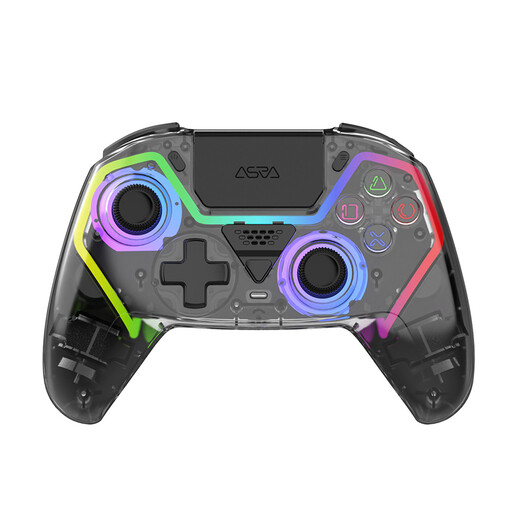 No image available
The product title positions this model for PS5 gaming; check that your specific game supports it.
Listed features include Hall Effect sticks, programmable buttons, RGB lighting and a 1000 mAh battery.
 No image available
The product title lists Switch and PC; check compatibility with your device and game.
The title lists dual vibration and a gyroscope among its features.
 No image available
The product title lists PC as the platform; a PS5 button layout alone does not confirm compatibility with a PS5.
Listed features include Hall Effect sticks, 255-level Hall Effect triggers, programmable rear buttons, RGB lighting, a 1000 mAh battery and USB-C.
 No image available
The product title lists Xbox One, Xbox Series X/S and PC; for PC games, check controller support and the connection you want to use.
Listed features include Bluetooth, a 3.5 mm audio jack and two AA batteries.
No. In direct light, screen brightness and reflections affect how clearly you can see the picture. On Nintendo Switch 2, you can adjust brightness automatically or manually in handheld or tabletop mode; this setting doesn’t apply to a connected TV.
No. Nintendo specifies that the Switch 2 Pro Controller is for Switch 2 only. According to Nintendo, the older Switch Pro Controller can connect wirelessly to Switch 2, but it can’t wake the console from sleep using the HOME button.
For this model, 8BitDo specifies a 2.4 GHz receiver or a wired connection for Windows; Bluetooth is listed for Android. Also check that your game supports controller input.
For goods bought by consumers from traders in the EU, Your Europe, the European Union’s information portal, describes a statutory guarantee of at least two years from the date the goods are received. This statutory guarantee is separate from any voluntary manufacturer’s warranty.