What should you look for when buying?
Start by checking that the game and platform are compatible. Then look at the connection and your desk setup, followed by the grip, buttons and power options.
| Buying priority |
What to check before buying |
Who is this particularly important to? |
| Platform and game |
Check the controller information for the specific game, along with the exact model version and connection type. |
If I want to avoid buying a gamepad that won’t work with my game or device, compatibility is my top priority. Around 36% of consumers share this concern. |
| Connection and space |
Compare the distance, cable length and available ports; make room for a receiver or charging dock if needed. |
With a busy desk, I want to organise cables and ports to suit my setup. Around 29% of consumers prioritise their desk setup and connection. |
| Controls for long quests |
Check that the grip and button layout suit you, and that the game and software support the controls you want to customise. |
If I want easy access to frequently used actions during long gaming sessions, the controls matter most. Around 21% of consumers put this first. |
| Power |
Compare the battery type, rechargeable battery and what’s included; a wired model doesn’t need a separate controller battery when used with a PC. |
I want to know before buying whether I’ll need batteries, a rechargeable battery or extra accessories. Power is the main concern for around 14% of consumers. |
Gamepads at Joybuy
The Joybuy products below cover PC use and selected console setups. Before buying, check compatibility with your specific game and platform.
 No image available
EasySMX D10 PC Controller
An option for PC gaming if you’re looking for a wireless Bluetooth connection and extra controls.
- The product title lists PC, Switch, Android and iOS.
- Features include a TMR joystick, dual-mode triggers and mechanical buttons.
- The title lists a 1000 Hz polling rate and RGB lighting.
View at Joybuy
 No image available
Wireless game controller for PS4 and PC
The product title lists this gamepad for wireless gaming on PC and PS4. Check that your specific game supports it too.
View at Joybuy
 No image available
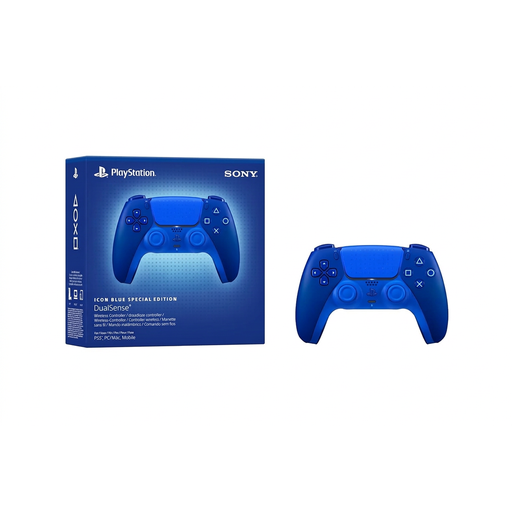
PlayStation DualSense Wireless Controller CFI-ZCT2WZBX Icon Blue Special Edition
An option for PS5 or a PC game that explicitly supports the DualSense.
- According to the product description, haptic feedback and adaptive triggers require a compatible game.
- A USB cable isn’t listed as included; check what’s in the box if you want to play using a cable.
View at Joybuy
 No image available
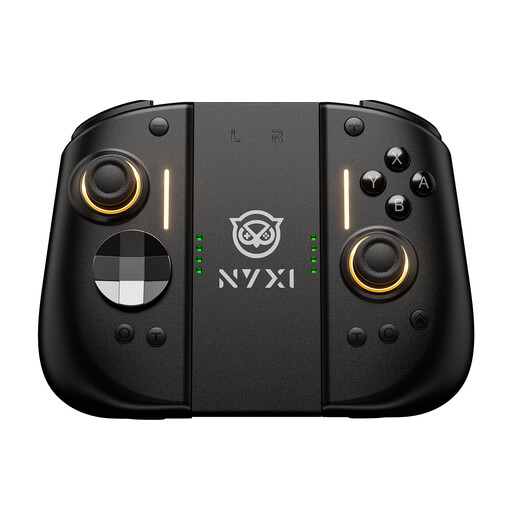
NYXI Hyperion 3 Wireless Controller for Switch 2
An option for Switch 2 games if you want to use the extra controls listed in the product title.
- The title lists Hall effect joysticks, a 9-axis gyroscope and mechanical buttons.
- It also lists two rear buttons and adjustable vibration.
View at Joybuy
 No image available
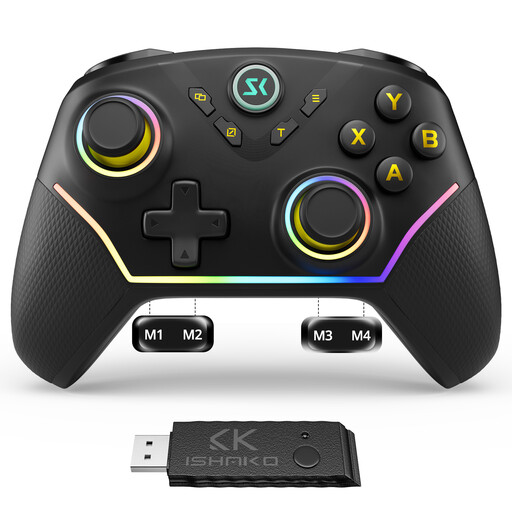
CHENGDAO Wireless Controller for PC and Nintendo Switch
An option for PC or Nintendo Switch games if you want to use the programmable rear buttons listed.
- The product title lists four rear buttons, Hall effect joysticks and Hall effect triggers.
- The product description specifically states that it isn’t compatible with Xbox or PlayStation.
View at Joybuy
Frequently asked questions about gamepads for open-world games
Is ‘PC compatible’ enough for my open-world game?
No. Check that your specific game supports the controller on your platform. When searching for controllers, Steam lists Xbox, DualShock and DualSense controllers among its filters.
How do I connect an Xbox Wireless Controller to a Windows PC?
Microsoft lists a USB cable, Bluetooth or the Xbox Wireless Adapter for Windows as connection options. Your PC must also support Bluetooth if you want to use it.
Do DualSense special features work with every PC game?
No. Sony confirms that the DualSense connects to Windows via USB-C or Bluetooth, but special features depend on the game and connection mode. Check the game’s details before making these features a reason to buy.
Do I need an extra battery for a standard Xbox controller?
Not necessarily: Xbox lists AA batteries as a power option for the standard Wireless Controller. If you’d prefer a rechargeable battery, check compatibility and what’s included. The Elite Series 2, by contrast, has a built-in battery.
What are my rights when buying a controller online in Germany?
When you buy online from a trader, you generally have 14 days from receiving the goods to withdraw from the purchase; exceptions and conditions apply. Faulty goods are generally covered by a statutory guarantee of at least two years from receipt, which you can claim against the seller. The European Union’s Your Europe service explains these rights; a voluntary manufacturer’s guarantee is separate.


