What should you look for when buying?
Start by checking the game and platform, then the areas that are actually illuminated and the controls. After that, decide whether wired or wireless is a better fit for your gaming set-up.
| What matters |
What to check before buying |
Who should consider this? |
| Game and platform compatibility |
Check the controller’s supported platforms and connection type, as well as gamepad input support in the specific game. |
If I play on PC or a console, I want to know whether my device and the puzzle game support the gamepad inputs I need. That’s why around 30 % of consumers put compatibility first. |
| Finding the buttons |
Check which areas light up. If you want the button labels to be visible, confirm specifically that they’re illuminated. |
If I want to see the button symbols in low light, I need lighting on those exact symbols, not just on the casing or sticks. Around 30 % of consumers prioritise being able to find the buttons. |
| D-pad and button feel |
Compare the D-pad and the documented button type with the inputs required by the game and your own preferences. |
If I often enter directions in puzzle games, I pay particular attention to the D-pad and button type. Around 20 % of consumers put these controls first. |
| Wired, wireless and what’s included |
Check your seating distance, connection mode and any accessories you need, such as a receiver or charging dock, against the specific offer. |
If I want to play without a cable or choose my distance from the screen freely, the right wireless mode is essential. Around 20 % of consumers prioritise freedom of movement and power options. |
Gamepads at Joybuy
The range includes wireless gamepads for Switch, PS4 and PC, models for Switch and Windows, and a wired Xbox and PC gamepad. RGB alone doesn’t confirm that the button symbols are illuminated.
 No image available
NAXSIR Wireless Gamepad for Switch – T4-14707098
For wireless play on a Switch; the title mentions Bluetooth and 7-colour LED lighting.
The title also mentions vibration feedback and a range of 10 m. This doesn’t confirm that the button symbols are illuminated.
According to the product information, the controller should be reset with a paperclip before pairing or charging it for the first time.
View at Joybuy
 No image available
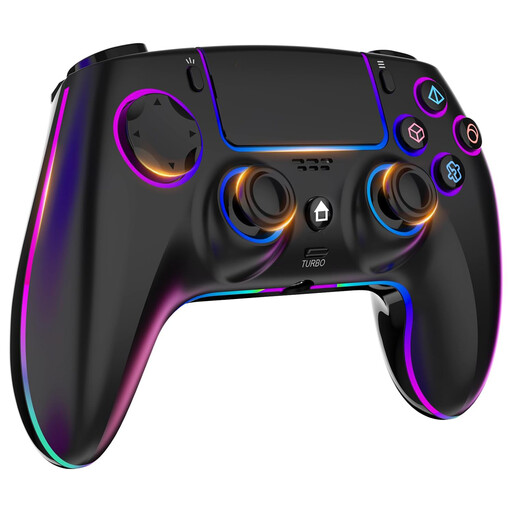
Wireless PS4/PC Controller with 7-colour RGB Lighting
For the PS4 and PC platforms named in the product title; the title specifies wireless operation.
Features listed in the title include dual vibration, a turbo function, a touchpad and a headphone socket.
The description lists a 1000 mAh battery capacity and a stated battery life of 6–8 hours. RGB lighting doesn’t confirm that the button symbols are illuminated.
View at Joybuy
 No image available
Razer Wolverine V3 Tournament Edition White
For wired play on the Xbox and PC platforms named in the title; the description specifies a USB-C connection.
The description lists a detachable 3-m cable, rubberised grips, four rear paddles and six mappable buttons.
View at Joybuy
 No image available
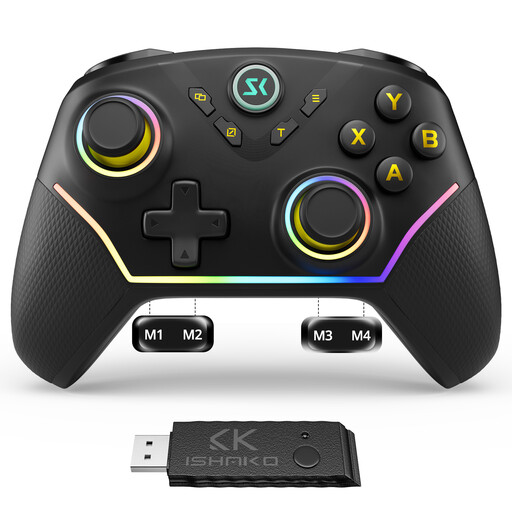
CHENGDAO Wireless Controller – Black
For the PC/Windows and Nintendo Switch platforms named in the title; RGB lighting is also listed in the title.
The description lists Bluetooth, 2.4 GHz wireless and USB-C as connection options, along with four programmable rear buttons and a 1200-mAh battery.
RGB lighting doesn’t confirm that the button symbols are illuminated.
View at Joybuy
 No image available
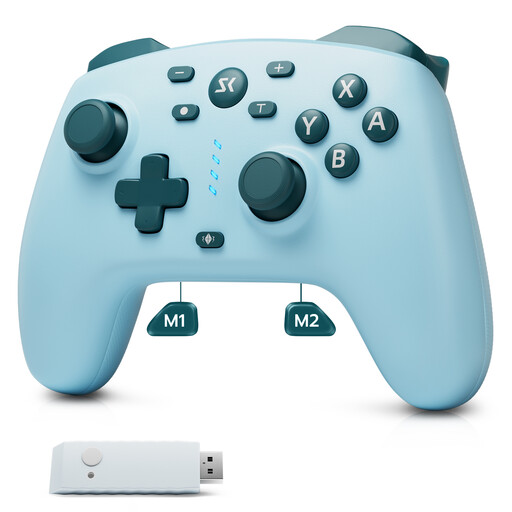
CHENGDAO Wireless Controller – Light Blue
For the Nintendo Switch, Switch 2 and Windows platforms named in the title; the title lists a 2.4-GHz receiver.
Other features listed in the title include two rear buttons, Hall Effect sticks and Hall Effect triggers.
View at Joybuy
Frequently asked questions
Is RGB lighting enough to read the button symbols in the dark?
No, not unless there’s explicit information confirming that the symbols are illuminated. GameSir describes LED strips on the Kaleid Flux, 8BitDo lists stick rings on the Ultimate 2 Bluetooth, and PowerA describes lighting zones on the Lumectra model mentioned here. None of this confirms that the button symbols are illuminated.
How does the GameSir Kaleid Flux connect, and what should I know about wireless models?
According to the manufacturer, the GameSir Kaleid Flux uses a detachable 3-m USB-C cable with the Xbox and Windows devices listed. For a wireless model, check which connection mode is intended for your device. 8BitDo says a firmware update is required to use the Ultimate 2 Bluetooth with Switch 2.
What should I check about the charging dock, returns and faulty goods?
Check the pack contents for the specific offer to see whether a charging dock is included: EasySMX lists one among the contents of its own D10 package. For an ordinary online purchase from a trader in the EU, you generally have a 14-day right to cancel from the date of delivery, subject to legal exceptions. Faulty goods are covered by statutory rights against the seller for at least two years; an additional manufacturer’s warranty doesn’t replace these rights. This information about consumer rights comes from Your Europe, the European Union’s website.
How should I dispose of a used controller battery?
According to the German Environment Agency, used batteries and rechargeable batteries must not be put in household waste. If your controller has a built-in battery, also follow the designated return routes for the device.


