What should you look for when buying?
First, check the platform and the specific racing game. Then decide what kind of lighting and trigger feel you want. Finally, make sure the cable reach, wireless connection and power supply suit where you’ll be sitting.
| What matters |
What to check before buying |
Who is it important to? |
| Platform and game |
Check the exact model and confirm it’s compatible with your device and racing game. |
I want to be sure the gamepad works with my console or PC and the specific game I play. Around 33% of consumers put compatibility first. |
| Lighting and visibility |
Check which areas light up, and whether you can adjust the lighting mode or switch the lights off. |
If I want to find the buttons more easily in a dark room without unnecessary distractions, the area that lights up matters to me. Around 27% of consumers prioritise lighting. |
| Acceleration and braking |
Check the trigger travel and adjustment options, and whether the game supports the effects on offer. |
For precise control over acceleration and braking, I want to know how the triggers feel and how they can be adjusted. For around 20% of consumers, this is the priority. |
| Seating position and power |
Check the cable length and whether it can be routed safely, or look at the wireless receiver, connection and power supply. |
If I want to play comfortably from the sofa, the connection needs to reach where I’m sitting and I need to consider the power supply. Around 20% of consumers prioritise freedom of movement and power. |
Joybuy products
The Joybuy products below cover PC, PS5, Switch 2, Xbox and Windows setups, depending on the model. Before buying, check compatibility with your specific device and game.
 No image available
VIELLAN Wireless Gaming Controller with PS5 Button Layout
For PC racing games if you’re looking for Hall-effect triggers and adjustable lighting.
The product details list 255-level Hall-effect triggers with a switchable mode, RGB lighting with eight colours and four effects, and programmable rear buttons.
The controller is described as having a 1000 mAh battery and USB-C charging. A PS5 button layout alone doesn’t confirm PS5 compatibility.
View at Joybuy
 No image available
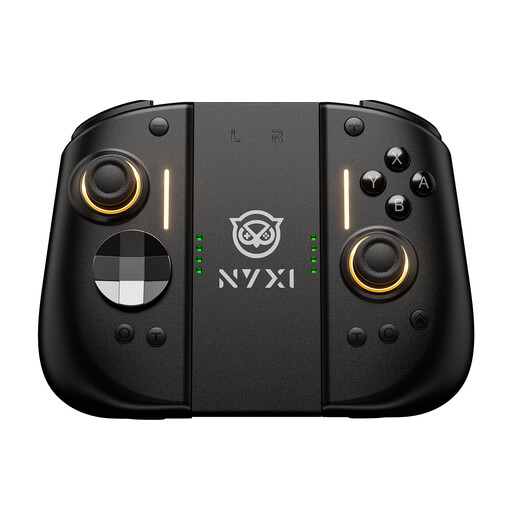
NYXI Hyperion 3 Wireless Controller for Switch 2, Black
For racing games on Switch 2 if you’re looking for a wireless controller with Hall-effect joysticks.
The product title lists Hall-effect joysticks, a 9-axis gyro, mechanical buttons and two rear buttons.
The description identifies this model as being for Switch 2 and lists a wireless connection.
View at Joybuy
 No image available
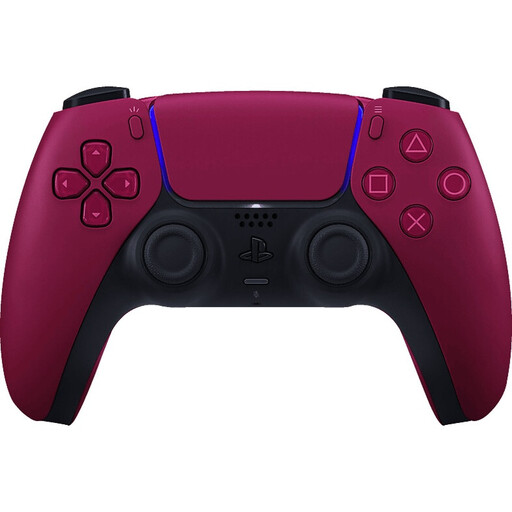
Sony DualSense V3 Cosmic Red
For PS5 racing games if you want to use adaptive triggers and haptic feedback.
The product description lists Bluetooth, a battery and USB-C charging, as well as adaptive triggers and haptic feedback.
Some features and wireless PC support may depend on the game; the description says PC use is via a wired connection.
View at Joybuy
 No image available
BEITONG KP70 Elite Wireless Gaming Controller
For racing games on PC or Nintendo Switch if you want to use different connection types.
The product title lists haptic feedback in the triggers and six programmable buttons. The description lists wired, wireless and Bluetooth connections.
The product title lists PC, Nintendo Switch and Switch 2, Steam and Android as compatible devices. The product description lists a 1500 mAh battery.
View at Joybuy
 No image available
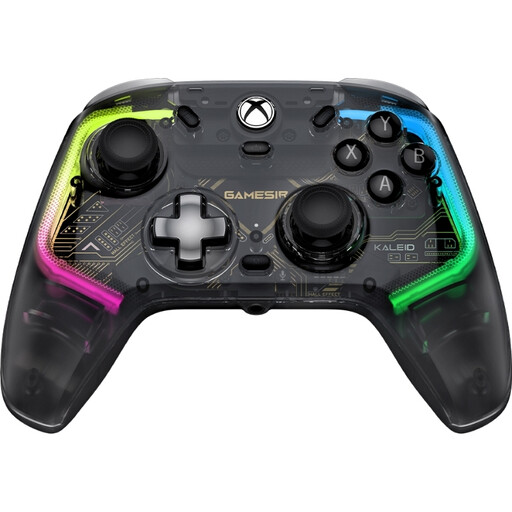
GameSir Kaleid Smoke, wired
For Xbox or Windows racing games from a fixed seat if you want illuminated buttons and sticks.
The product description lists customisable RGB lighting on the action buttons and analogue sticks, Hall-effect joysticks and trigger locks.
Xbox Series X|S, Xbox One and Windows 10/11 are listed as platforms; the specifications include a detachable 3 m USB-C cable.
View at Joybuy
Frequently asked questions
Do I need illuminated buttons for racing games in the dark?
Not necessarily. Decide whether you want to see the button symbols or simply need lighting to help you find the controls. PowerA describes RGB zones on its Xbox model, while 8BitDo lists lighting modes for the Ultimate 2 Wireless. These details alone don’t confirm that the action buttons are backlit.
Will a controller automatically work with my console or racing game?
No. Check the exact model against your platform and the specific game. Nintendo explicitly lists the Switch 2 Pro Controller for Switch 2; optional trigger and feedback features also require support from the game.
Which triggers are best for acceleration and braking?
It depends on how you want to control acceleration and braking, and which features your racing game supports. 8BitDo lists switchable linear and tactile triggers, while Sony describes how adaptive triggers can simulate the feel of braking in supported racing games.
What should I check about the cable and battery before a long racing session?
For a wired model, check that the cable can reach your seat safely. Nintendo estimates around 40 hours of battery life for the Switch 2 Pro Controller, depending on use, and a charging time of around three hours. Plan your charging accordingly.
How do I connect the 8BitDo Ultimate 2 Wireless to a Windows PC?
According to 8BitDo, set the mode switch to 2.4 GHz, plug the adapter into a USB port on your Windows device and switch on the controller. The manual lists Windows 10 version 1903 or later as a requirement.


