What should you look for when buying?
First, decide between the flexibility of a gamepad and a wheel setup. Then check platform and game compatibility; screen visibility is a separate matter of positioning and lighting.
| Consideration |
What to check before buying |
Who is it important to? |
| Platform and game compatibility |
Check the exact device version, the racing game you want to play and the connection type. |
If you’re choosing between a console and a PC, or want to use specific advanced features, support for the particular game matters. Around 33% of consumers put compatibility first. |
| Control without a fixed setup |
Check that the gamepad layout, connection and power supply suit where you’ll be playing. |
If you want to sit wherever you like or play without pedals, easy-to-use gamepad controls are important. Around 25% of consumers prioritise this. |
| Wheel and pedals |
Check the space available, mounting method, platform version and what’s included. |
If you can leave a wheel set up and want to use pedals, the whole setup should suit both your space and your game. Around 25% of consumers prioritise this type of sim-racing setup. |
| Visibility in bright surroundings |
Assess reflections, screen position and the direction of the light where you play. |
If light washes out the track on screen, look at the screen position and light source first. Around 17% of consumers put clear visibility in a bright room first. |
Joybuy products for racing games
This selection includes racing wheels for different platforms, as well as gamepads for PC or Xbox. Before deciding, check the specific platform details and what’s included with each model.
 No image available
Logitech G923 SE Racing Wheel with pedals
For a wheel setup with pedals; check that the platforms listed in the title are compatible with your device and game.
Listed in the title: PlayStation, Xbox, PC and Mac; Direct Drive; black.
Before use, secure the wheel to your desk using the built-in clamps.
Joybuy
 No image available
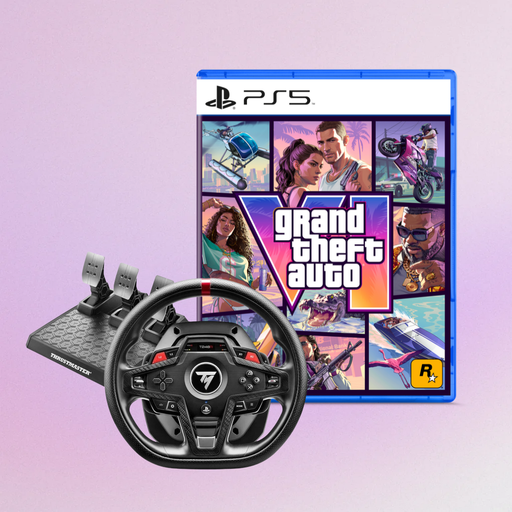
Thrustmaster T248R Racing Wheel with GTA VI PS5 bundle
For a racing wheel setup; check that the listed platforms and included items suit your gaming space.
Listed in the title: PS5, PS4 and PC, plus GTA VI PS5 German Edition as a code-in-a-box bundle.
Joybuy
 No image available
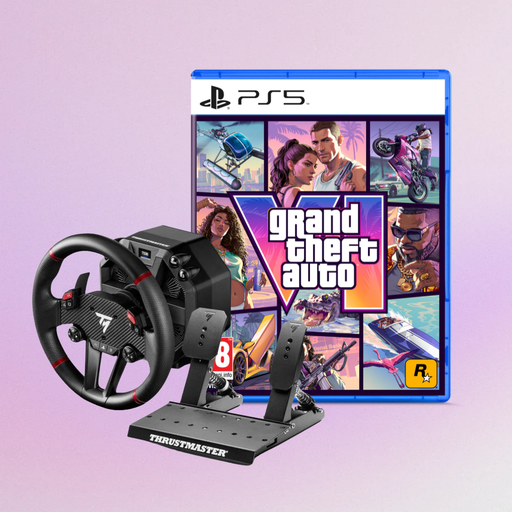
Thrustmaster T598-P Direct Axial Drive Force Feedback Racing Wheel
For a force feedback setup; before buying, check game support, platform compatibility and everything included.
Listed in the title: PS5, PS4 and PC, plus GTA VI PS5 German Edition as a code-in-a-box bundle.
Joybuy
 No image available
VIELLAN Wireless Gaming Controller for PC
Described as being for PC racing games; the PS5-style button layout mentioned isn’t proof of compatibility with a PS5 console.
Listed in the title: Hall Effect sticks, 255-step Hall triggers, programmable rear buttons, RGB lighting, 1000 mAh battery and USB-C.
Joybuy
 No image available
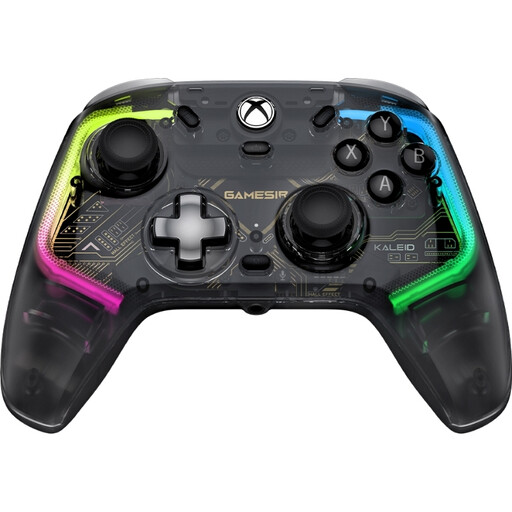
GameSir Kaleid Smoke Transparent RGB Wired Controller
For wired gaming on the Xbox and Windows platforms listed in the product name.
Listed in the title: wired game controller for Xbox Series X|S, Xbox One and Windows 10/11.
Joybuy
Frequently asked questions
Is Bluetooth enough to make all racing game features work on PC?
No. Bluetooth alone doesn’t tell you whether all features are supported. According to PlayStation Support, DualSense haptics on PC require a supported game and a USB connection; also check whether your game supports adaptive triggers.
How do I connect an Xbox Wireless Controller to a Windows PC?
Microsoft lists USB, Bluetooth and Xbox Wireless as connection options; Xbox Wireless may require an adapter. To connect a Series X|S controller via USB, you’ll need a USB-C cable that supports data transfer.
What should I check before setting up a racing wheel?
Check that you have space for the pedals, and confirm the mounting method, platform version and what’s included. MOZA lists a desk clamp with the Xbox and PC R3 bundle; this doesn’t automatically apply to other versions.
Who is responsible if a newly purchased product is faulty in Germany?
The seller is responsible for the statutory warranty, not automatically the manufacturer. The Verbraucherzentrale (German Consumer Advice Centre) states that the standard period is two years from delivery for faults that were present at the time of delivery. A voluntary manufacturer’s guarantee is separate.
Can I cancel an online controller order in Germany?
According to the Verbraucherzentrale, online purchases of goods usually come with a 14-day right to cancel, starting from the date you receive the goods. Relevant exceptions and the terms of your specific purchase still apply.
Can a faulty controller and its batteries go in household waste?
No. The German Environment Agency describes the separate collection of waste electrical equipment. Remove batteries or rechargeable batteries if you can do so easily, and take them separately to a suitable collection point.


