
Lieferung heute & morgen

Qualitätsgarantie

Willkommens-Angebote freischalten: KOSTENLOSE Lieferung | Bis zu 80 % RABATT | Kostenlose 30-Tage-JoyPlus-Testphase
App herunterladen
By the Joybuy Product Recommendation Officer, August 29, 2026
The search for the right gaming accessories can quickly become complex. The market is filled with products whose marketing promises often create more confusion than clarity. Many gamers invest in equipment that fails to meet expectations after a short time or was unsuitable from the start. This guide is designed to help you avoid common purchasing pitfalls and identify the features that truly matter for a durable and functional PC gaming setup.
Before deciding on a product, it's helpful to understand the common marketing tactics and hidden flaws that often lead to buyer's remorse.
To make an informed decision, you should focus on a few critical technical specifications. These define the performance and longevity of your gaming accessories.
The choice of keyboard is fundamental to any gaming setup. The most important distinguishing features are:
With a gaming mouse, it's not just the DPI numbers that count:
For an immersive gaming experience, audio and control are also critical:
Based on these objective criteria, we have identified some products that are well-suited for specific user groups.
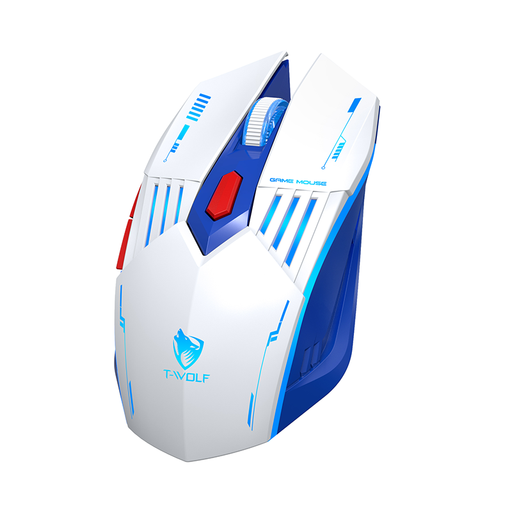
Why This Fits Their Persona: Ideal for users looking for a flexible and affordable mouse for gaming and everyday tasks. The tri-mode connectivity (2.4G, Bluetooth, Wired) allows for seamless switching between a PC, laptop, and tablet.
This mouse avoids exaggerated DPI values, instead offering a practical range of 1200 to 3600 DPI, which is perfectly sufficient for most applications and games and ensures precise control.
Flexible tri-mode connectivity; rechargeable battery with a modern USB-C port.
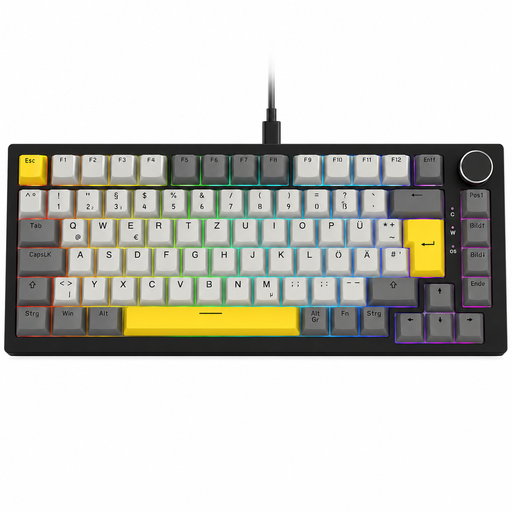
Why This Fits Their Persona: Perfect for gamers and heavy typists who value a high-quality typing feel, a German layout, and future customisation options. The compact 75% format saves desk space without sacrificing essential keys.
This model offers genuine mechanical properties instead of just a "mechanical feel." Its hot-swappable capability and gasket-mount structure are features typically found in higher price brackets, making it a long-term investment.
German QWERTZ layout; Hot-swappable keyboard for easy switch changes; practical volume knob.
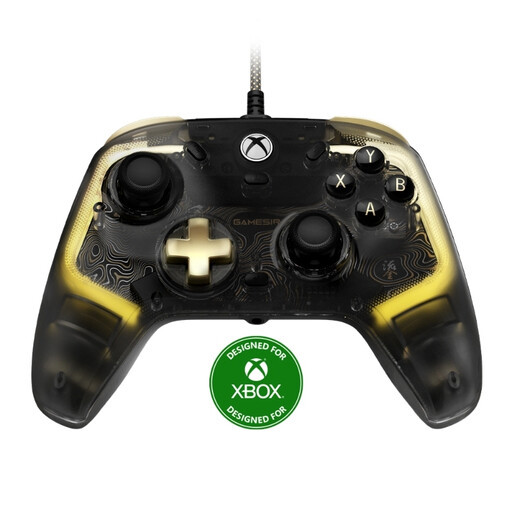
Why This Fits Their Persona: Designed for gamers who need a reliable and durable controller for their Xbox console and Windows PC. The wired connection ensures minimal latency in competitive games.
This controller directly addresses the problem of stick drift by using Hall Effect joysticks. This is an engineering solution to a widespread hardware problem, promising significantly greater durability than conventional controllers.
Durable Hall Effect joysticks; clear compatibility with Xbox and Windows 10/11; customisable RGB lighting.
We have compiled a complete, up-to-date list of products that fully meet these strict selection criteria and all relevant safety regulations.
1. What is the difference between a mechanical keyboard and a membrane keyboard? A mechanical keyboard uses an individual, physical switch for each key. This results in a more precise keystroke, a longer lifespan (often 50+ million clicks), and better tactile feedback. A membrane keyboard uses a continuous rubber sheet under the keys, which is cheaper to manufacture but offers a less precise feel and shorter durability.
2. Is a wireless gaming mouse worthwhile for competitive gaming? Yes, modern wireless mice that use a 2.4 GHz radio connection have latencies that are virtually indistinguishable from their wired counterparts. For most players, even in the competitive scene, the difference is not noticeable. It is important to look for a stable connection and sufficient battery life to avoid interruptions during gameplay.
3. How important is RGB lighting for gaming accessories? RGB lighting is primarily an aesthetic feature that allows you to customise your PC gaming setup. It has no direct impact on performance. However, it can also offer functional benefits, such as displaying active profiles, in-game notifications, or colour-coding specific key areas. The priority, however, should always be on ergonomics, sensor quality, and build quality.