
Lieferung heute & morgen

Qualitätsgarantie

Willkommens-Angebote freischalten: KOSTENLOSE Lieferung | Bis zu 80 % RABATT | Kostenlose 30-Tage-JoyPlus-Testphase
App herunterladen
A new gaming controller promises more precise control and an enhanced gaming experience. But the reality is often different: after just a few months of intense use, the dreaded stick drift appears, causing game characters to move on their own without any input on the analog stick. Or that expensive "Pro Controller" turns out to be overloaded with features that offer little real-world value. The selection is vast and the marketing promises are grand, making it difficult to choose the right gamepad.
As a Joybuy Product Recommendation Officer, I'm here to filter the essential information from the marketing hype for you. This guide will show you the crucial criteria to consider when buying a controller for PC, PlayStation, Xbox, or Nintendo Switch, and help you sidestep common pitfalls.
Before we dive into the technical details, let's look at the three most common problems that lead to frustration and unnecessary expense:
To avoid a bad purchase, focus on three fundamental technical characteristics. These determine the longevity, compatibility, and the actual feel of the game.
The choice between a wired and a wireless model depends on your personal preferences and playstyle.
This is the most critical point for preventing the problem of stick drift. The technology inside the stick determines its lifespan.
A controller must feel good in your hands. Beyond that, modern gamepads offer features that can noticeably enhance the gaming experience.
Instead of making a one-size-fits-all recommendation, we've selected models that suit specific needs and gamer profiles.
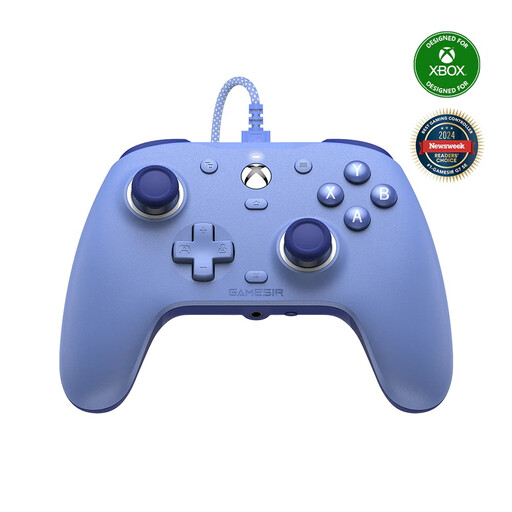
Why This Fits Their Persona: Ideal for Xbox and PC gamers who value maximum precision, minimal latency, and longevity, without paying extra for rarely used wireless features.
This controller completely bypasses the stick drift problem by using Hall effect joysticks and triggers, ensuring consistently high precision.
The combination of Hall effect technology, customisable back buttons, and a wired connection for the lowest latency offers a performance-focused package.
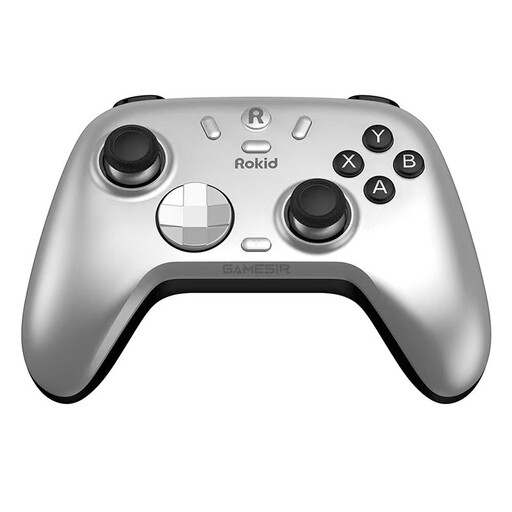
Why This Fits Their Persona: Perfect for gamers who play across multiple platforms like PC, Switch, Android, and iOS and want a single, high-quality controller for all systems.
It solves the compatibility problem with its tri-mode connectivity (Bluetooth, 2.4GHz dongle, wired) and simultaneously prevents stick drift with Hall effect sticks.
Maximum flexibility through broad platform support and durable components. The precisely tuned triggers and mechanical D-pad are additional pluses.
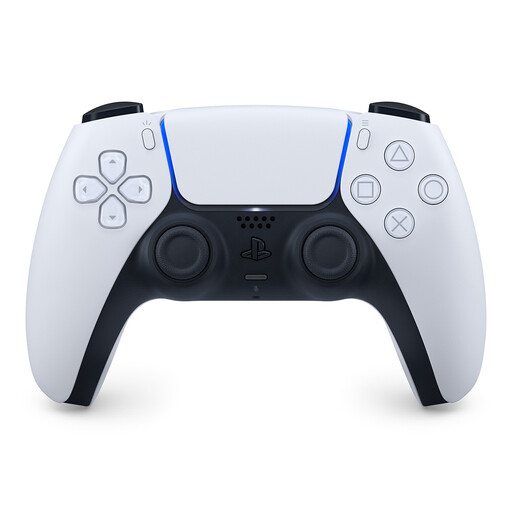
Why This Fits Their Persona: For PS5 owners who want the full, developer-intended gaming experience with unique immersive features.
It avoids the "superfluous features" trap because its haptic feedback and adaptive triggers are deeply integrated into the PS5 ecosystem, offering real added value in supported games.
Offers a unique tactile experience unmatched by any other controller. Seamless integration with the PS5 console ensures hassle-free use.
We've compiled a complete, real-time updated list of products that fully meet these strict selection criteria.
Stick drift is a hardware defect where a controller's analog sticks register movement even when they are not being touched. This is caused by the wear and tear of internal potentiometers. The most effective way to avoid this problem is to buy a controller with Hall effect sensors. These use magnets instead of physical contact and are therefore immune to this type of wear.
Yes, a PS5 DualSense Controller can be connected to a PC via Bluetooth or a USB-C cable. The basic functions are recognised by most games (especially on platforms like Steam). However, its special features like detailed haptic feedback and adaptive triggers are only supported by a very limited number of PC games. For straightforward and full compatibility on PC, an official Xbox Controller or a dedicated PC Controller is often the simpler choice.
Absolutely. A wired controller is still an excellent choice for certain use cases. For competitive gamers where every millisecond counts, the wired connection offers the lowest possible input delay. Additionally, it eliminates the need to charge the battery, allowing for uninterrupted gaming sessions. Many modern wired controllers also offer the same high-quality components as their wireless counterparts.