
Lieferung heute & morgen

Qualitätsgarantie

Willkommens-Angebote freischalten: KOSTENLOSE Lieferung | Bis zu 80 % RABATT | Kostenlose 30-Tage-JoyPlus-Testphase
App herunterladen
A gaming controller needs to feel comfortable in your hands, but that’s not the only thing that matters. It should also suit your platform, the games you play and how you like to use it. Many disappointing purchases happen because product pages promote features such as “wireless”, “haptic” or “pro gaming” without clearly explaining their practical limitations.
Common pitfalls include:
Before you buy, make sure you know exactly which platforms the controller is compatible with:
A wireless controller gives you more freedom to move around. Still, check whether it needs a receiver, USB cable or specific pairing process.
A built-in lithium-ion or lithium-polymer battery charges via USB. This means fewer disposable batteries, but you’ll need a suitable charging cable. According to the product information, the DualSense Icon Blue Special Edition doesn’t include a USB cable. The DualSense Midnight Black, on the other hand, comes with a USB cable.
The Xbox Wireless Controller DOOM: The Dark Ages Limited Edition uses two AA batteries and can also be connected via USB-C. This could be handy if you want to swap batteries quickly. If you’d prefer to use fewer consumables, compare the battery options and any compatible charging accessories.
Commonly advertised features include:
It’s also worth checking the dimensions. A controller weighing around 280 g, like several DualSense models, feels different in your hands from a lighter Joy-Con set. For families and local multiplayer, check whether the product includes two controllers that can be used separately.
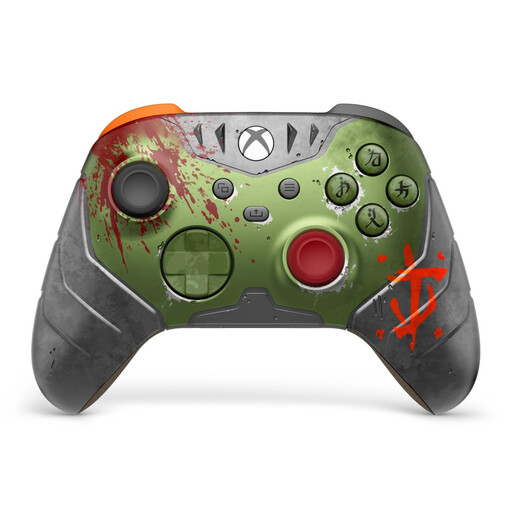
Why it suits this type of player: This Xbox controller is suitable for Xbox Series X|S, Xbox One and compatible Windows PCs. Bluetooth also lets you connect it to selected mobile and cloud gaming devices.
Compatibility and power details are clearly listed: Xbox Wireless, Bluetooth, USB-C and two AA batteries.
Textured rubber grips, a 3.5 mm headset jack, and compatibility with Xbox, PC and selected mobile devices.
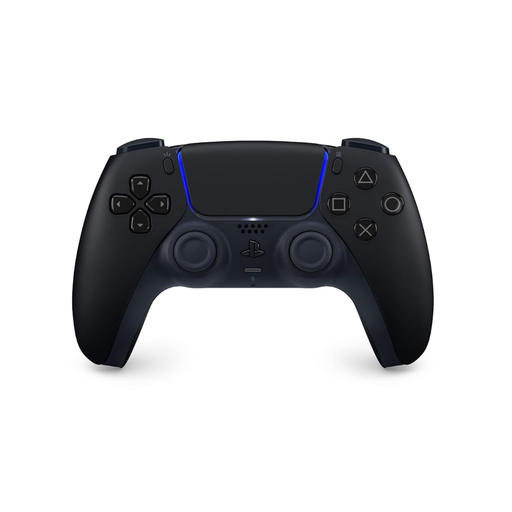
Why it suits this type of player: Designed for PS5 and compatible PCs, this controller combines haptic feedback, adaptive triggers, a touchpad, motion sensors and a built-in microphone.
The product information clearly notes that some features may depend on the game and platform.
Built-in 1,560-mAh battery, USB-C port, 3.5 mm audio jack and Bluetooth support.
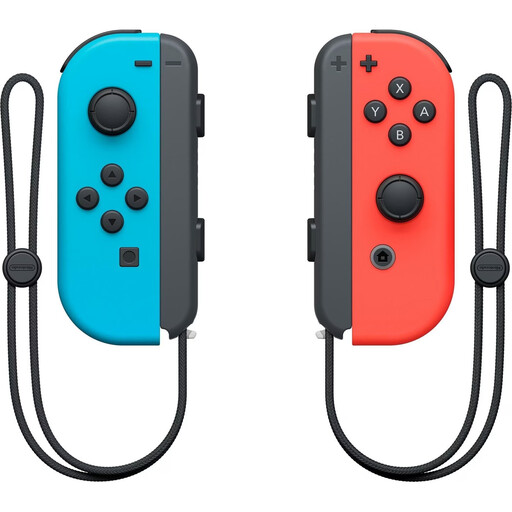
Why it suits this type of player: The set includes one left and one right Joy-Con controller. You can attach them to the console, use them in the grip or play with them separately in local multiplayer games.
Both controllers are included, and the product information clearly explains how they can be used and connected via Bluetooth.
HD Rumble, motion controls and an infrared camera in the right Joy-Con for compatible games.
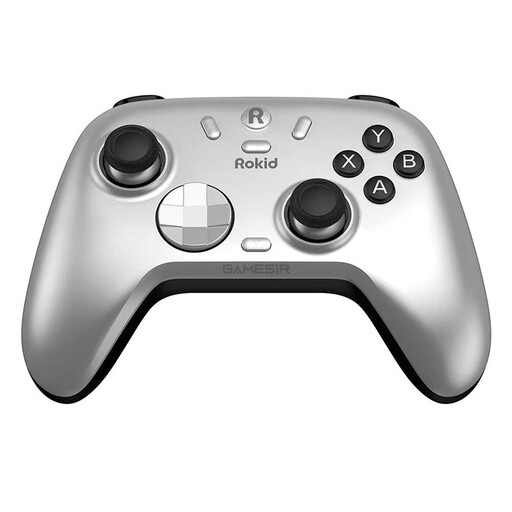
Why it suits this type of player: This wireless gamepad is designed for Switch, PC, Android and iOS, with Bluetooth, a wireless dongle and a wired connection option.
Three connection options mean you’re not reliant on a single interface. Check which mode you need before buying.
Hall Effect sticks, Hall Effect triggers with trigger stops, a mechanical D-pad and a stated polling rate of 1,000 Hz.
We’ve put together a complete, regularly updated list of products that meet these strict selection criteria and fully comply with the safety regulations in force in the EU.
It depends on the game and operating system. Xbox controllers are often recognised automatically by Windows. A DualSense controller can also be used with compatible PCs, although haptic feedback and adaptive triggers may be limited depending on the game and connection. Also check whether Bluetooth, USB or a wireless receiver is supported.
There’s no reliable way to give a definitive lifespan. It depends on factors including how often you use it, how you transport it, how much pressure you put on the analogue sticks, charging cycles and general care. Spills, drops and heavy use can shorten its lifespan. Install firmware updates and use batteries or rechargeable batteries according to the manufacturer’s instructions.
The hardware may support the feature, but the game needs to include it too. With games that don’t support it, the controller may only provide standard vibration or may not offer certain effects. Before buying, check the game or platform’s compatibility list.