
Lieferung heute & morgen

Qualitätsgarantie

Willkommens-Angebote freischalten: KOSTENLOSE Lieferung | Bis zu 80 % RABATT | Kostenlose 30-Tage-JoyPlus-Testphase
App herunterladen
A gaming controller should match your platform, play style and preferred connection method. Many disappointing purchases are not caused by missing features, but by unclear compatibility details, misleading performance claims or an unsuitable design. This guide explains which specifications matter before you buy and which models may suit different use cases.
A wireless controller may use Bluetooth, a manufacturer-specific wireless connection or a 2.4 GHz receiver. These standards are not interchangeable. A gamepad designed for Nintendo Switch will therefore not automatically work with an Xbox console. On PC, drivers, the gaming platform or a receiver may also be required.
Before buying, check the following:
Some PC controllers advertise polling rates of 1,000 or 2,000 Hz. This value indicates how frequently inputs can be transmitted to the device. However, actual latency also depends on the connection, game, operating system and hardware. A high number is therefore not, by itself, proof of more responsive control.
Haptic feedback, adaptive triggers, motion controls and touchpads require support from the relevant game and, in some cases, the platform. With the DualSense controller, haptic feedback and adaptive triggers on PC may require a USB connection, depending on the game. On a Nintendo Switch controller, HD Rumble is available only in compatible games.
A PS5 controller such as the Sony DualSense uses the PlayStation layout with triangle, circle, cross and square buttons. An Xbox controller, by contrast, uses the ABXY layout and is generally designed for Xbox Wireless and Windows. Nintendo controllers differ again through their Joy-Con design, motion controls and NFC or amiibo support.
PC gamers should pay attention to:
A Bluetooth controller reduces cable clutter on your desk, but requires a charged battery or replaceable batteries. A USB-C controller, or a gamepad with a USB-C port, can be charged while you play or used permanently with a wired connection. Check that the cable supports data transfer, as not every USB-C cable supports all functions.
With battery-powered models, charging method, battery replacement and included accessories are also important. For example, the Xbox Wireless Controller in the DOOM special edition uses two AA batteries and can also be operated via USB-C. The Nintendo Switch Pro Controller and the DualSense controller feature integrated batteries.
For extended gaming sessions, the grip size, weight and analog stick placement should suit your hands. According to the product specifications, the DualSense controller weighs around 280 g, while the Nintendo Switch 2 Pro Controller is listed at approximately 235 g. These figures are not a quality rating, but they can help guide your personal choice.
For competitive PC gaming, additional rear buttons, mechanical microswitches or adjustable triggers may be worthwhile. Controllers with Hall-effect joysticks or TMR sticks use a low-contact sensing technology. Actual durability and performance depend on the specific model and how it is used; these technologies do not provide a blanket guarantee against wear.
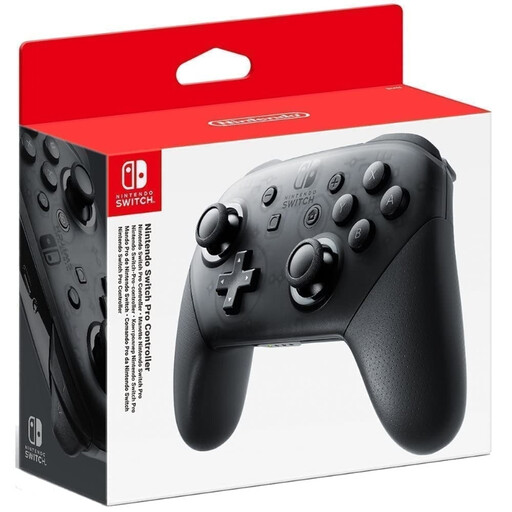
Why This Fits Their Persona: A well-suited choice for Switch players who want a traditional gamepad in tabletop or TV mode instead of using individual Joy-Con controllers.
Compatibility is focused on Nintendo Switch systems, eliminating the uncertainty of choosing a cross-platform Bluetooth model.
Wireless connectivity, an integrated lithium-polymer battery, motion controls and HD Rumble according to the product specifications.
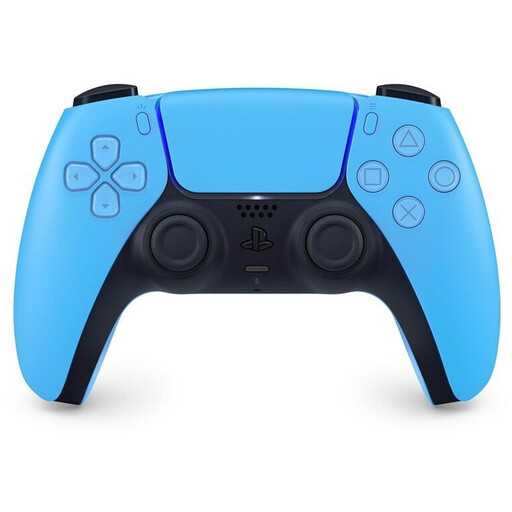
Why This Fits Their Persona: Designed for PS5 owners who value DualSense features, an integrated microphone and a touchpad.
The product specifications explicitly identify adaptive triggers and haptic feedback as game-supported features, rather than universal capabilities available in every title.
Bluetooth, USB-C, a 3.5 mm audio port, motion sensor and 1,560 mAh battery according to the specifications.
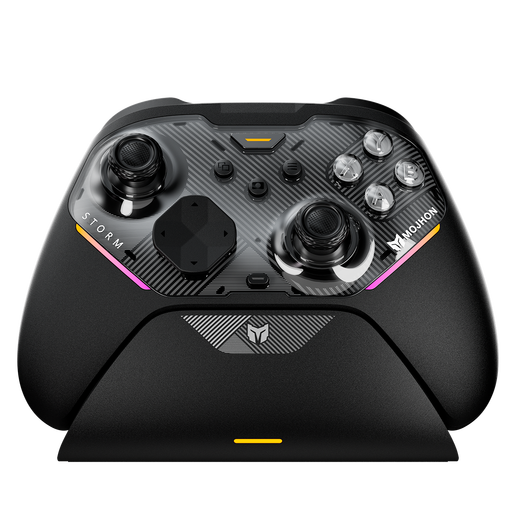
Why This Fits Their Persona: For PC and cross-platform users seeking additional buttons and configurable controls for extended gaming sessions.
The specifications list supported platforms and specific controls. Before buying, however, you should still verify which features are available on your platform.
TMR sticks, Hall-effect and microswitch triggers, 16 mechanical buttons and four configurable rear buttons according to the product description.
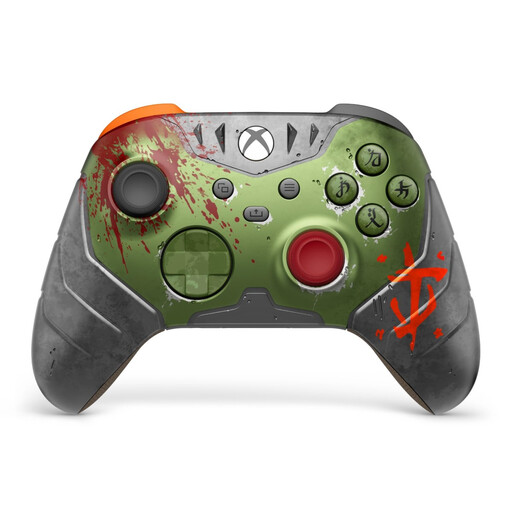
Why This Fits Their Persona: For Xbox and Windows users who prefer an official layout and distinctive special edition with a headset port.
Xbox Wireless, Bluetooth and USB-C are listed separately, making it easier to identify the connection method you need before purchasing.
Compatible with Xbox Series X|S, Xbox One and Windows PCs; includes a 3.5 mm port and two AA batteries according to the product specifications.
Browse the complete selection of gamepads for different platforms, connection types and play styles. Before buying, check the compatibility and included-accessories details listed for each product.
Enable Bluetooth on the target device and put the controller into pairing mode. With many models, you can then select the device name displayed on screen. For PS5 DualSense controllers, pairing with a PC or mobile device may require a specific button combination, depending on the model. Always follow the exact procedure provided in the user manual.
There is no reliable way to specify a fixed service life. Longevity depends on frequency of use, pressure applied to the analog sticks and buttons, storage conditions, battery care and firmware. Models with Hall-effect or TMR sticks may offer design advantages in signal detection, but they do not replace careful handling. Avoid exposure to liquids, drops and excessive mechanical stress.
Integrated batteries generally eliminate recurring battery costs, although capacity may decline after extended use. An Xbox controller with AA batteries, by contrast, allows for easy replacement but incurs ongoing costs depending on the type of battery used. For frequent players, a suitable USB-C charging cable or battery pack may be a practical choice.