What to look for when choosing
Check platform and game compatibility first. Then you can decide which connection and extra features will suit your sofa setup.
| What matters to you |
What to check before buying |
Who this matters most to |
| Platform and game |
Compare the full model name, console generation and the game’s controller support. |
I want to make sure the controller, device and specific game are compatible before considering comfort features. Around 36% of consumers put platform and game compatibility first. |
| Connection from your seat |
Check the connection mode for your platform, available USB ports, what’s included and the cable reach. |
I want to play from the sofa without an awkward cable in the way, or make sure the cable reaches my device. Around 29% of consumers prioritise the connection between their seat and gaming device. |
| Controls and feedback |
Check the button layout and which features are confirmed for your specific game, platform and connection. |
If I want extra buttons or tactile feedback, I need to make sure the game supports these features. Around 21% of consumers make controls and feedback their main priority. |
| Power and accessories |
Check the charging accessories, power supply, replacement options and warranty terms for the exact model. |
I want to know how the controller charges day to day and which accessories are included. Around 14% of consumers prioritise power and potential follow-up costs. |
Controllers at Joybuy
This selection includes controllers for PC and selected consoles. Check each model’s platform specifications and connection before you decide.
 No image available
EasySMX D10 Wireless-BT-Controller
Worth considering if you’re looking for a wireless controller for one of the platforms listed in the product name.
The product name lists PC, Switch, Android and iOS, as well as TMR joysticks, dual-mode triggers, mechanical buttons, a 1000 Hz polling rate and RGB lighting.
View at Joybuy
 No image available
Razer Wolverine V3 Tournament Edition White
A better fit if you can play with a wired connection on a PC or Xbox Series S/X.
The product title describes a USB gamepad for PC and Xbox Series S/X. It’s wired, so make sure the stated 3 m cable reaches where you sit.
View at Joybuy
 No image available
Black Wireless Dualshock Game Controller for PS4 and PC
An option if you’re looking for a wireless controller for PS4 or PC. Check that your specific game and device support it.
The product title lists PS4 and PC as compatible platforms.
View at Joybuy
 No image available
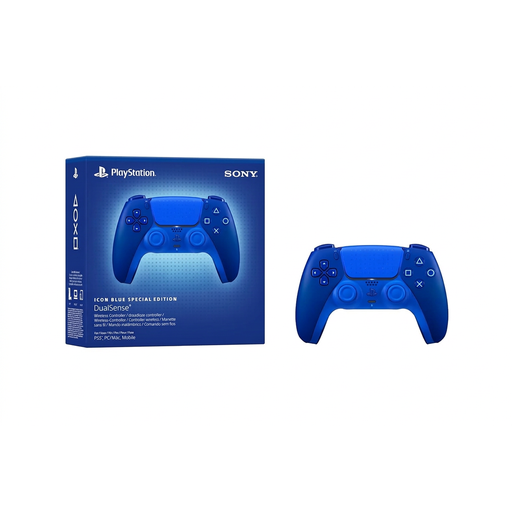
Sony PlayStation DualSense CFI-ZCT2WZBX Icon Blue Special Edition
An option for PS5 and supported PC games if you want to use DualSense features.
According to Sony PlayStation, haptic feedback on PC requires a supported game and a USB connection.
View at Joybuy
 No image available
VIELLAN Wireless Gaming Controller with Hall Effect Joysticks
An option for PC players looking for a wireless controller with extra customisation options.
The product title lists Hall effect joysticks, 255-level Hall triggers, programmable back buttons, RGB lighting, a 1000 mAh battery and USB-C. The PS5-style button layout mentioned does not confirm PS5 compatibility.
View at Joybuy
Frequently asked questions
Can I pair a Bluetooth controller directly with my TV and play any superhero game?
You can’t assume that will work in every case. Check which device the game actually runs on, which connections that device supports and whether the game supports the controller. A Bluetooth specification for another platform isn’t enough.
How do I connect a DualSense to a supported PC?
Sony PlayStation lists USB-C or Bluetooth as connection options. To pair via Bluetooth, make sure the controller is off, then hold Create and PS until the light bar flashes. Select it from your PC’s Bluetooth list. Haptic feedback on PC requires a supported game and a USB connection.
Can I keep using an older Nintendo Switch Pro Controller with Switch 2?
Yes. Nintendo confirms that the older Switch Pro Controller can be used wirelessly with Switch 2. It is still a different model from the Switch 2 Pro Controller, which Nintendo designed for Switch 2.
Does a controller have a USK age rating?
USK age ratings apply to games, not to whether a gamepad is suitable. If children will be playing a superhero game, check its age rating and content. According to USK, the rating doesn’t indicate whether a child has already mastered the controls.


