Adventurers with a dedicated console
If you mainly play on PS5, Xbox or Switch 2, your controller should be compatible with your console and support the game features you need.


First, choose a controller that’s compatible with your console or PC and supports the game features you need. Then decide whether you’re specifically looking for illuminated controls, or whether feel, grip and freedom of movement matter more to you. RGB zones or a light ring don’t necessarily mean the buttons are illuminated. Special haptics and triggers also depend on support from the game and platform.
If you mainly play on PS5, Xbox or Switch 2, your controller should be compatible with your console and support the game features you need.
You’re looking for controls you can easily find in low light, or you’d like some subtle lighting. Don’t assume that RGB zones mean the buttons themselves are illuminated.
For longer sessions, grip and button layout matter just as much as cable length, wireless connectivity and how the controller is powered.
First, check that the controller is compatible with your platform and the game’s requirements. Then weigh up lighting, feel, ease of use and connectivity based on where you play and what matters most to you.
| What you’re looking for | What to check before buying | Who is it important to? |
|---|---|---|
| Platform and game | Check the console or PC, as well as the game features and connection you need. | If I want to be sure the controller will work with my platform and my adventure, I check the exact model variant. Around 29% of consumers put compatibility first. |
| Lighting in a dark room | Check which parts of the specific model light up and whether you can adjust the colour or mode. | If I want to find the controls more easily in low light, I check whether the buttons themselves are illuminated. Around 23% of consumers prioritise visibility and lighting. |
| Feel the action | Check game support and, for PC use, whether a USB connection is required. | If haptics and triggers matter more to me than lighting effects, I check whether my game supports these features. Around 18% of consumers put gameplay feel first. |
| Grip and buttons | Check the grip shape, how easy the buttons are to reach and how any extra buttons are assigned. | For longer adventures, I want a controller that feels comfortable to hold and has easily reachable buttons. Around 18% of consumers prioritise comfort and button layout. |
| Cable, wireless connection and power | Check cable routing, connection type and the charging or battery solution for the exact model variant. | If I want to move freely on the sofa, I check the wireless connection and power supply. If it’s wired, I make sure the cable reaches my seat. Around 12% of consumers place the greatest importance on freedom of movement or power. |
Light zones or a light ring may be visible without illuminating the button labels. PowerA lists four light zones on one wired Xbox variant, while 8BitDo describes an RGB Fire Ring on the Ultimate 2 Bluetooth.
Before buying, check the details for the exact model variant and see which controls actually light up.
Platform compatibility can vary between similarly named models. 8BitDo lists Windows and Switch for the Ultimate 2 Bluetooth; the Ultimate 2 Wireless has different platform specifications.
Check the full model name against your platform, and see whether a firmware update is needed for the way you want to use it.
A voluntary guarantee or additional protection plan is not the same as your statutory rights against the seller if goods are faulty.
Before taking out an additional plan, check what extra risks it covers and what rights you already have. The Verbraucherzentrale explains the difference between statutory rights and voluntary benefits.
DualSense controllers are designed for PS5 players who want to use supported haptics and adaptive triggers. The DualSense Edge offers additional customisation options.
According to Microsoft, the Xbox Wireless Controller is designed for Xbox consoles, Windows PCs and selected mobile devices.
The Switch 2 Pro Controller is for players looking for a controller for the Nintendo Switch 2.
Lumectra variants are aimed at buyers looking for lighting effects. Features vary by platform and model.
The Ultimate 2 Bluetooth is an option for buyers considering a controller with an RGB Fire Ring for Windows or Switch.
The following Joybuy products include controllers for Xbox and PC, Switch 2, PS4, and Switch and PC. Before buying, check that the exact model variant is compatible with your platform and game.
 No image available
An option for Xbox and Windows PC players who want to use extra input buttons.
This model is wired, so plan how you’ll route the cable to your seat. The specifications list a 3 m USB-C cable.
 No image available
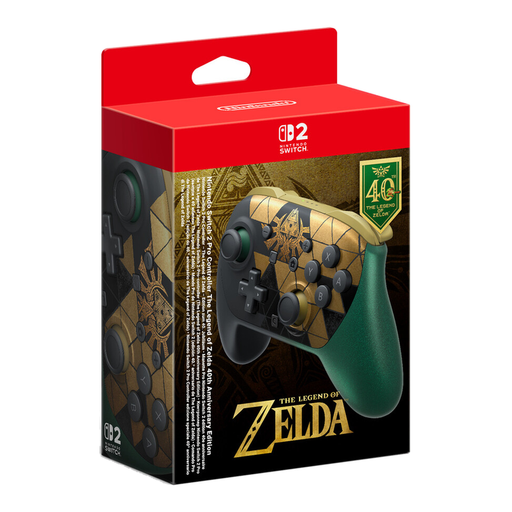
For Switch 2 players who want to use the listed controller features with their console.
The product title lists HD Rumble 2, mouse controls, amiibo functionality, GameChat and assignable GL and GR buttons. The platform specifications refer to Nintendo Switch 2.
 No image available
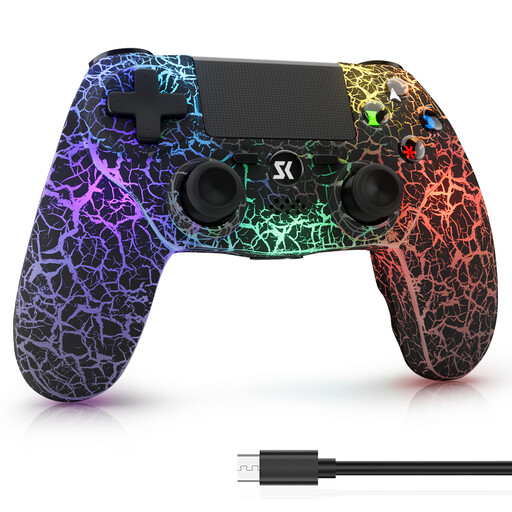
An option if you’re looking for a wireless controller for the PS4 and Windows PC platforms listed in the title.
The product title lists RGB lighting, dual vibration and 6-axis motion control. RGB lighting alone doesn’t tell you whether the buttons are illuminated.
 No image available
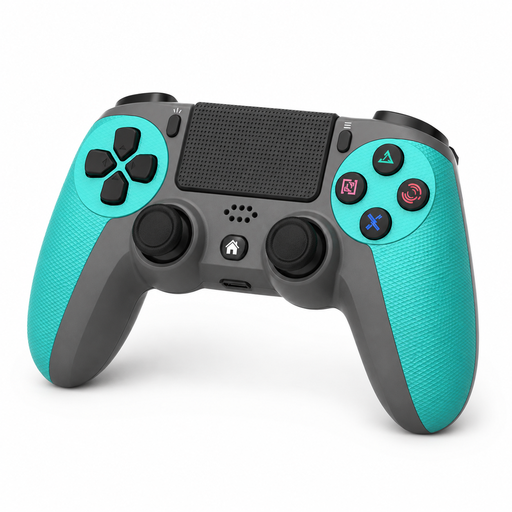
For PS4 players looking for a wireless gamepad with motion controls.
The product title lists a 6-axis gyro, a 3.5 mm audio jack and an included charging cable.
 No image available
An option if you’re looking for a controller for the Switch and PC platforms listed in the product title.
The title lists dual vibration and a gyro. Check that the exact model variant is compatible with your platform and the features in your game.
No. RGB lighting alone doesn’t mean the buttons are illuminated. PowerA lists four light zones on one Xbox variant, while 8BitDo lists an RGB Fire Ring on the Ultimate 2 Bluetooth. Check the details for the exact model variant to see which buttons or controls light up.
For haptic feedback on PC, Sony specifies a supported game and a USB connection. Also check whether the specific game supports the feature.
No. Nintendo states that the Nintendo Switch 2 Pro Controller can only be used with the Nintendo Switch 2.
If goods are faulty, your statutory rights are against the seller and are separate from any voluntary guarantee. Online purchases generally come with a 14-day right to cancel, starting from the day you receive the goods; you must notify the seller that you’re cancelling. The Verbraucherzentrale explains these rights and the conditions that apply.