
Lieferung heute & morgen

Qualitätsgarantie

Willkommens-Angebote freischalten: KOSTENLOSE Lieferung | Bis zu 80 % RABATT | Kostenlose 30-Tage-JoyPlus-Testphase
App herunterladen
A gaming controller can make gaming on a PC or console much more comfortable. However, models can vary considerably in compatibility, connectivity, power supply and button functions. A low price says little about whether a gamepad is right for your games and devices.
Before you buy, watch out for these three common pitfalls:
A PC controller should ideally support the input standard expected by the game. Many Windows games recognise XInput directly, while DirectInput may be relevant for older applications or certain specialist programmes.
There are typically three connection options:
A wireless gaming controller also needs a power source. Some models use AA batteries, while others have a built-in lithium-ion battery. For rechargeable models, check the charging time, battery life and whether you can play while connected by cable.
Controllers with Hall effect sticks or TMR sticks use contactless or electromagnetic sensing technology. This can reduce mechanical wear in the position-sensing mechanism. However, it doesn’t tell you how long the sticks will last.
Triggers also vary:
If you’re looking for a wireless controller for competitive gaming, consider the wireless technology, connection stability and compatibility with your game, as well as the polling rate. A rating of 1,000 or 2,000 Hz describes the device’s potential polling rate; it doesn’t automatically represent the total input lag.
Haptic feedback and standard vibration aren’t the same. Haptic feedback can provide more nuanced responses, but you’ll only get the full benefit with supported hardware and software. On a PS5 controller, adaptive triggers and haptic feedback depend on the game and connection.
For longer gaming sessions, also consider:
Programmable buttons can be useful in complex games. If your controller has macro and turbo functions, check the instructions and the rules of the game you’re playing. Automated inputs may be unwanted or prohibited in online games.
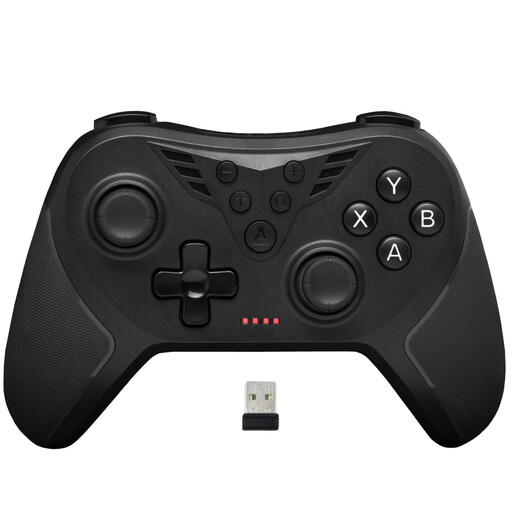
Why this product suits this profile: This 2.4 GHz wireless controller is designed for Windows 10/11 and PlayStation 3, and comes with a USB receiver. Its stated battery life is 8 to 10 hours.
The supported platforms and included receiver are clearly listed. This makes it easy to check whether your hardware is supported before you buy.
2.4 GHz wireless connection, rechargeable battery, two programmable rear buttons, plus turbo and macro functions according to the product details.
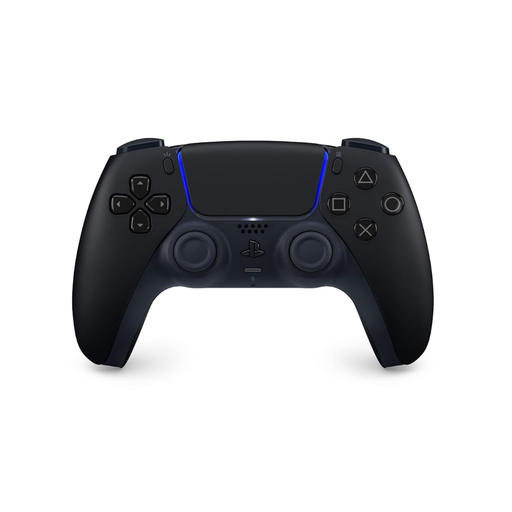
Why this product suits this profile: The PS5 controller combines Bluetooth and USB-C with haptic feedback, adaptive triggers, a touchpad, microphone and 3.5 mm headset port.
The product details specifically note that some features depend on the game and connection. This helps set realistic expectations across different devices.
Adaptive triggers, haptic feedback, motion sensor, built-in microphone and 1,560-mAh lithium-ion battery.
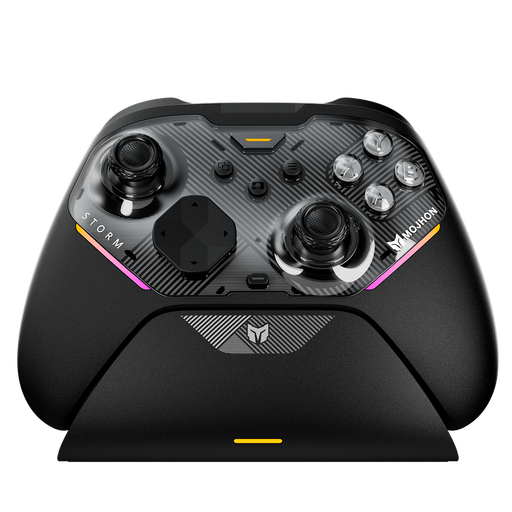
Why this product suits this profile: This model is for users who want to control a PC, Nintendo Switch, smartphone or tablet with a customisable gamepad.
The product details list several connection and platform options. Even so, check which features are available on your specific device before use.
TMR sticks, Hall effect and microswitch triggers, 16 mechanical buttons, four customisable rear buttons and a stated polling rate of 2,000 Hz.
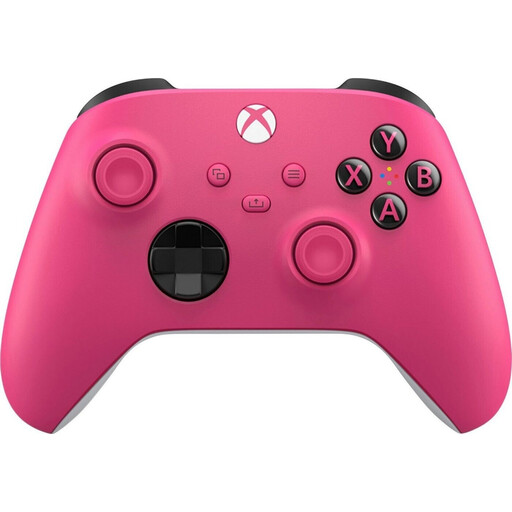
Why this product suits this profile: The Xbox controller is designed for Xbox One, Xbox Series X/S and Windows PCs. Bluetooth also lets you connect it to selected mobile devices.
Compatibility, Xbox Wireless and Bluetooth are clearly specified. The included AA battery set means you can power it without charging first.
Textured grips, hybrid D-pad, Share button, 3.5 mm port and customisable button mapping via the Xbox Accessories app.
We’ve put together a comprehensive, regularly updated list of products that meet these strict selection criteria and the applicable EU safety regulations.
For Windows, a model with XInput support is often the simplest option. If you use several devices, check for Bluetooth or a 2.4 GHz receiver too. A PC controller with a USB connection can be a useful alternative if you have problems with wireless connections.
Its lifespan depends on build quality, how heavily it’s used, how it’s stored and whether it uses a rechargeable battery or replaceable batteries. Hall effect or TMR sticks can reduce wear on certain mechanical components, but they don’t guarantee an unlimited lifespan. Firmware updates, dry storage and avoiding excessive force all help you use your controller properly.
AA models have ongoing costs for batteries or rechargeable replacements. Models with a built-in battery need to be charged regularly via USB, but use relatively little energy. To work out the total cost, consider more than just the purchase price: factor in battery capacity, charging accessories and how long you plan to use the controller.