
Lieferung heute & morgen

Qualitätsgarantie

Willkommens-Angebote freischalten: KOSTENLOSE Lieferung | Bis zu 80 % RABATT | Kostenlose 30-Tage-JoyPlus-Testphase
App herunterladen
A new gaming desk is more than just a surface; it's the foundation of your entire setup. Yet, the market is flooded with models advertised with aggressive marketing jargon and flashy designs. Many buyers only discover after assembly that their new desk wobbles, the surface scratches easily, or the advertised "gaming features" are impractical for everyday use.
As your Joybuy Product Recommendation Officer, I'm here to help you identify these pitfalls. Instead of falling for empty promises, we'll focus on the objective criteria that define a functional and long-lasting desk.
Before you make a decision, you should be aware of the typical flaws often hidden behind an appealing exterior:
To avoid a costly mistake, you should focus on three core aspects. These define the quality and functionality of your future desk.
The foundation of any good desk is its stability. Look for the following features:
A tidy space promotes concentration. A desk with power outlets and USB ports is therefore a worthwhile investment, provided it's implemented correctly.
The shape of the desk should suit your available space and your workflows.
Based on these objective criteria, we have identified several models suitable for different requirements and budgets.
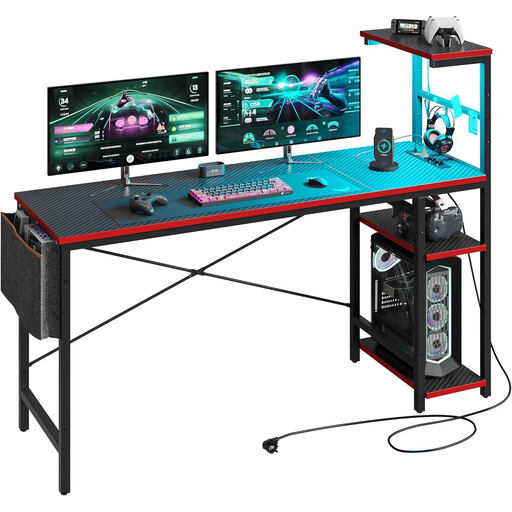
Why This Fits Their Persona: A compact solution for smaller rooms that still offers key features like LED lighting and power outlets without breaking the budget. Ideal for starting out with an organised setup.
The construction with a P2 particleboard and X-shaped bracing provides a solid base, avoiding the wobble that is often a problem with budget models.
Integrated power outlets and LED lighting in a compact, space-saving design. The storage shelves can be mounted flexibly.
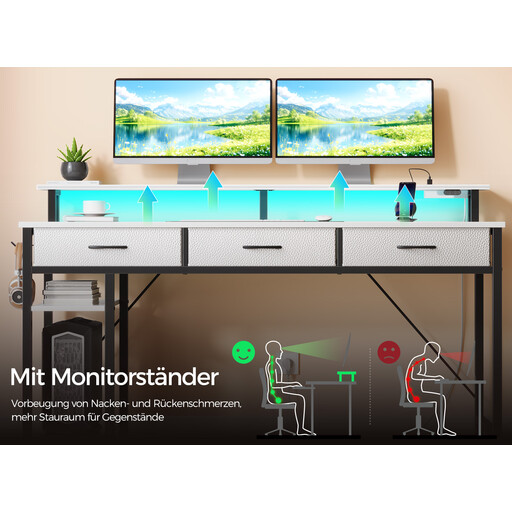
Why This Fits Their Persona: Offers an all-in-one hub with plenty of storage, integrated power, and a monitor shelf—ideal for complex setups with lots of peripherals, as is common for streamers and content creators.
Instead of disorganized cable clutter, this desk offers an integrated charging strip and dedicated PC desk with storage. The carbon fibre look here is part of a durable composite wood panel.
Extensive storage with 3 fabric drawers and 2 side shelves; integrated RGB lighting and charging station (2 outlets, 2 USB ports).
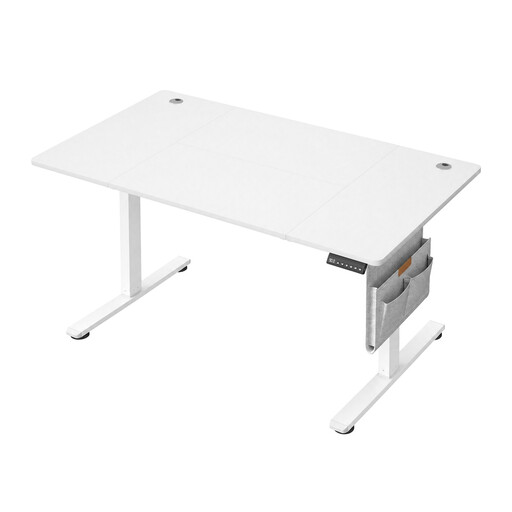
Why This Fits Their Persona: Perfect for users who spend long hours at their desk and value healthy posture, whether for work or gaming. The focus is clearly on function and durability.
Focuses on the core function: stable, quiet height adjustment. The solid steel frame prevents instability at full height, a common flaw in cheaper electric desks.
Electric height adjustment with 4 memory presets for a quick switch between sitting and standing positions. Includes cable grommets and a storage pouch.
We've compiled a complete, up-to-date list of products that meet these strict selection criteria and comply with applicable EU safety regulations.
The maximum load capacity varies greatly depending on the model and construction. Simple desks often support only up to 50 kg, while more stable models with steel frames and thicker tops can handle 70 kg to over 100 kg. You can always find the exact specification in the manufacturer's product details. For setups with multiple monitors and a heavy PC case on the desk, you should choose a model with a load capacity of at least 70 kg.
A carbon fibre-look desk is primarily a design choice. The quality of the surface is crucial here. A high-quality, textured laminate can be very resistant to scratches and wear and is easy to clean. In contrast, cheap, smooth films can wear out quickly. If you like the look, pay attention to the description of the surface material and choose a textured, scratch-resistant version.
Yes, absolutely. Long gaming sessions while sitting can lead to tension and fatigue. A height-adjustable computer desk for gamers allows you to change your position and occasionally play while standing. This can improve concentration and prevent postural problems. Look for a motor that is fast but quiet, so the adjustment isn't disruptive.