
Lieferung heute & morgen

Qualitätsgarantie

Willkommens-Angebote freischalten: KOSTENLOSE Lieferung | Bis zu 80 % RABATT | Kostenlose 30-Tage-JoyPlus-Testphase
App herunterladen
A gaming graphics card should not only deliver high frame rates, but also be compatible with your case, power supply and monitor. If you focus solely on model names, boost clock speeds or RGB lighting, you can easily overlook important limitations. This can lead to unnecessary extra costs, installation problems or a graphics card whose performance cannot be fully utilised by your system.
Many models advertise support for 8K. This initially describes the maximum output resolution, not necessarily a smooth frame rate in current games. For 1440p gaming, an RTX 5060 Ti or RTX 5070 is often sufficient. A graphics card for 4K gaming, on the other hand, should offer more video memory and greater processing power. 8K gaming places significantly higher demands on the GPU, VRAM and game optimisation.
A higher boost clock speed can have a positive impact, but says little about overall performance. CUDA cores, the memory interface, memory bandwidth, cooling and power limit also play a role. Two versions of the same GPU can perform differently depending on cooler size, factory clock speed and case airflow.
A large triple-fan card can occupy several slots and make it harder to install additional components. Models with 3.8 slots or a width of 150 mm will not fit in every ATX case. In addition, powerful cards such as an RTX 5080 graphics card or RTX 5090 graphics card require a suitable power supply and the correct 12V-2x6 connector. Do not use a power supply with a lower wattage than the manufacturer recommends.
The model range provides the starting point for your selection:
Actual performance depends on the game, driver, processor, RAM and selected quality settings.
GDDR7 offers high memory clock speeds. However, what matters is how it works together with memory capacity and interface width. 8 GB may be sufficient for many Full HD and 1440p scenarios, while 16 GB provides more headroom for 4K, modding, high-resolution textures and creative applications. For workstations, AI applications or large 3D projects, a card with 32 GB may be a sensible choice.
A PCIe 5.0 graphics card can generally also be used in older PCIe slots. The available bandwidth will then be determined by the slower standard. DisplayPort 2.1b and HDMI 2.1b are relevant for modern monitors and high resolutions.
Before buying, you should check:
DLSS 4, ray tracing and G-Sync can deliver different results depending on the game and software version. An DLSS 4 graphics card or graphics card with ray tracing should therefore be selected based on the games you actually play. RGB lighting does not improve image quality, but it can be a design feature for certain PC builds.
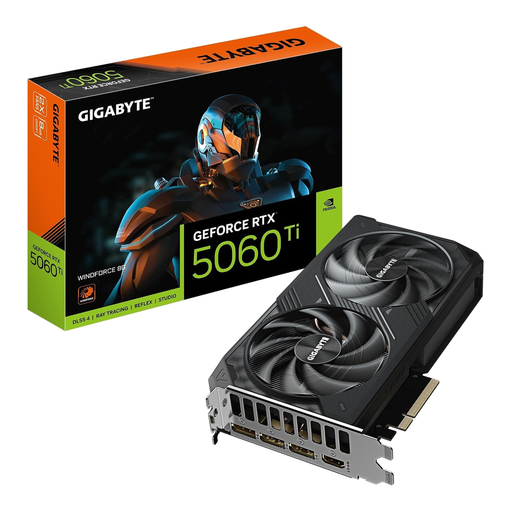
Why this product suits the profile: With 8 GB GDDR7, PCI Express 5.0 and a dual-slot design, this card is well suited to more compact desktop systems focused on 1080p or 1440p gaming.
The dual-slot design reduces the risk of blocking neighbouring slots. Check the recommended 650 W power supply requirement before installation.
8 GB GDDR7, PCIe 5.0, 3 DisplayPort outputs and 1 HDMI output, plus active triple-fan cooling.
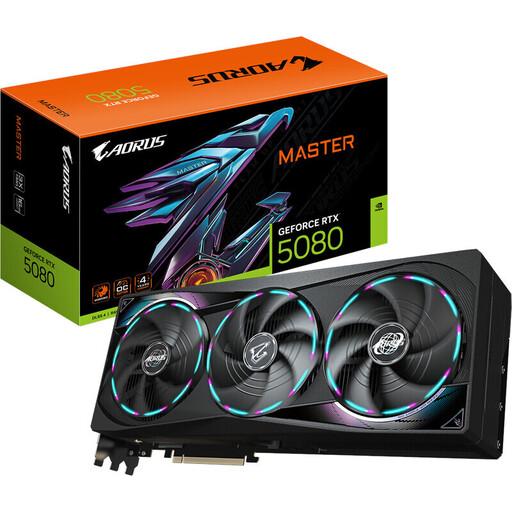
Why this product suits the profile: Designed for 4K gaming, creative workflows and multiple high-resolution displays, this model combines 16 GB GDDR7 with a powerful cooling solution.
The technical specifications list dimensions of 360 × 150 × 75 mm and a recommended power supply rating of 850 W. This makes it possible to check compatibility specifically before buying.
16 GB GDDR7, 256-bit memory interface, PCIe 5.0, triple-fan cooling and support for up to four monitors.
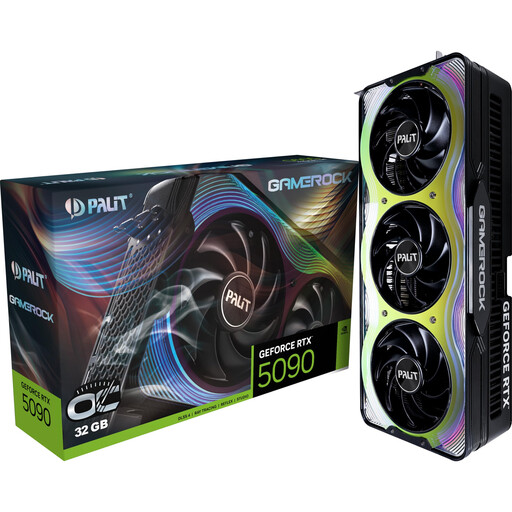
Why this product suits the profile: The combination of 32 GB GDDR7 and a 512-bit interface is aimed at 8K gaming, AI applications, 3D rendering and large-scale video projects.
This card requires plenty of space, a suitable 1000 W power supply and a support bracket. Check these points against your case and power supply before buying.
32 GB GDDR7, 1.792 GB/s memory bandwidth, three DisplayPort 2.1b connections and HDMI 2.1b.
We have put together a complete, regularly updated list of products that fully meet these strict selection criteria and the safety regulations applicable in the EU.
Depending on the game, level of detail and desired frame rate, models such as the RTX 5060 Ti or RTX 5070 may be suitable for 1440p. For extensive mods, high-resolution textures and long-term use, more VRAM may be the better choice. You should also check whether your processor can support the desired frame rate.
This depends on the model and the rest of the PC. Product specifications may list, for example, 550 W for an ASUS RTX 5060, 650 W for an RTX 5070 and 850 W for several RTX 5080 models. An RTX 5090 may require a power supply of 1000 W or more. Use only suitable, certified power cables and make sure the connector is fully secured.
Service life depends on temperature, dust levels, case ventilation and daily workload. Regular driver updates, sufficient clearance around the fans and secure mounting help reduce common operating risks. When buying a new card, consider not only current gaming performance, but also VRAM, connections and how long you plan to use it.