
Lieferung heute & morgen

Qualitätsgarantie

Willkommens-Angebote freischalten: KOSTENLOSE Lieferung | Bis zu 80 % RABATT | Kostenlose 30-Tage-JoyPlus-Testphase
App herunterladen
A gaming headset with microphone and 3.5 mm jack is a straightforward solution for many PC and console gamers: plug it in, select your platform and communicate with your team straight away. However, unclear connection details, exaggerated feature claims and uncomfortable designs often lead to disappointing purchases.
This buying guide from the Joybuy Product Recommendation Officer explains which technical specifications really matter and which wired gaming headset suits different situations.
A headset with a 3.5 mm plug can work with many devices. However, what matters is whether the device has a combined socket for headphones and a microphone. Desktop PCs often have separate audio and microphone connections. In this case, a suitable splitter may be required.
With Xbox, usage also depends on the controller and its connection. On PS5, PS4, Nintendo Switch, smartphones and tablets, the 3.5 mm socket is often located directly on the controller or device. Before buying, you should therefore check that the required connection is actually available.
An RGB gaming headset may use a USB cable for lighting alongside the 3.5 mm audio cable. The USB connection is then not necessarily intended for audio transmission. For example, the ONIKUMA X25 uses a 3.5 mm audio connection and USB solely to power its RGB lighting.
If you only want to use one audio and microphone cable, choose a model without lighting or with lighting that can be switched off.
Specifications such as 40 or 50 mm describe the diameter of the dynamic drivers. On their own, they say little about how balanced a stereo gaming headset sounds. The frequency range, impedance, sensitivity and design are also important when choosing a headset.
Terms such as “7.1 surround” should also be considered carefully. With an analogue 3.5 mm connection, performance may depend on the hardware and software of the relevant platform. For many gamers, clear stereo sound with intelligible voice transmission is the more practical choice.
A 3.5 mm headset does not require Bluetooth pairing and normally needs no driver installation. This makes it easy to use with PS5, PS4, Xbox, Nintendo Switch, PC, laptops and compatible mobile devices. Nevertheless, pay attention to the following:
A headset for PC and console should be explicitly listed in the product description as compatible with the platforms you want to use. The terms PS5 headset with microphone, PS4 headset, Xbox headset and Nintendo Switch headset are only a starting point; the location of the connection and the controller remain decisive.
A flexible boom microphone can be positioned closer to your mouth than a permanently integrated microphone. Models with a detachable microphone are also suitable for listening to music or watching videos without the microphone arm attached. Important features include:
The term “noise cancelling” should not automatically be understood as complete noise reduction. With headsets, it may refer to the passive isolation provided by the earcups or to microphone processing.
An over-ear gaming headset surrounds the ear and can passively reduce background noise. Pay attention to the weight, padding and adjustability of the headband. Soft ear cushions and moderate weight are practical for long gaming sessions.
On-ear models rest directly on the ear and can be more compact. They are often better suited to short periods of use or mobile devices, but distribute pressure differently from over-ear headsets. For children aged six and over, the headband should be adjusted correctly and the volume limited by an adult. Children under twelve should ideally be supervised when using a headset.
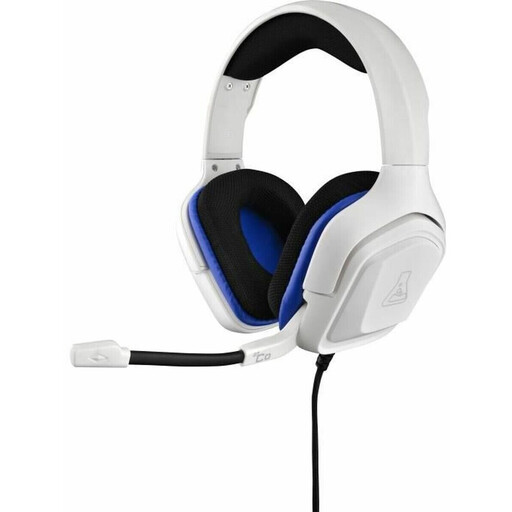
Why this product suits this profile: This wired over-ear model combines a 3.5 mm connection with compatibility for PC, PS4, PS5, Xbox, Nintendo Switch and mobile devices.
The description explicitly lists the 3.5 mm connection and compatible platforms. The microphone is flexible and requires no drivers for basic operation.
50 mm drivers, flexible omnidirectional microphone boom, in-line volume control and a stated weight of 237 g.
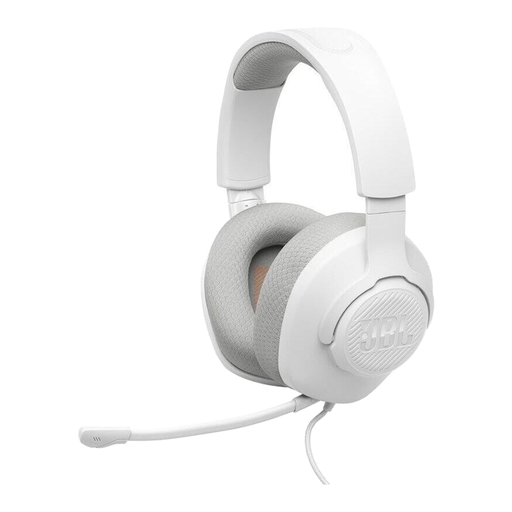
Why this product suits this profile: The model offers a documented 3.5 mm connection, a detachable microphone boom and compatibility with PC, PlayStation, Xbox, Nintendo Switch, mobile devices, Mac and VR.
The product data clearly states that Bluetooth and active noise cancellation are not available. This makes the actual features easier to assess.
40 mm dynamic drivers, 220 g weight, detachable directional microphone with mute function and memory foam ear cushions, according to the product specifications.
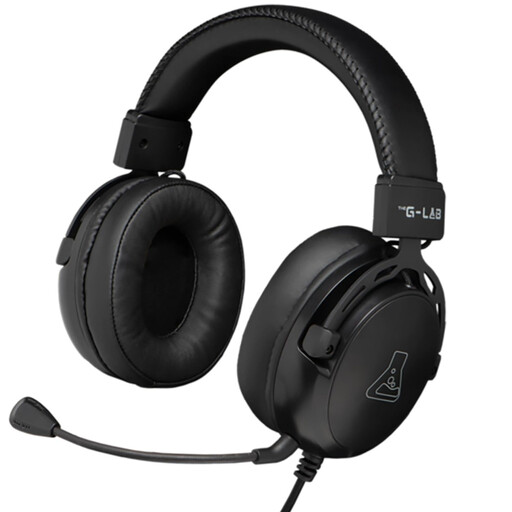
Why this product suits this profile: For longer sessions on PC or consoles, this over-ear headset offers a 2.1 m cable, faux-leather padding and a detachable microphone.
The RGB function is listed as an additional feature, while basic operation uses the 3.5 mm jack. This prevents the lighting and audio connections from being confused.
50 mm drivers, 32 ohm impedance, 2.1 m cable, flexible microphone mount and RGB lighting on selected models.
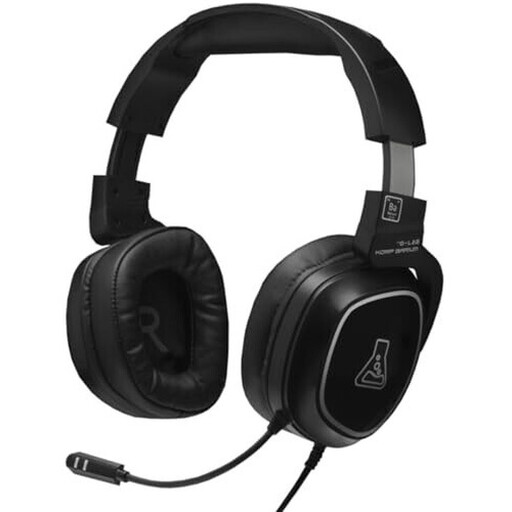
Why this product suits this profile: The on-ear design, swivelling earcups and foldable construction are ideal for users who also want to use their headset on the go.
The listed platforms are limited to PC, PS4, Nintendo Switch and Android. This allows buyers to check whether their device is actually supported.
1.8 m cable, in-line volume control, flexible microphone mount and earcups that swivel through 90 degrees.
We have put together a complete, regularly updated list of products that fully meet these strict selection criteria and the safety regulations applicable in the EU.
Insert the jack plug fully and select the headset as the input and output device on your PC or console. If your PC has separate sockets, a compatible adapter is required. A USB-to-3.5 mm adapter can help with devices that do not have a traditional audio socket; make sure you specifically check that microphone functionality is supported.
Do not pull the cable; pull the plug instead. Keep the headset dry and protect it from extreme temperatures. The volume should be limited for children. Prolonged use at high volume can permanently damage hearing, so regular breaks and moderate volume levels are advisable.
Yes, provided that the PS5 or the DualSense controller has a suitable 3.5 mm socket. For voice transmission, the plug must support both audio and microphone contacts. A splitter may be required when using a desktop PC with separate sockets.
There is no simple answer. Wired models do not require a battery or wireless connection. Their lifespan mainly depends on the cable, plug connection, microphone boom, cushions and daily handling. The cable should not be kinked or used to carry the headset.
Under normal operating conditions, there are no charging or subscription costs. The headset runs directly through the audio connection. RGB models may require an additional USB connection for lighting, but this does not change the basic audio connection.