
Lieferung heute & morgen

Qualitätsgarantie

Willkommens-Angebote freischalten: KOSTENLOSE Lieferung | Bis zu 80 % RABATT | Kostenlose 30-Tage-JoyPlus-Testphase
App herunterladen
The search for the right gaming headset can quickly become overwhelming. The market is filled with tempting advertising promises, but not every model delivers. Poor purchasing decisions often lead to frustration—whether from bad sound, an unclear microphone, or an uncomfortable fit during long gaming sessions. This guide will help you identify the crucial features and avoid common marketing traps, so you can make an informed choice for your setup.
Before we dive into the important technical details, let's look at three common problems that often lead to disappointment.
To avoid a bad purchase, focus on the following objective criteria. These are the key determinants of your headset's performance and longevity.
The choice of connection technology depends on your priorities: mobility or maximum reliability.
Audio performance is the heart of any headset.
For clear communication, microphone technology is decisive.
Here are a few models that represent a smart choice for specific user profiles based on their technical specifications.
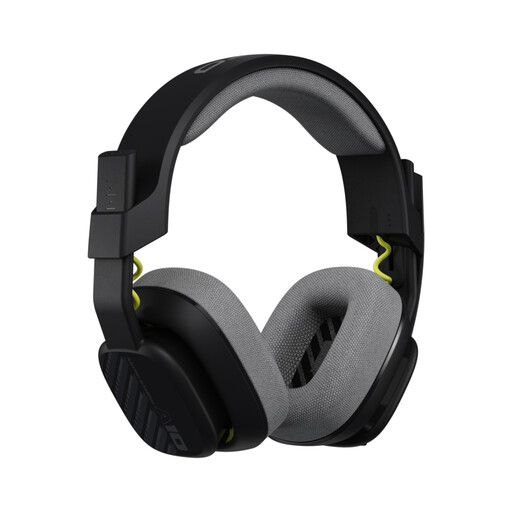
Why This Fits Their Persona: Ideal for gamers looking for a durable, reliable, and straightforward headset for PC, PS5, or Xbox. It focuses on core features without costly extras.
This headset avoids the trap of subpar materials with its durable construction. The unidirectional microphone with a flip-to-mute function delivers clear voice transmission without making false noise-cancelling promises.
Robust build quality and replaceable ear and headband cushions ensure a long lifespan. Its broad compatibility via a 3.5mm jack makes it highly versatile.
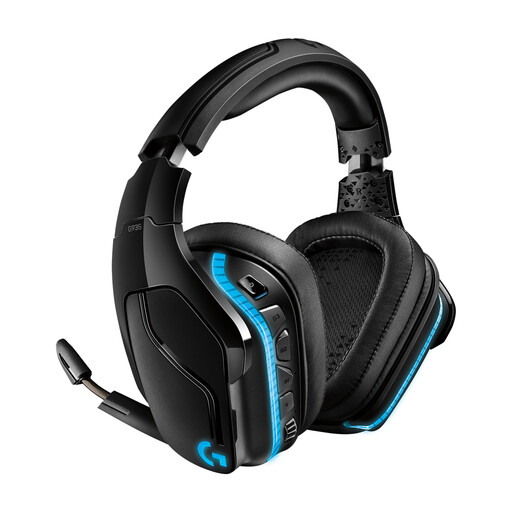
Why This Fits Their Persona: For gamers seeking an immersive audio experience and a competitive edge. The combination of wireless freedom, precise surround sound, and customizable RGB lighting appeals to demanding users.
Instead of low-quality emulation, this headset uses DTS Headphone:X 2.0, an established technology for precise 3D audio. Its LIGHTSPEED wireless technology ensures a stable, low-latency connection, bypassing the issues common with Bluetooth for gaming.
Powerful PRO-G 50mm drivers deliver detailed sound and deep bass. Dual connectivity (2.4 GHz wireless and 3.5mm cable) offers flexibility for both PC and console use.
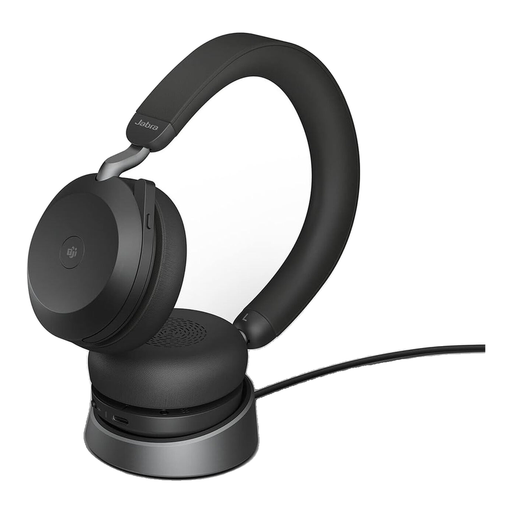
Why This Fits Their Persona: Perfect for users who need a headset for the home office with first-class voice quality that is also suitable for music and after-hours gaming. The focus is on clear communication and concentration.
This model solves the poor microphone problem with an array of 8 MEMS microphones and advanced signal processing. Its Advanced Active Noise Cancellation (ANC) works reliably and isn't just an empty marketing promise.
Professional-grade microphone technology for crystal-clear calls. Dual Bluetooth connectivity allows for seamless switching between two devices (e.g., a PC and a smartphone).
We have compiled a complete, up-to-date list of products that meet these strict selection criteria and rigorous safety standards.
1. How long does a good gaming headset last? The lifespan of a gaming headset depends heavily on build quality and usage. Models with a metal-reinforced headband and sturdy joints generally last longer. For wired headsets, cable failure is a common point of failure, while for wireless models, battery life can degrade after a few years. With proper care, a high-quality headset can remain functional for 3 to 5 years or more.
2. Is a wireless headset suitable for competitive gaming? Yes, as long as it uses a dedicated 2.4 GHz wireless connection via a USB dongle. This technology minimizes latency (audio delay) to a level imperceptible to humans, making it suitable for fast-paced, competitive games. Pure Bluetooth connections are less recommended for this purpose due to their higher latency, but they work well for slower games, music, or calls.
3. Do I need special software for my gaming headset? Most headsets work plug-and-play for basic audio and microphone functions. However, to use advanced features like virtual 7.1 surround sound, RGB lighting customization, or equalizer settings, the manufacturer's software is usually required (e.g., Logitech G HUB, Corsair iCUE). This is especially relevant for a PC headset.