
Lieferung heute & morgen

Qualitätsgarantie

Willkommens-Angebote freischalten: KOSTENLOSE Lieferung | Bis zu 80 % RABATT | Kostenlose 30-Tage-JoyPlus-Testphase
App herunterladen
The search for a new Gaming Headset can quickly become overwhelming. The market is filled with promises of immersive sound and crystal-clear communication. Yet, often, expensively advertised features turn out to be a disappointment, or the headset becomes uncomfortable after just a few months. Before you make a decision, it's crucial to understand the most common pitfalls that can lead to buyer's remorse.
A frequent problem is the discrepancy between advertised features and actual performance. Many users invest in a model that looks impressive on paper, only to find that it fails to meet basic requirements.
To avoid a bad purchase, you should focus on objective, technical parameters that have a direct impact on performance and durability.
The choice of connection determines your headset's compatibility and functionality.
Audio quality is largely determined by the built-in drivers.
A good Headset mit Mikrofon is essential for online communication. Pay attention to the polar pattern. Cardioid (unidirectional) microphones primarily capture sound from the front, effectively blocking out noise from the sides and rear. A detachable or retractable microphone also offers flexibility for when it's not needed.
Based on these objective criteria, we have compiled a selection of models suited for specific user profiles.
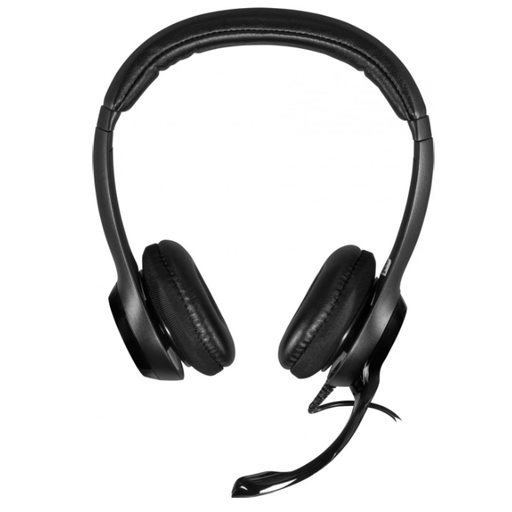
Why This Fits Their Persona: This headset focuses on the core functions for professional use: clear digital audio transmission and a reliable microphone for online meetings. It is a pragmatic choice for users who value functionality over gaming aesthetics.
It deliberately avoids overloaded gaming features and empty marketing promises. Instead, it delivers stable performance with a noise-cancelling microphone that works well in office environments.
Simple plug-and-play installation via USB-A. The in-line remote allows for quick adjustments to volume and mute.
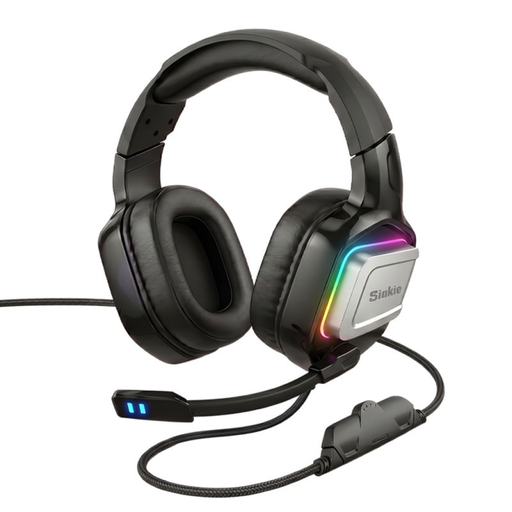
Why This Fits Their Persona: For gamers who switch between PC and various consoles, maximum compatibility is crucial. This model offers both a USB and a 3.5mm connection, covering virtually every platform.
It directly solves the compatibility problem instead of locking the user into one ecosystem. While it offers RGB lighting, its main advantage lies in its universal usability.
Dual connectivity (USB & 3.5mm) for PC, PS5, PS4, Xbox, and Switch. The 50mm drivers provide a solid audio foundation for games and media.
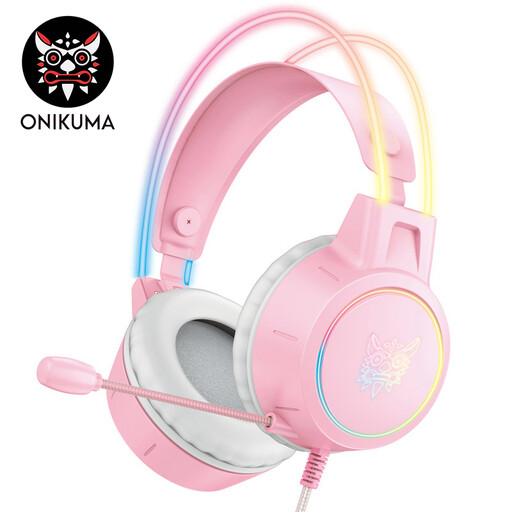
Why This Fits Their Persona: This headset is designed for gamers for whom the aesthetics of their setup play a central role. The transparent, illuminated headband and striking color scheme make it a visual highlight.
Despite its eye-catching design, comfort is not neglected. Weighing only 268g and featuring breathable earcups, it addresses the problem of uncomfortable headsets during long gaming sessions.
Unique design with striking RGB lighting. The low weight and adaptive headband ensure high wearing comfort.
We have compiled a complete, up-to-date list of products that fully meet these strict selection criteria and German safety regulations.
In most cases, no. Modern operating systems like Windows, macOS, and the PlayStation's firmware recognize USB Headsets automatically via plug-and-play. For advanced features like adjusting the equalizer or virtual surround sound, some manufacturers offer optional software, but it is not required for basic functionality.
RGB-Beleuchtung is a purely aesthetic feature and has no impact on sound or microphone quality. It serves to visually match the headset to a gaming setup. If aesthetics are important to you, an RGB Headset can be a great choice. However, if you are primarily focused on performance and budget, you can skip this feature, as it often increases the price and, on some models, requires additional power via a USB connection.