What should you look for when buying?
First, distinguish between daylight and audible background noise. Then check the sound, fit and connection for the specific gaming device you use.
| What to consider |
What to check when buying |
Who should pay particular attention? |
| Dialogue and audio detail |
Compare the same dialogue or music scene at a moderate volume; on PS5, compare stereo with the 3D Audio setting. |
If voices and atmosphere matter more to me than a surround-sound label, I look for sound that suits the games I play. Around 33% of consumers put dialogue and audio detail first. |
| Fit during long sessions |
Assess the fit and padding over your usual gaming session; don’t assume that a lower weight guarantees comfort. |
If I play longer adventures, I want to see whether the headband and padding feel comfortable to me. Around 25% of consumers prioritise fit during long gaming sessions. |
| Noise isolation |
Check whether the design is open- or closed-back and whether it has ANC; consider whether you still want to hear sounds around you. |
If noise in my room affects my concentration, blocking it out matters to me; daylight alone makes no difference. Around 17% of consumers put reducing actual background noise first. |
| Connection and console version |
Check the model version, wired or wireless connection and intended device connection; PlayStation Support says incompatible Bluetooth audio devices can cause a PS5 connection error. |
If I want to use the same headset with a PC or console, I need a connection that’s explicitly supported for each device. Around 25% of consumers prioritise the right connection. |
Joybuy products for wired and wireless gaming
This selection includes wired and wireless gaming headsets for a range of connections and ways to play.
 No image available
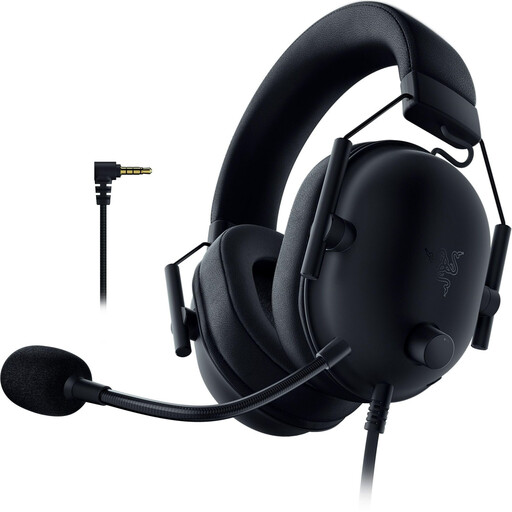
Razer BlackShark V2 X (PlayStation Licensed)
A wired option if you want to use a 3.5 mm connection and the stated compatibility with PS5 or PS4.
3.5 mm connection; listed as compatible with PS5, PS4, PC and Nintendo Switch. An adapter is required for Xbox.
50 mm drivers, flexible microphone and memory foam ear cushions; stated weight: 240–260 g.
View at Joybuy
 No image available
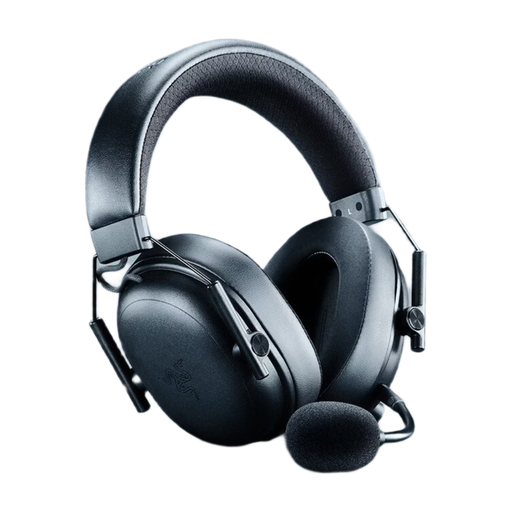
Razer BlackShark V3 Wireless
For wireless gaming or a USB wired connection, provided you check compatibility with your device before buying.
2.4 GHz wireless, Bluetooth 5.3 and USB wired connection; 50 mm drivers and detachable microphone boom.
Memory foam ear cushions; stated weight: 270 g.
View at Joybuy
 No image available
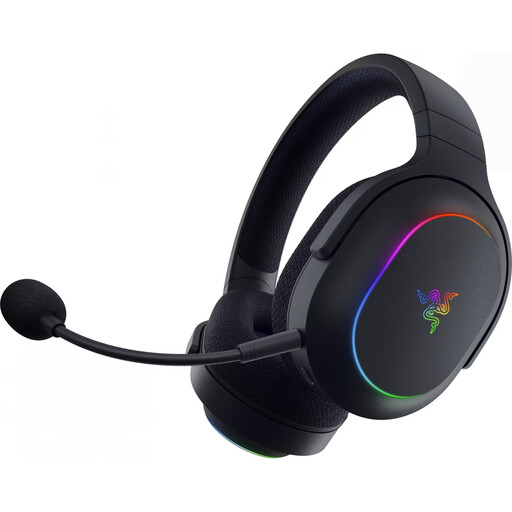
Razer Barracuda X Chroma
A wireless option if you want to use the stated USB-C wireless receiver with a PC, PS4, PS5 or Switch.
USB-C wireless receiver for PC, PS4, PS5 and Switch; Bluetooth for mobile devices. 40 mm TriForce drivers and built-in microphone.
Stated battery life is up to 70 hours; stated weight: 285 g.
View at Joybuy
 No image available
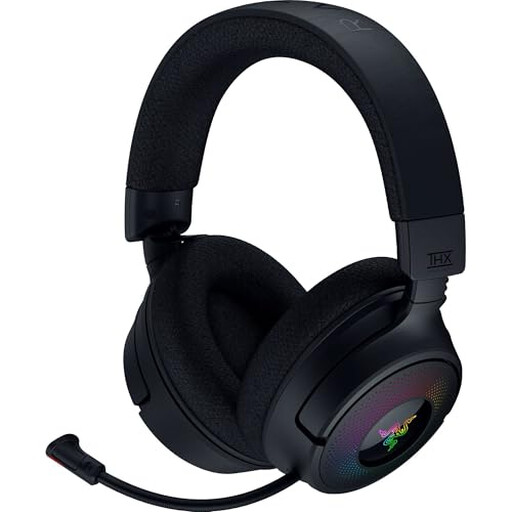
Razer Kraken V4
For wireless gaming or a USB wired connection, provided the connection you choose works with your device.
2.4 GHz wireless, Bluetooth 5.3 and USB wired connection; 40 mm drivers and retractable microphone.
THX Spatial Audio is listed as a feature; stated weight: 250 g.
View at Joybuy
 No image available
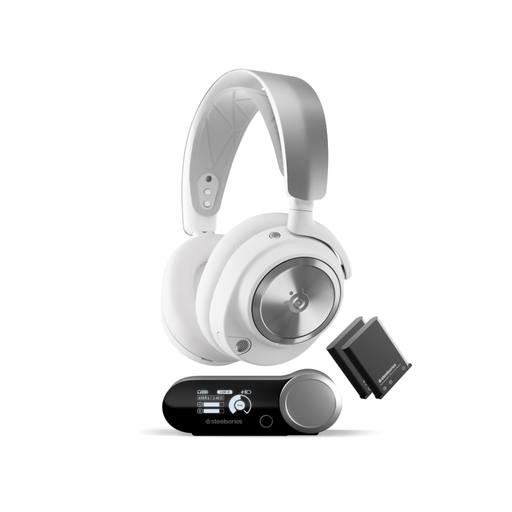
SteelSeries Arctis Nova Pro Wireless for PC and PlayStation
A closed-back wireless option with ANC if you want to reduce actual background noise and the stated weight suits you.
ANC, Transparency mode, two swappable batteries and a charging station; compatibility with Tempest 3D Audio on PS5 is listed.
Closed-back earcups; stated weight: 516 g.
View at Joybuy
Frequently asked questions
Do I need noise cancelling because my room is bright?
No, not just because of the light. ANC deals with background noise, not reflections on your screen. Check the isolation offered by the specific model and consider whether you still want to hear people and sounds around you.
How do I set up 3D Audio on PS5?
In the PS5 sound settings, you can create a personal 3D Audio profile for headphones or choose a preset. PlayStation Support explains these options. Try comparing them with stereo in the same scene in a game, rather than treating a label as proof of sound quality.
Can I connect any Bluetooth headset directly to a PS5?
No, a general Bluetooth specification isn’t enough to guarantee compatibility. PlayStation Support lists a Bluetooth audio device as incompatible in the relevant PS5 connection error message. Instead, check for explicitly supported options, such as the intended USB wireless receiver or a suitable audio connection.
How can I use a headset during longer gaming sessions?
Listen at a moderate volume and take breaks. The World Health Organization gives an average of 80 dB for up to 40 hours a week as a guideline; at higher levels, safe listening time falls considerably. Also check whether replacement ear cushions are available for the model you’re considering.
What rights apply when buying a headset online in Germany?
For applicable distance contracts, you generally have a 14-day right to cancel; exceptions and the circumstances of the specific contract should be taken into account. The EU consumer portal Your Europe also explains that goods come with a legal guarantee of at least two years from the date you receive them, with the claim made against the seller. These rights are separate from any additional manufacturer’s warranty.


