
Lieferung heute & morgen

Qualitätsgarantie

Willkommens-Angebote freischalten: KOSTENLOSE Lieferung | Bis zu 80 % RABATT | Kostenlose 30-Tage-JoyPlus-Testphase
App herunterladen
A gaming headset should deliver clear game audio, make voice communication easy to understand and remain comfortable even after several hours of play. In practice, unclear connection details, exaggerated sound claims and an unsuitable microphone often lead to disappointing purchases. Our selection highlights which technical specifications really matter and which gaming headsets suit different types of users.
A wireless gaming headset can work via Bluetooth, a 2.4 GHz wireless receiver or several connection types. These standards are not interchangeable:
Before buying, check the details for PS5, PS4, Xbox, Nintendo Switch or PC individually. “Multi-platform” is not a substitute for a specific compatibility list.
50 mm drivers can produce powerful sound, but on their own they say little about the tuning, speech clarity or how accurately sounds can be located. Terms such as “7.1” or “surround sound” often describe virtual signal processing. This may require specific software, platform support and game compatibility.
A surround-sound headset is therefore not automatically the right choice for every game or device. If you mainly play competitive games, look for clearly audible footsteps, reliable directional information and sound tuning that you can adjust and control.
A noise-cancelling gaming headset can reduce outside noise on the playback side. This does not automatically mean that the microphone will reliably remove keyboard sounds, voices in the room or fan noise. Buyers should distinguish between these functions:
For a PS5 headset, PS4 headset or Xbox headset, the specific connection is key. A 3.5 mm connection on the controller is straightforward, while a USB or wireless model requires a free port and, where applicable, platform approval. With Nintendo Switch, you should also check whether the headset works in handheld mode, when docked or only via Bluetooth.
A gaming headset with a microphone should have a clearly defined microphone design. An adjustable or detachable boom microphone can be positioned closer to your mouth and removed when not in use. A directional microphone can block out more background noise than an omnidirectional model. A mute button on the headset or a flip-to-mute function is also useful.
An over-ear gaming headset surrounds the ear and can provide quieter playback through passive isolation. On-ear models are often more compact, but may place greater pressure on the ears. An adjustable headband, good cushioning and the overall weight are key considerations.
With a wireless model, buyers should treat the stated battery life as an “up to” figure. Lighting, high volume and wireless operation can affect the actual usage time. A wired PC gaming headset, on the other hand, does not require a battery and needs no charging during use.
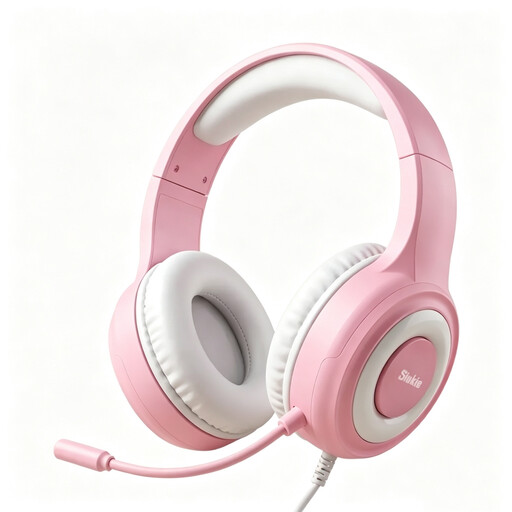
Why this product suits this profile: According to the product details, this wired over-ear model combines USB and 3.5 mm connections and is designed for PS5, PS4, Xbox, Switch and PC.
The connection types and stated compatibility are clearly specified. The lighting is powered via USB and should not be confused with audio transmission.
50 mm drivers, approximately 2 m of cable and LED lighting according to the product details.
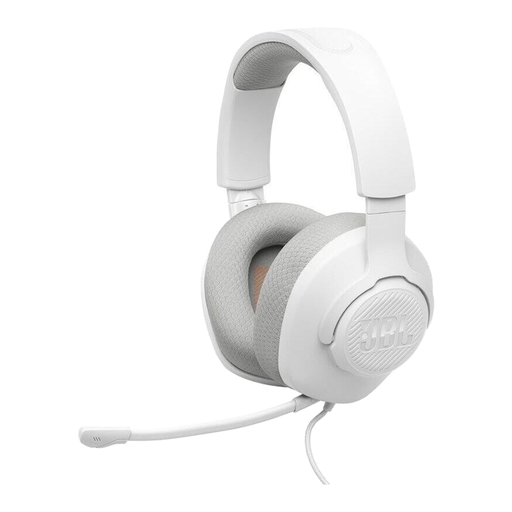
Why this product suits this profile: This wired JBL headset is listed as compatible with PC, PlayStation, Xbox, Nintendo Switch, Mac and mobile devices.
The detachable directional boom microphone is clearly separate from the playback function. This model has no battery and no Bluetooth, avoiding charging and pairing issues.
40 mm drivers, 3.5 mm jack, 220 g weight and microphone mute function according to the specifications.
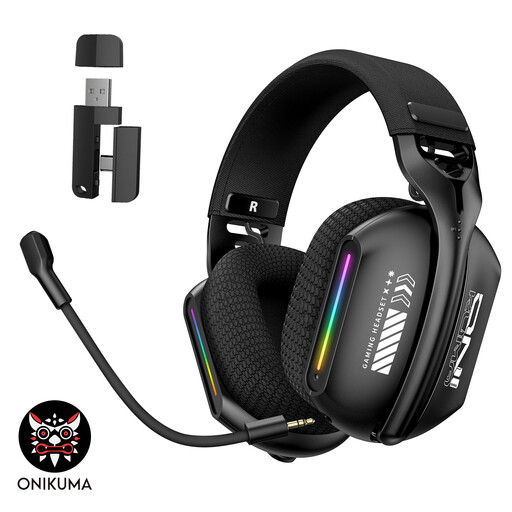
Why this product suits this profile: This model is aimed at PC and laptop gamers who want to switch between Bluetooth, 2.4 GHz wireless and wired operation.
All three connection types are explicitly listed. Buyers can check in advance which mode is suitable for their platform and intended use.
Bluetooth 5.3, 2.4 GHz wireless, wired mode, rotating microphone and RGB lighting according to the product details.
We have put together a complete, regularly updated list of products that fully meet these strict selection criteria and the safety regulations applicable in the EU.
That depends on the connection. A model with a 3.5 mm jack can be used with a PS5 controller and a PC, while a wireless headset requires a compatible USB receiver. The product details should explicitly list both platforms.
Not necessarily. Wireless models offer freedom of movement, but require a battery and depend on the wireless standard. A wired headset is ready to use straight away and does not need charging. For long sessions at a fixed gaming PC, the wired option may be more practical.
Its lifespan depends on the headband, cable, padding, hinges and battery. Replaceable ear and headband pads can extend its useful life. Pull cables by the plug rather than the cable itself. If you play at high volume, take regular breaks to help protect your hearing.