
Lieferung heute & morgen

Qualitätsgarantie

Willkommens-Angebote freischalten: KOSTENLOSE Lieferung | Bis zu 80 % RABATT | Kostenlose 30-Tage-JoyPlus-Testphase
App herunterladen
A gaming headset should deliver clear audio signals in-game, enable communication with your team and remain comfortable even during longer sessions. In practice, however, three common purchasing misconceptions often lead to unsuitable products: eye-catching RGB lighting says little about sound or microphone quality, a stated surround-sound function does not necessarily work on every platform, and a seemingly universal connection is not automatically compatible with PCs, consoles and smartphones.
This buying guide from the Joybuy Product Recommendation Officer explains the most important technical specifications and shows which headset may be suitable for different usage profiles.
An RGB gaming headset can complement your setup visually. However, the lighting does not change voice transmission or the sound tuning itself. Driver size alone is not a reliable measure of quality either. Specifications such as 40 or 50 mm describe the diameter of the speaker unit, not how it is actually tuned.
A noise-cancelling microphone reduces certain background noises during voice recording, depending on its design. This is not the same as active noise cancelling for playback. Closed ear cups also provide passive isolation, but they are not a replacement for active noise reduction.
A headset with a 3.5 mm jack can often be used with PCs, PS5, Xbox controllers and Nintendo Switch. However, PCs may have separate sockets for headphones and microphones. An adapter or suitable extension cable may therefore be required. With a USB headset, you should check whether the console supports USB audio and whether the plug is physically compatible.
For team chat, video conferences or streaming, the microphone’s position matters more than a simple marketing label. An adjustable microphone boom can be positioned closer to your mouth. A mute button or microphone mute function prevents private conversations from being transmitted.
A gaming headset with a microphone should also clearly state its connection type. With an analogue headset, voice quality may depend on the sound card in the connected device. With USB models, the integrated electronics handle signal processing.
Over-ear headphones surround the ear and can provide more space around it during longer gaming sessions. An adjustable headband, sufficient padding and a weight that suits your personal preferences are key. The product specifications for the following models range from approximately 220 g for the JBL Quantum 100 M2 to 384.8 g for the Apple AirPods Max.
In-ear headphones are more compact and suitable for use on the go. However, how securely they fit depends on your ear shape and the eartips used. If you are looking for a headset for both music and gaming, you should also consider its suitability for everyday use, cable management and controls.
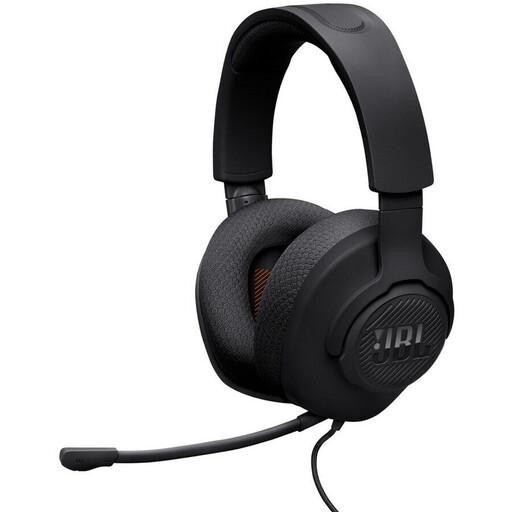
Why this product suits this profile: The wired headset uses a 3.5 mm jack and, according to the product description, is designed for PC, PS5, Xbox, Nintendo Switch, Mac and mobile devices.
The supported platforms and connection are clearly specified. The model does not require charging and has a detachable microphone with a mute function.
40 mm drivers, 220 g weight, detachable microphone boom and 1.2 m cable according to the product specifications.
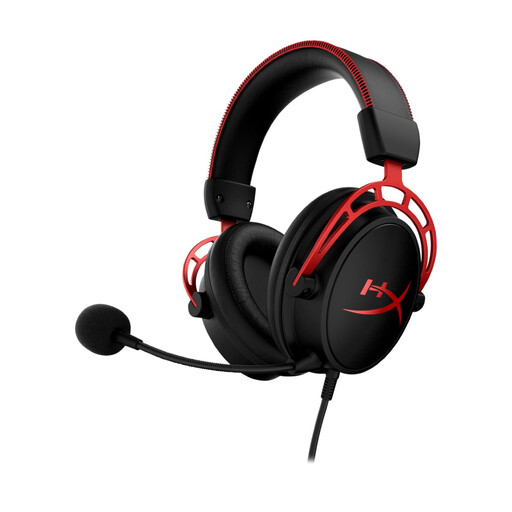
Why this product suits this profile: The combination of a closed over-ear design, 50 mm drivers, detachable microphone and 3.5 mm connection is aimed at users who want to combine gaming and voice chat.
The dual-chamber drivers are specified as separate areas for bass, mid-range and treble. The microphone can be removed when not in use.
Aluminium frame, memory foam padding, 65-ohm impedance and compatibility with PC, PlayStation, Xbox and Switch according to the manufacturer’s specifications.
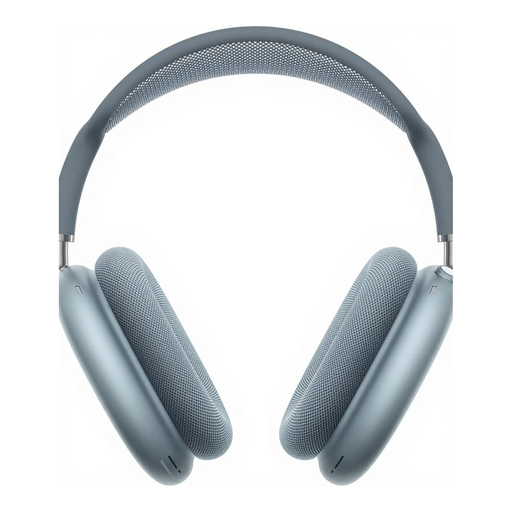
Why this product suits this profile: The wireless over-ear headphones are particularly suitable for music, films, calls and everyday mobile use within the Apple ecosystem.
Bluetooth 5.0, a USB-C charging connection and a stated battery life of up to 20 hours with noise control enabled are clearly specified.
Active noise cancellation, Transparency mode, USB-C charging and nine microphones according to the product description.
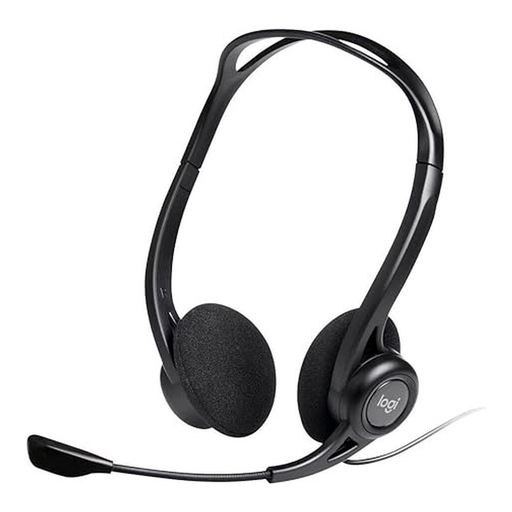
Why this product suits this profile: The lightweight USB headset is designed for computers running Windows, macOS or ChromeOS, as well as for conferences, webinars and music.
The USB connection reduces the risk of needing a separate microphone socket. According to the product specifications, volume and mute controls are integrated directly.
98.8 g weight, 2.4 m cable and adjustable microphone boom according to the manufacturer’s specifications.
We have put together a complete, regularly updated list of products that fully meet these strict selection criteria and the safety regulations applicable in the EU.
For use across multiple platforms, a 3.5 mm jack is often the simplest option, provided the PC, controller or console has the appropriate connection. A USB headset can be practical with a computer, but you should check its compatibility with PS5, Xbox or Nintendo Switch before buying.
Its lifespan depends on factors including strain on the cable, hinges, padding and frequency of use. Do not pull cables out by the wire. With wireless models, the battery is another important component. A wired headset does not require battery maintenance, but it can fail due to a damaged plug or broken cable.
No. For gaming, latency, microphone transmission and platform support matter just as much as sound quality. Bluetooth headphones may be suitable for music and everyday use, while a wired gaming headset may be a better choice for a direct connection to a console or PC. Before buying, compare the connection, codec and compatibility specifications carefully.