
Lieferung heute & morgen

Qualitätsgarantie

Willkommens-Angebote freischalten: KOSTENLOSE Lieferung | Bis zu 80 % RABATT | Kostenlose 30-Tage-JoyPlus-Testphase
App herunterladen
A gaming headset with microphone needs to perform several tasks reliably: reproduce game audio, transmit voice chat and remain comfortable even during longer sessions. In practice, unclear connection details, exaggerated sound claims and overlooked comfort features often lead to disappointing purchases.
This buying guide from the Joybuy Product Recommendation Officer explains the most important criteria and shows which models suit different user profiles.
A surround-sound headset can create spatial audio profiles through software, a console or a specific connection. However, this feature is not always available independently of the device being used. For example, according to the product description, JBL QuantumSURROUND on the JBL Quantum 400 is linked to the JBL QuantumENGINE PC software. When connected to a console via 3.5 mm, the same range of features is therefore not necessarily available.
A headset with a noise-cancelling microphone reduces noise entering the microphone. This does not automatically mean that distracting background noise is completely blocked out for the person wearing the headset. Buyers should distinguish between microphone noise reduction, passive isolation from closed earcups and active noise cancelling.
A wireless gaming headset needs power and uses Bluetooth or a 2.4 GHz USB receiver, depending on the model. Before buying, check the battery life, charging port, range and compatibility. Bluetooth is suitable for many mobile devices, while a 2.4 GHz dongle is often designed to provide a direct connection for gaming models. A wired gaming headset, on the other hand, does not need to be charged, but it does restrict your freedom of movement.
PCs, PlayStation, Xbox and Nintendo Switch have different connection requirements. A 3.5 mm headset can usually be connected directly to a controller or combined audio socket. On a PC with separate microphone and headphone sockets, a splitter may be required.
A USB headset transfers audio and microphone signals digitally via USB-A or USB-C. This is practical for computers, but it will not automatically work with every console. When choosing a headset for PC and console, the technical specifications should clearly state whether PS5, PS4, Xbox, Switch and the relevant accessories are supported.
For a headset for voice chat, an adjustable microphone boom, a clearly defined microphone position and mute control directly on the device are useful features. A flip-to-mute mechanism mutes the microphone when it is raised. With detachable microphones, the headset can also be used for music or films without the microphone boom attached.
Details such as the microphone frequency range or polar pattern can help when comparing models, but they do not replace checking actual platform support. Terms such as “crystal clear” should be treated as marketing claims and assessed alongside the technical specifications.
For long sessions, earcup shape, padding, headband pressure and weight are crucial. Over-ear models surround the ear, but they can feel warmer. On-ear models rest on the ear and are often more compact. A lightweight model weighing 165 or 236 grams may feel very different to wear from a 320- or 336-gram headset.
Replaceable ear and headband cushions may also be worth considering. They allow worn padding to be replaced later without having to replace the entire device.
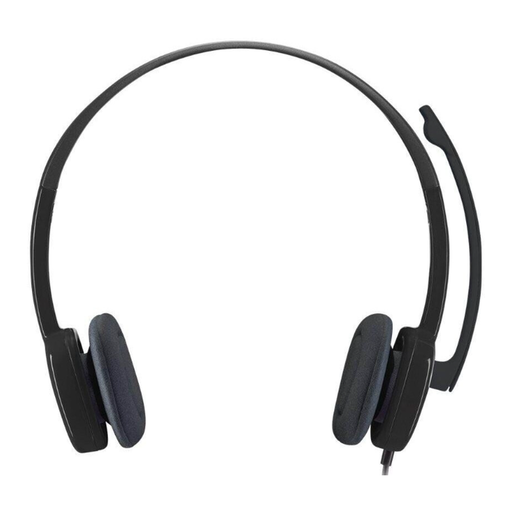
Why this product suits the profile: The 3.5 mm connection is suitable for PCs, Macs, laptops, tablets and smartphones with a compatible audio socket. According to the product specifications, this on-ear model weighs 80 grams and features integrated volume control and mute functionality.
No battery charging or additional software is required. Check the connection against your device’s sockets before buying.
3.5 mm connection, adjustable microphone, inline controls and low stated weight.
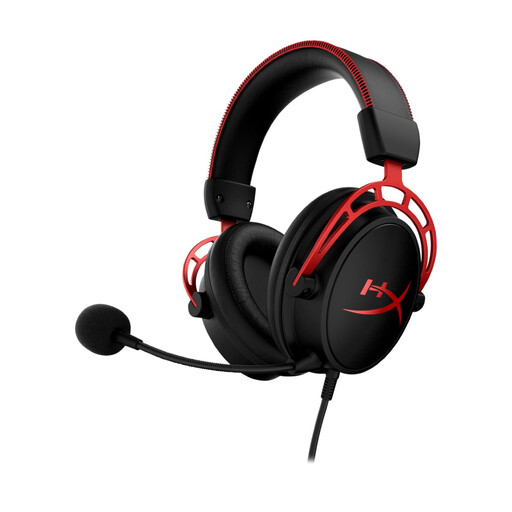
Why this product suits the profile: This over-ear headset features dual-chamber 50 mm drivers, a detachable microphone boom and a 3.5 mm connection. According to the product specifications, it is compatible with PC, PS5, PS4, Xbox and Nintendo Switch.
The specifications clearly separate the details for the drivers, microphone and connection. The detachable microphone also avoids unnecessary components when voice chat is not being used.
Detachable microphone, 50 mm drivers, memory foam padding and platform support via 3.5 mm.
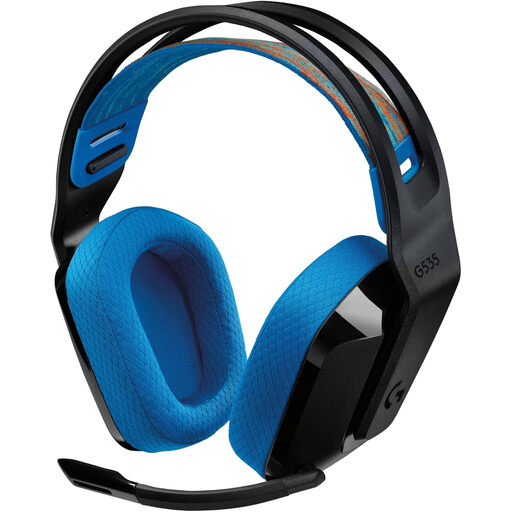
Why this product suits the profile: According to the product data, this wireless model is designed for PS5, PS4, PC and Mac. It weighs 236 grams, offers a stated battery life of up to 33 hours at 78 dB and charges via USB-C.
The battery life and LIGHTSPEED connection used are clearly specified. Before buying, check whether the receiver can be used with your chosen device.
Up to 33 hours’ stated battery life, 236-gram weight, USB-C charging and flip-to-mute microphone.
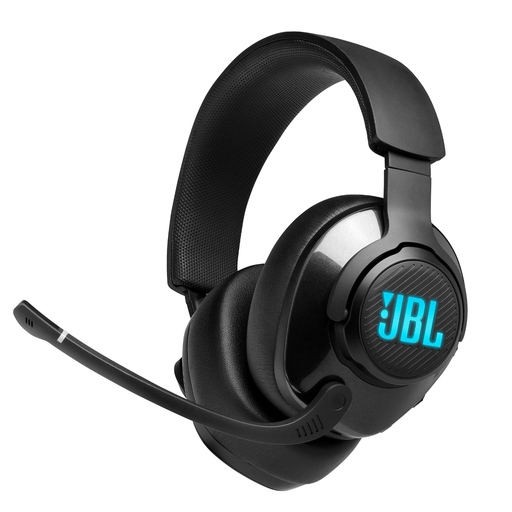
Why this product suits the profile: This wired model combines USB-C and 3.5 mm connections. According to the product data, it is compatible with PC, Mac, Xbox, PlayStation, Nintendo Switch, mobile devices and VR systems.
The connection types and the PC dependency of QuantumSURROUND are listed separately. This makes it easier to assess the available features more realistically on each platform.
50 mm drivers, game/chat balance control, flip-up microphone and two connection options.
We have put together a complete, regularly updated list of products that fully meet these strict selection criteria and the safety regulations applicable in the EU.
For PS5 and PS4, 3.5 mm headsets connected to the controller are often the simplest option. Wireless models may use a USB receiver or Bluetooth. Before buying, check the information for the relevant PlayStation version and the adapter included.
Its lifespan depends on cable strain, hinges, padding, the microphone boom and how well it is cared for. A detachable cable or replaceable cushions can extend its usable life. Cables and earcups should be stored dry and protected from excessive pulling.
The ongoing power consumption of a wireless gaming headset is low compared with that of a PC or console. Battery capacity and the stated battery life are the key factors. If you want to avoid charging, choose a wired model. Whichever option you choose, moderate volume and regular listening breaks are recommended.