Host playing with an online team
If you’re coordinating an online team as well as chatting to guests in the room, look for an easy-to-use microphone and a clear mute control. Test it with the usual background noise in the room.


If you want to hear conversations in the room and nobody minds hearing your game audio, an open-back headset could be a good choice. If you want others to hear less of your game, a closed-back model is a sensible place to start. Either way, check the microphone and mute control, the connection to the specific gaming device, and how comfortable it feels for the length of time you plan to play. Wireless gives you more freedom to move, but you’ll need a compatible connection and a charged battery.
If you’re coordinating an online team as well as chatting to guests in the room, look for an easy-to-use microphone and a clear mute control. Test it with the usual background noise in the room.
If you want to hear people calling out across the table, consider whether the headset’s design lets enough conversation through and how much game audio escapes.
If you switch between a PC and a console, check the connection, microphone functionality and exact model variant for each device separately.
It comes down to whether you’ll be chatting to guests in the room, talking online or switching between gaming devices. How you use your headset will determine which trade-offs work for you in terms of design, connection and comfort.
| What matters | What to check | Who is this important to? |
|---|---|---|
| Clear voice chat | Check that the mute control is easy to reach and that you can adjust the microphone level on the device you’ll actually use. | If I’m playing online with guests in the room, I want to be heard clearly and be able to mute the microphone quickly. Around 29% of consumers prioritise clear voice chat. |
| Room conversations and sound leakage | Try an open- or closed-back design and check how audible the sound is from your seat at your usual volume. | When we’re playing together, I want to hear people calling out without my game audio disturbing anyone else. Around 23% of consumers put room conversations and sound leakage first. |
| Device compatibility | Check the exact model variant, connection method and microphone functionality for your PC or console separately. | If I want to use the same headset with a PC and console, I need the right connection and a working microphone on each device. Around 18% of consumers prioritise compatibility. |
| Comfort during long sessions | Check the adjustability and ear cushions for a realistic length of time, if possible. Treat weight as a guide only. | For a long session, I want a headset that stays comfortable over time. Around 18% of consumers put comfort first. |
| Freedom to move | Check the wireless connection and device support, and charge a wireless headset before your session. | If I want to move around the room, I don’t want a headset cable to hold me back. Around 12% of consumers prioritise freedom to move. |
Being able to connect to a smartphone doesn’t mean a Bluetooth headset will also work directly with PS5. PlayStation lists Bluetooth audio devices as incompatible when you encounter the relevant connection error.
Check the full model name, the supported dongle and whether the microphone works with the device you plan to use.
Depending on the model, you may need to use a specifically supported connection method instead.
Noise cancelling on the headset and game audio that can be heard by others are two different things. With an open-back design, pay particular attention to what someone sitting nearby can hear.
Before choosing a model, ask someone to listen from the seat where they’ll be sitting while you play at your usual volume.
Audeze distinguishes between the Maxwell’s console versions and their supported connection methods. A usable 3.5 mm connection doesn’t automatically mean USB or wireless will work with the other console.
Before buying, check the exact variant and planned connection against your gaming device.
You may need to use a different, specifically supported connection method to get the setup you want.
The wired Cloud III is worth considering if you want connections for different devices and a microphone mute control that’s easy to reach.
The Arctis Nova 7X Wireless is an option if you want game audio through a dongle and audio from a second device over Bluetooth at the same time.
The INZONE range takes different approaches to playing in a shared room: the open-back, wired H6 Air and the wireless H9 II with noise cancelling.
The Maxwell is especially worth checking if you’re choosing between the Xbox and PlayStation variants.
The PRO X 2 LIGHTSPEED is a versatile option, with wireless, Bluetooth and 3.5 mm connections.
The products below include wired and wireless options for gaming sessions with online chat. Check compatibility with your device and microphone functionality for the specific model.
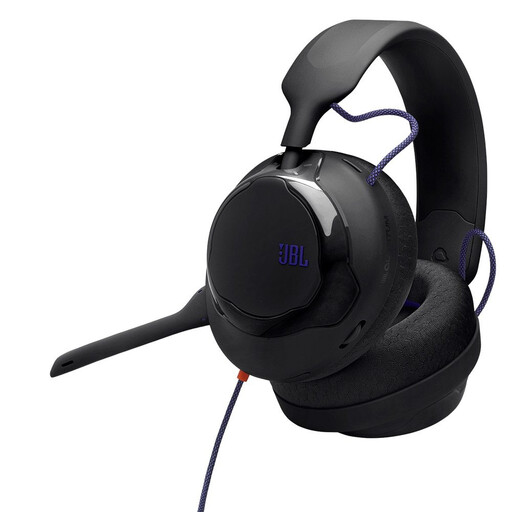 No image available
An option for a wired setup with online chat. Check in advance that the connection and microphone work with your PC or console.
 No image available
Could be worth considering for a session with online chat when you want freedom to move. Check that the wireless connection works with your device and that the microphone mute is easy to reach while you’re playing.
 No image available
If you want to switch between your gaming device and a second device, check the specific connection methods and microphone controls for your setup.
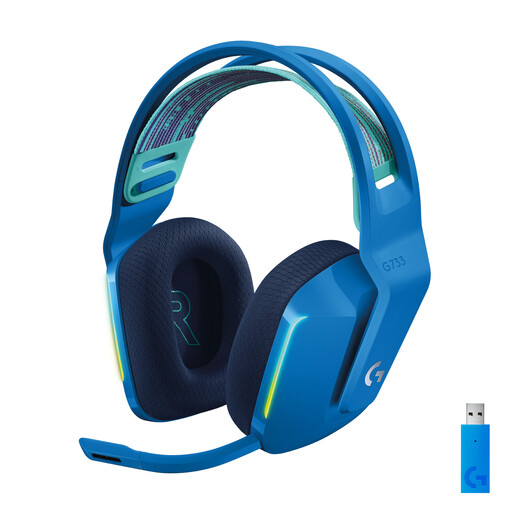 No image available
A wireless option for gaming sessions with online chat. Before you start, test the connection and microphone level on the device you’ll actually use.
 No image available
If you want to use voice chat while gaming, check that the specific version works with your device and that its microphone controls suit your session. The closed-back design may make it harder to hear people calling out in the room.
Connect the headset using the intended connection and test the voice chat at your usual room volume. On PS5, you can check the input device, microphone level and mute settings in the sound settings. Sidetone isn’t available on every headset.
Don’t rely on the Bluetooth specification alone: PlayStation identifies a Bluetooth audio device as incompatible when you encounter the relevant PS5 connection error. Instead, check whether a specifically supported USB adapter or the correct cable connection is available for that model.
Check the condition of the ear cushions and, for wireless models, the charge level before your next session. The beyerdynamic MMX 150 wireless lists replacement ear and headband cushions; this doesn’t apply to every headset.
Your statutory consumer rights are against the seller and are not the same as a voluntary guarantee. The Verbraucherzentrale generally notes that online purchases come with a 14-day right to cancel. Check the terms of your specific purchase and make sure you expressly notify the seller that you’re cancelling, rather than simply returning the goods.
The Bundesnetzagentur explains that, by using the CE mark, the manufacturer declares under its own responsibility that the relevant requirements have been met. It is not an independent endorsement of sound or microphone quality.