Hosting an online gaming session
If you’re managing the session over voice chat, you’ll want a microphone you can position comfortably and a mute control that’s easy to reach. HyperX says the wired Cloud III has a mute indicator.


Choose your headset based on whether you’ll mainly be talking to online teammates or also want to hear guests in the room. Then check the connection for the specific device you’ll be gaming on: a wired headset doesn’t need a battery, while a wireless one gives you more freedom to move but may require a compatible receiver and some planning around charging.
If you’re managing the session over voice chat, you’ll want a microphone you can position comfortably and a mute control that’s easy to reach. HyperX says the wired Cloud III has a mute indicator.
If you switch between a PC and a console, check the connection and microphone functions for your specific device and headset version. HyperX lists several connection options for the Cloud III; with wireless models, the receiver matters too.
If you want to hear your game while still catching questions from your guests, fit, volume and isolation all matter. Razer describes the BlackShark V2 X’s closed-back ear cups as providing passive noise isolation.
For gaming night, voice chat and the right connection are key. Comfort, awareness of your guests and freedom to move depend on how you use the room.
| Buying priority | What to look for | Who it matters most to |
|---|---|---|
| Voice chat and muting | Check the microphone position, whether the mute control is easy to reach and, if relevant, whether there’s a visible indicator. | If I’m hosting an online session, I want to speak clearly and quickly mute the microphone when people in the room are talking; around 33% of consumers put voice chat first. |
| Connection to your gaming device | Check the model version, port or USB connection, receiver and microphone function for your PC or console. | If I’m gaming on a particular PC or console, I want to be sure the connection and chat will work; around 25% of consumers prioritise a connection that suits their device. |
| Comfort and awareness of the room | Try the fit and ear cushions for yourself if possible. With closed-back ear cups, check how well you can hear people speaking in the room. | If gaming night runs late and guests are in the room, I want to stay comfortable and not miss their questions; around 25% of consumers prioritise comfort and awareness of the room. |
| Freedom to move | Weigh up cable management against battery and receiver requirements, and test the wireless connection where you’ll actually use it. | If I move away from my desk during the evening, I want to keep playing without an audio cable; around 17% of consumers put freedom to move first. |
A headset can offer several connection types and still only let you switch between them. SteelSeries describes button-operated switching on the Arctis Nova 5 Wireless; the manufacturer says simultaneous playback is available on the Arctis Nova 7 Wireless and Nova Pro Wireless.
Check the exact model version to see whether it explicitly supports listening to two sources at once or only switching between connections.
A reference to a PC or console doesn’t automatically mean that the connection and microphone function you want will be available in your setup.
Check the specific model against your gaming device, connection type, microphone function and, where relevant, the items included in the box.
Closed-back ear cups can passively block out some background noise. That can help while you’re gaming, but it may make it harder to hear guests talking or asking questions.
Before you start, check the fit and how well you can hear the room at a volume that feels comfortable to you.
Your statutory rights are against the seller; a warranty is an additional voluntary service with its own terms.
If you’re considering extra cover, read what it includes and excludes, and remember that it’s separate from your statutory rights.
The wired Cloud III is an option if you want several connection types and an easy-to-use mute control.
The Arctis Nova models differ in whether you can switch between connections or play audio from two sources at the same time.
The MMX 150 wireless is an option if you’re looking for a closed-back headset with a detachable microphone and replacement ear pads available.
The wired BlackShark V2 X is a 3.5 mm option with closed-back ear cups and an adjustable microphone boom.
The PRO X 2 LIGHTSPEED is one specific model you can compare across wireless, Bluetooth and analogue connections.
This selection of Joybuy products includes wired and wireless gaming headsets with microphones for gaming nights in your home office. Connections, wireless features and device compatibility vary by model.
 No image available
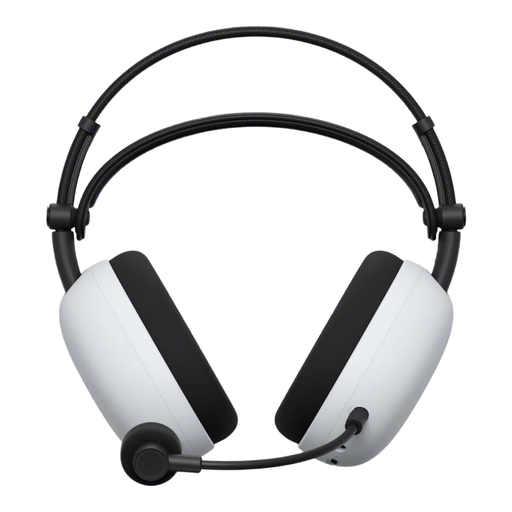
If you want to move around while gaming, the product description lists a wireless 2.4 GHz mode and Bluetooth.
It also describes a 2.4 GHz USB-C adapter, a wired 3.5 mm mode, a retractable microphone and a microphone mute function. An Ambient Sound Mode is also mentioned.
 No image available
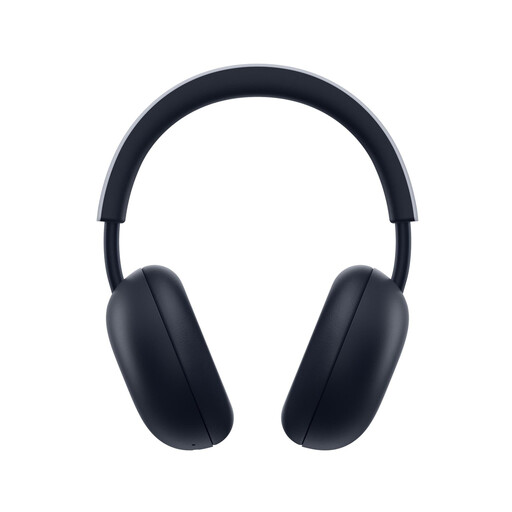
If you want to hear game audio and smartphone audio at the same time, the product information describes PlayStation Link and Bluetooth as simultaneous connections.
The headset is described as wireless, with a built-in microphone for voice chat; the product name lists compatibility with PS5 and PS4.
 No image available
If you mostly play in one place and don’t want to worry about charging a battery, the wired version is worth considering for its connection type.
The product description lists a 3.5 mm connection, a detachable microphone and in-line controls for volume and muting.
 No image available
If you want to move around during gaming night without an audio cable, the product description lists 2.4 GHz wireless connectivity with a USB receiver.
Bluetooth and wired use are also described, along with a detachable microphone and a physical microphone mute control. Check that the connection you choose works with your gaming device.
 No image available
If you want to game wirelessly and mute the microphone quickly, Logitech G describes a microphone that mutes when you flip it up.
Logitech G gives battery life of up to 33 hours and a weight of 236 g. The product name lists PS5, PS4 and PC as compatible devices.
Not necessarily, if everyone is in the same room and talking to each other, and no one needs a separate online voice chat. If online chat is part of the evening, test the microphone beforehand. If everyone is there in person, the main thing is being able to hear conversations in the room.
It depends on the exact model. SteelSeries describes simultaneous playback on the Arctis Nova 7 Wireless and Nova Pro Wireless, while the Nova 5 Wireless switches between connections at the press of a button. Check the feature against the full model name.
Connect the headset using the intended mode, test your voice with your teammates and check the mute function. For wireless models, also check the battery level and connection where you’ll actually be using the headset.
If the product is faulty, you have statutory rights against the seller; these are separate from any voluntary warranty. Online purchases usually come with a 14-day right to cancel. According to Verbraucherzentrale, the cancellation period starts in accordance with the contract or when you receive the goods you ordered. Check the terms of your specific purchase.
The Bundesnetzagentur lists checks including correct CE marking, manufacturer details, instructions in German and a declaration of conformity. A product description alone doesn’t confirm that an individual listing is compliant.
No. The Umweltbundesamt recommends taking waste electrical equipment to separate collection points, such as recycling centres or suitable retailer take-back points. Where possible, remove any detachable batteries and dispose of them separately before handing the headset in.