Which headset is right for you?

Players who spend a lot of time in lobby chat

If you regularly coordinate with teammates, look for an easy-to-reach mute control and a clear-sounding voice. A manufacturer's claim about noise reduction is no substitute for trying a test recording in your own room.

Players who use multiple platforms

If you switch between PC and console, or also need audio from your phone, check that the connections and model variant suit your setup. Also, distinguish between mixing audio sources simultaneously and switching between them.

Players who have long gaming sessions

For longer sessions, comfort and ear cushions matter. With wireless models, battery life under your own usage conditions is important too. Try the fit for yourself if possible, and check whether suitable replacement ear cushions are available.

What should you look for when buying?

Wired

A good fit if: you mainly play at a fixed desk and your device has a suitable audio connection.

Things to consider: The cable limits your movement, so check the plug, microphone input and whether you need an adapter.

Wireless with a 2.4 GHz dongle

A good fit if: you want to move around your home studio and your gaming device supports the specific wireless version.

Things to consider: You’ll need a suitable USB port and have to charge the battery. Console features may differ from those available on PC.

Priority What to look for Who is it important to?
Clear voice chat Check the microphone position and mute control; make a test recording in your usual room. If you need clear communication in the lobby, voice quality comes first. Around 31% of consumers would put clear voice chat at the top of their list.
Compatibility with your gaming device and chat Check the specific device, model variant, connection and microphone functionality. If you switch between PC and console, don’t assume that game audio alone means the chat features will work too. Around 25% of consumers would prioritise the right connection and lobby chat.
Comfort during long sessions Check the fit and ear cushions; ask about suitable replacements if needed. If you play for long periods, your headset needs to feel comfortable. Around 25% of consumers would put comfort and ear cushions first.
Freedom to move and a second audio source Check 2.4 GHz support, simultaneous audio mixing and switching between sources separately. If you want to get up while playing or listen to your phone, the exact connection method matters. Around 19% of consumers would prioritise freedom of movement or a second audio source.

Common buying mistakes

  • Assuming Bluetooth guarantees suitable game audio or simultaneous mixing

    A Bluetooth connection alone doesn’t tell you whether game audio and chat will work with your device, or whether you can hear two sources at once. CHIP notes that gaming over Bluetooth alone may result in noticeable delays.

    Check the exact model for a supported 2.4 GHz or wired connection, and confirm whether the two-device setup you want mixes audio simultaneously or just lets you switch between sources.

  • Assuming every version in a model range has the same compatibility

    Connections and features can vary between platform and console versions. A headset that plays audio won’t necessarily support all the chat features you want on your device.

    Check the full model name, connection and microphone functionality against the specific platform you use.

  • Taking a listed feature as proof of microphone quality for your setup

    A noise-reduction feature name won’t tell you how your voice will sound with a fan or keyboard in the background, or in a particular console setup.

    Make a test recording with your usual setup. If you use a console, look for information that applies specifically to that platform.

Key brands at a glance

SteelSeries

The Arctis Nova 7 Wireless Gen 2 is an option if you want to use game audio and an additional audio source from your phone together.

  • SteelSeries lists simultaneous 2.4 GHz and Bluetooth audio, plus over 50 hours of battery life, for this model.
  • Check the connections and features of the specific console version. Simultaneous audio playback doesn’t automatically mean the microphone sends audio to both sources.

Turtle Beach

The Stealth 600 Gen 3 may suit you if you want to switch between a wireless connection and a Bluetooth source.

  • Turtle Beach lists flip-to-mute, QuickSwitch and up to 80 hours of battery life.
  • QuickSwitch refers to switching between connections, not mixing audio simultaneously. Compatibility depends on the model version.

HyperX

The Cloud III S Wireless is a wireless option for the platforms listed by the manufacturer.

  • HyperX lists up to 120 hours in 2.4 GHz mode and up to 200 hours in Bluetooth mode.
  • These are the manufacturer's figures for each mode, not a battery-life estimate for mixed use. Cloud III S Wireless and Cloud III Wireless are different model names.

beyerdynamic

The MMX 150 wireless is an option if you want to compare Bluetooth with a wired connection.

  • beyerdynamic lists a detachable microphone and available replacement ear cushions for the MMX 150 wireless.
  • An assessment of the wired MMX 300 PRO doesn’t apply to the MMX 150 wireless.

Sony

The INZONE H9 II may appeal if you want noise cancelling as well, and have a compatible setup.

  • Sony lists a weight of around 260 g without the microphone and dual wireless connectivity for the INZONE H9 II.
  • COMPUTER BILD criticised the INZONE H9 II's microphone playback on PS5. This is particularly worth bearing in mind if you use lobby chat on that platform.

Headsets for lobby chat

This Joybuy selection includes wireless models for game audio and chat, plus a wired model for a fixed gaming setup. Before buying, check the platform and connection details against your setup.
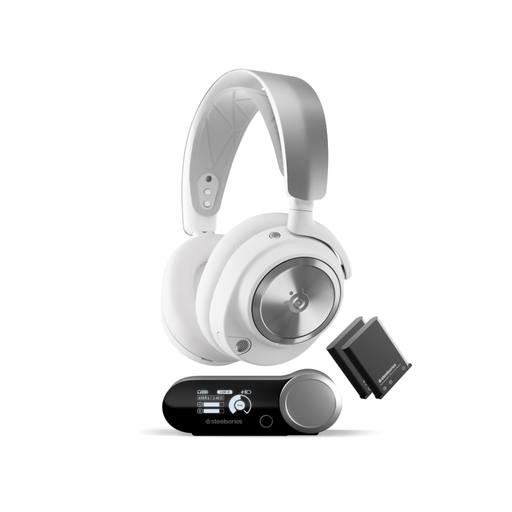
SteelSeries Arctis Nova Pro Wireless, White

SteelSeries Arctis Nova Pro Wireless, White

Worth considering for wireless game audio and a possible additional audio source. Check that the mix you want works with your device and platform.

Named in the product title: PC and PlayStation, Active Noise Cancellation, 2.4 GHz and Bluetooth, plus swappable batteries.

View product at Joybuy
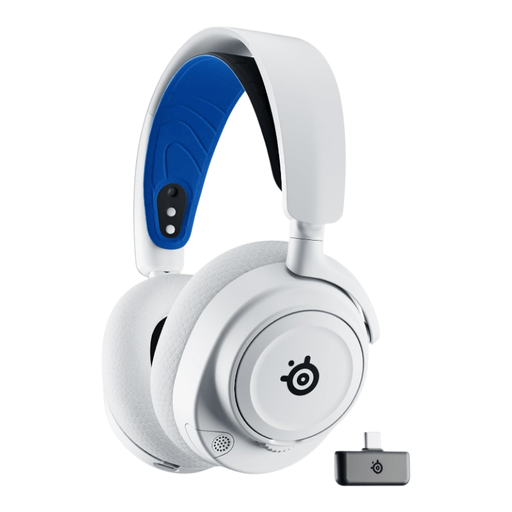
SteelSeries Arctis Nova 7P, White

SteelSeries Arctis Nova 7P, White

A wireless option for lobby chat and game audio. Check that the platform support and chat connection of the specific 7P version suit your setup.

View product at Joybuy
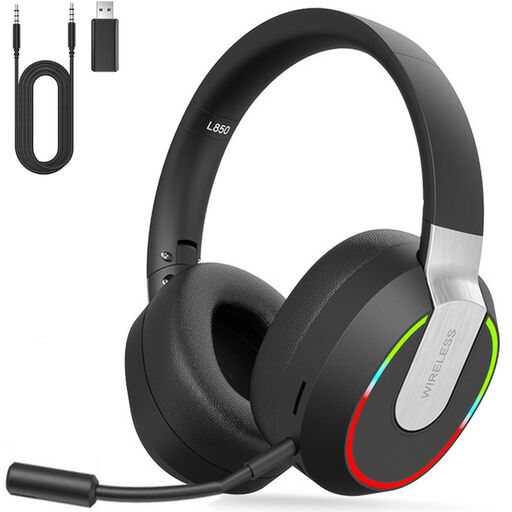
2.4 GHz wireless gaming headset for PC, PS4, PS5, Mac and Switch

2.4 GHz wireless gaming headset for PC, PS4, PS5, Mac and Switch

Designed for a setup with a wireless dongle. Check whether the stated platform support also covers the lobby chat you want.

Named in the product title: 2.4 GHz wireless and compatibility with PC, PS4, PS5, Mac and Switch.

View product at Joybuy
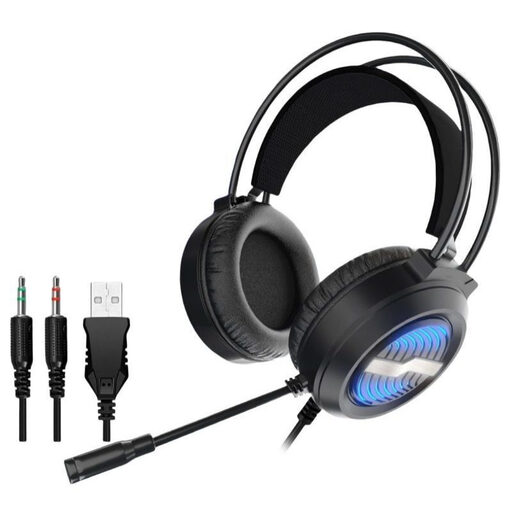
Wired gaming headset with USB

Wired gaming headset with USB

A wired model may be a good choice for a fixed gaming setup, as long as your device has the right connections.

Named in the product title: USB cable.

View product at Joybuy
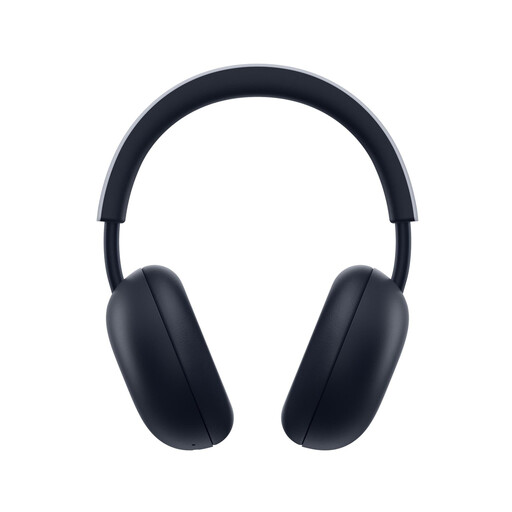
PlayStation PULSE Wireless Headset, White

PlayStation PULSE Wireless Headset, White

Designed for PS5 or PS4 lobby chat. If you also need audio from your phone, check that it can be used at the same time with your specific setup.

Named in the product title: PlayStation Link, Bluetooth and up to 30 hours of battery life.

View product at Joybuy

Frequently asked questions

Is Bluetooth alone enough for game audio and lobby chat?

Not without checking first: CHIP notes that gaming over Bluetooth alone may result in noticeable delays. Check whether your device supports a 2.4 GHz or wired connection. Whether you can hear phone and game audio at the same time is a separate question, and depends on the specific model version.

How do I set up my headset before joining a lobby for the first time?

Connect the headset using the method recommended by the manufacturer for your gaming device, then select it as the input and output device in the system settings and game. Before joining, make a test recording to check the volume, mute control and background noise.

What should I bear in mind during long sessions?

Check the fit and whether replacement ear cushions are available for your specific model, and keep the volume at a moderate level. The World Health Organization explains that both volume and listening time matter for your hearing.

What are my rights if a headset bought online is faulty?

In Germany, statutory consumer rights for faulty goods are separate from a voluntary guarantee. The Verbraucherzentrale explains that the first step when a product is faulty is for the seller to put things right, either by repair or replacement. Online purchases generally come with a 14-day right to cancel, although exceptions may apply in specific cases.

What labelling should I look for on a wireless headset in Germany?

Wireless equipment must meet the relevant EU requirements for radio equipment. The Bundesnetzagentur explains that covered products placed on the EU market must carry CE marking. Check the relevant declaration of conformity for the specific wireless version. CE marking is not an assessment of voice or sound quality.