Joybuy products for match commentary
The product selection below focuses on wireless gaming headsets for desks where a headset cable could get in the way. Receiver type, Bluetooth or wired modes, microphone controls and charging requirements vary by model.
 No image available
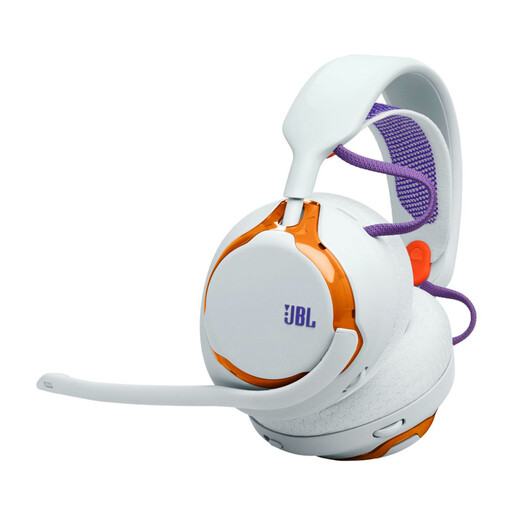
JBL QUANTUM 650 Wireless Over-Ear Gaming Headset – Light Teal and Orange
Wireless use can keep the headset cable off your desk while you’re commentating; make room for a USB receiver and charging.
The product description lists a 2.4 GHz dongle, Bluetooth and a detachable microphone. It states a battery life of up to 45 hours and lists replaceable components.
View at Joybuy
 No image available
ONIKUMA GT889 Wireless Gaming Headset
This model offers wireless and wired modes; before buying, check which one works with your recording device.
The product title lists 2.4 GHz wireless connectivity, 50 mm drivers and an adjustable headband. The description lists a detachable microphone and physical mute buttons; wireless use also requires a USB receiver and charging.
View at Joybuy
 No image available
Logitech G G535 LIGHTSPEED Wireless Gaming Headset – Black/Blue
The flip-to-mute microphone can be handy when switching between commentary and breaks; remember to charge it regularly.
The product description lists 33 hours of battery life and USB-C charging. Compatible devices listed include PS5, PS4 and PC.
View at Joybuy
 No image available
Razer Barracuda Wireless Multiplatform Headset – Black
Multiple wireless connection options can be useful with different setups; check which mode works with your gaming and recording devices.
The product description lists HyperSpeed Wireless, Bluetooth and USB-C charging. It also lists built-in microphones and an app for adjusting microphone settings.
View at Joybuy
 No image available
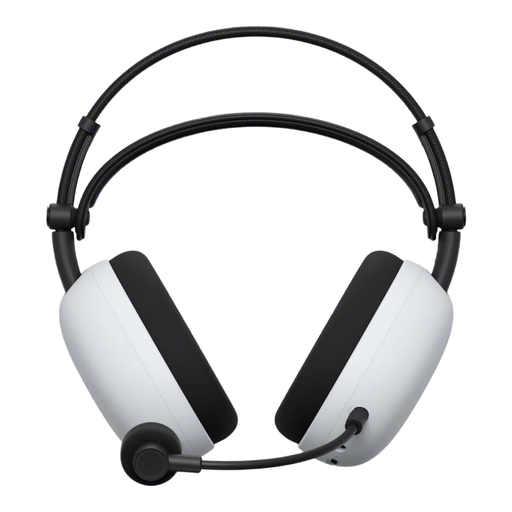
Sony INZONE H9 II Wireless Gaming Headset – Black/White
The retractable microphone and on-headset mute control can make it easier to switch between commentary and breaks; wireless use requires a USB-C adapter and charging.
The product description lists 2.4 GHz wireless connectivity via a USB-C adapter, Bluetooth and a wired mode. It also lists a retractable directional microphone.
View at Joybuy
Frequently asked questions
Is a compatible headphone socket enough for recording commentary?
Not necessarily. Check whether your gaming or recording device supports microphone input through the connection you’ve chosen. HP lists several connection options for the Cloud III; a short test recording in your commentary software will show whether the microphone connection works. ComputerBase notes that the G522 isn’t compatible with Xbox.
How can I test the microphone mute before a match?
Select the headset microphone as your input and make a test recording to check whether muting it really stops the recording. HP describes the Cloud III as having a mute button and an LED to show when it’s muted.
Does a wireless headset always save space on a small desk?
It keeps the headset cable off your desk while you’re using it, but depending on the model, you’ll need room for a receiver and charging. A base station takes up extra space, so compare the whole setup with the cable management needed for a wired model.
Should I choose an open-back or closed-back headset for match commentary?
It depends on your room and how much of your surroundings you want to hear. COMPUTER BILD reports that outside noise is audible and the microphone is sensitive on the open-back MMX 330 PRO it tested. So test your recording in the noise levels you’ll actually be commentating in.
Are microphone filters and ANC the same thing?
No. ANC reduces noise when you’re listening through the headphones, while microphone filters affect voice transmission. SteelSeries says ClearCast AI microphone filtering requires GG Sonar to be running; for other models, check whether you’ll need to use software features for your setup too.


