Podcast sound comes first
You talk a lot while gaming and, above all, want a clear voice recording that you can edit afterwards.


For a gaming podcast in a student room, a closed-back, wired headset is a sensible place to start if you record at a fixed desk and want to keep game audio from escaping into the room. Even so, check the microphone recording and connections with your own setup. RTINGS.com notes that open-back designs generally let more sound escape, while the OBS Project points out that noise suppression cannot reliably compensate for loud room noise. A test recording will help you assess the microphone, room noise and filters together. Depending on how much freedom of movement you need and the room itself, wireless or open-back models may also be suitable.
You talk a lot while gaming and, above all, want a clear voice recording that you can edit afterwards.
You record while fans, a keyboard or other people in the room may be audible. You want to assess sound leakage and what the microphone actually picks up separately.
You need the right connection, a comfortable fit for longer recording sessions and a clear idea of any potential extra costs.
First, check how your voice sounds in your room, then consider sound leakage and comfort. After that, make sure the connection, recording software and any additional components work with your device.
| Priority | What to check before buying | Who it matters most to |
|---|---|---|
| Clear voice recording | Check the microphone position and mute function; compare an unprocessed test recording with the filters you plan to use. | If I talk a lot while gaming, I want to be able to hear my voice clearly in a test recording. Around 29% of consumers rank voice recording as their top buying priority. |
| Room noise and sound leakage | Check whether the design is open or closed, and test how much game audio gets onto the microphone track at your usual volume. | If other people are in the room, I want to account for distracting game audio and audible room noise in my recording. Around 23% of consumers put how well a headset works in their room first. |
| Comfort during longer recordings | Where possible, assess the fit and padding over a typical session; check whether replacement ear pads are available for the specific model. | For longer podcast or gaming sessions, I want my headset to feel comfortable. Around 18% of consumers prioritise long-term comfort. |
| Connection and recording workflow | Test the audio and microphone with the device you plan to use; set up and check separate recording tracks for editing later. | If I want to edit my voice and game audio separately, the connections and recording tracks need to work with my setup. Around 18% of consumers name connection and workflow as a top priority. |
| Total cost and lifespan | Check the device connection, any adapters you need and the spare parts available for the specific model. | When weighing up the purchase price and possible extras, I want to know what my device needs and which parts can be replaced. Around 12% of consumers prioritise total cost. |
Noise cancelling for listening and microphone processing are two different things. The OBS Project notes that noise suppression has its limits when background noise is loud and can affect your voice.
Record a few sentences with the room noise you actually expect, then compare the unprocessed and filtered tracks.
Allow time for test recordings and editing the audio afterwards.
Open-back ear cups generally let more sound escape. In a shared room, this could disturb others or be picked up in your microphone recording.
Check for audio bleed at your usual volume. An open-back design is more suitable if the room is quiet and it does not affect your recording.
For the first-generation Maxwell, Audeze distinguishes between Xbox and PlayStation versions, as well as 3.5 mm, USB and wireless connections.
Check the full model version and, before buying, test that the audio and microphone work with your platform using the connection you plan to use.
You may also need an adapter; an incompatible version may not support the platform connection you want.
The MMX 300 PRO is a closed-back, wired option for a fixed recording setup.
The INZONE H9 II and H6 Air offer different designs: wireless with noise cancelling, and open-back with a wired connection.
According to HyperX, the wired Cloud III offers several connection options for the platforms listed on its product page.
The wired Arctis Nova 3 is a USB-C option with a retractable microphone.
With the first-generation Maxwell, you need to distinguish between the Xbox and PlayStation versions and the connection being used.
This selection includes gaming headsets for recording voice at your desk, including wired models and a wireless option. Check the connections and microphone recording with your device and room acoustics.
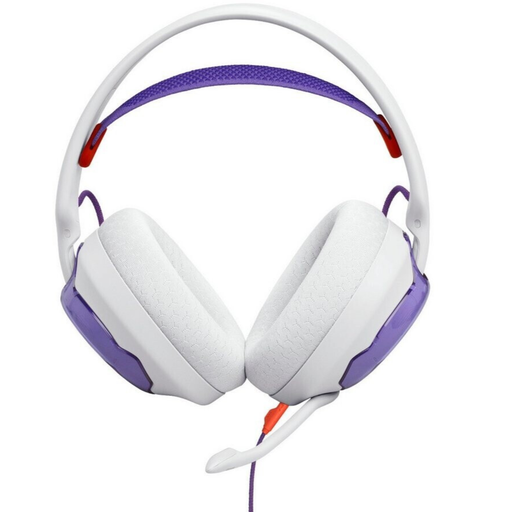 No image available
A wired option if you want a detachable microphone and a 3.5 mm connection for your recording device.
The description lists a cardioid microphone and software-based keyboard noise reduction. It also notes that a separate adapter may be needed for devices without a 3.5 mm connection.
 No image available
A wireless option if a cable gets in the way at your desk and your device supports the connection you want.
The description lists beamforming microphones, adjustable microphone noise cancellation and USB-C charging. Battery life is stated as up to 40 hours; wireless use requires regular charging.
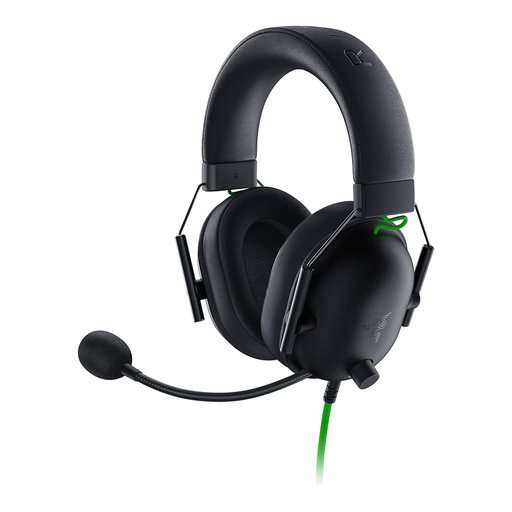 No image available
A wired option for a fixed desk setup if you want closed-back ear cups and a 3.5 mm connection.
The description lists a flexible cardioid microphone with noise cancellation and a microphone mute function.
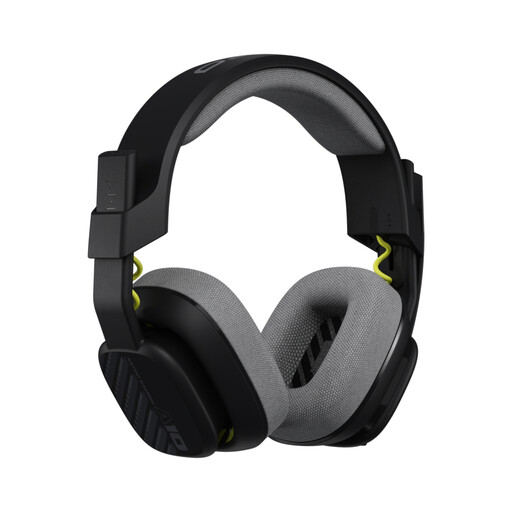 No image available
A wired option with a closed-back, over-ear design if you want to mute the microphone quickly during breaks in conversation.
The description lists a 3.5 mm connection, a unidirectional 6.0 mm microphone with flip-to-mute functionality, and replaceable ear and headband cushions.
 No image available
An option for PC recording if you want to use the advanced microphone features described via USB.
The description lists a detachable cardioid condenser microphone with Blue VO!CE filters, as well as a USB sound card and a 3.5 mm cable. According to the description, the advanced Blue VO!CE and surround features require USB and a PC.
In OBS, you can assign audio sources to separate recording tracks and enable the tracks you need in the output menu. Check the test file in a suitable editor, as OBS notes that a standard video player will often play only one audio track at a time.
According to Audacity, software monitoring can cause a noticeable delay. If immediate monitoring matters, check the relevant hardware feature with your complete headset and device setup rather than assuming it will work just because there is a USB connection.
Check the care instructions and spare parts for your exact model. beyerdynamic lists replaceable ear pads and cables for the MMX 300 PRO; this does not tell you what is available for other models.
Goods bought from a trader in the EU are generally covered by a minimum two-year legal guarantee against faults; the EU’s Your Europe information explains this minimum protection. According to the Verbraucherzentrale, online purchases in Germany generally come with a 14-day right of withdrawal from the conclusion of the contract or receipt of the goods ordered. Check who the seller is and the terms of the specific offer.
According to the German Federal Ministry of Justice, § 201 StGB makes it a criminal offence to record another person’s non-public speech without authorisation, or to use or make such a recording available to others. If other players or housemates might be audible, get their consent before recording and sharing the audio; using a headset does not create an exception to the law.