Raid players who use voice chat
If you regularly make quick call-outs, look for a microphone that’s easy to reach, a handy mute control and chat settings that suit you.


Choose a headset with a microphone and connection that suit your gaming platform. Also check that it’s comfortable during longer raids and consider how you’ll manage room noise in voice chat. A wired headset means no charging or receiver to worry about, while wireless gives you more freedom to move but requires a compatible connection and a charged battery. Test the mic with the sounds you actually hear in your spare room.
If you regularly make quick call-outs, look for a microphone that’s easy to reach, a handy mute control and chat settings that suit you.
Keyboard and other room noises can come through in voice chat. Check the microphone recording and input sensitivity rather than relying on headphone ANC alone.
Comfort and ear cushions matter during longer sessions. Before choosing, also check which devices and connections the specific model supports.
First check that the mic and connection suit your setup. Then compare comfort and how freely you can move during a raid.
A good fit if: your device has the headset connection you need and you’d rather not depend on a headset battery while chatting.
Consider: the cable route and socket need to work with your gaming space; test the microphone recording in your own room.
A good fit if: you want to move away from your desk and your platform supports the receiver supplied with the specific model.
Consider: you’ll need a suitable USB port and will have to charge the headset; support for PC, PlayStation or Switch doesn’t mean it’s compatible with Xbox.
A good fit if: you also want to listen to audio from your phone while gaming and the exact model supports the way you want to use it.
Consider: Bluetooth alone doesn’t guarantee the game chat connection you need or the features of a 2.4 GHz receiver.
| Buying priority | What to look for | Who is it especially important for? |
|---|---|---|
| Clear call-outs | Check the microphone position and mute control; make a voice recording with typical room noises in the background. | When I make quick call-outs during a raid, my voice needs to stay clear. For around 29% of consumers, voice clarity is the top priority. |
| Room noise in chat | Test your keyboard and background noise; adjust push-to-talk or input sensitivity if needed. | If you want to keep spare-room sounds out of chat, test the microphone recording carefully. Around 23% of consumers give this priority. |
| Comfort during long raids | Where possible, check the fit with your usual gaming glasses and wear the headset for an extended trial; look for replacement ear cushions. | When I play for a long time, the ear cushions and headband pressure need to feel right. Long-session comfort is the top priority for around 18% of consumers. |
| Connection and platform | Check the gaming platform, connection or receiver, and microphone function for the exact model variant. | With a changing setup, I want to know that game audio and the microphone will work with my device. Around 18% of consumers put platform compatibility first. |
| Freedom to move and charging | Consider whether you get up while talking, whether a USB port is free and what conditions apply to the stated battery life. | If I want to move around while talking, a wireless setup gives me more freedom; I’ll also need to plan for the receiver and charging. Freedom to move is the priority for around 12% of consumers. |
Noise reduction for your ears and sound picked up by the boom mic are separate functions. ANC alone won’t tell you which room noises will come through in voice chat.
Test the outgoing audio with typical keyboard and room noises. In Discord, you can adjust push-to-talk or input sensitivity if needed.
Supported platforms and microphone functions can vary by model variant and connection type.
Check the exact variant, your gaming platform and microphone support over cable, Bluetooth or receiver. If the connection isn’t suitable, you may need a different adapter or model.
Manufacturers’ figures may depend on specific usage conditions. For the Sony INZONE H9 II, the specifications give a maximum of 30 hours with noise cancelling switched off.
Compare battery-life figures alongside the conditions stated by the manufacturer, and make sure you can charge the headset during longer sessions.
The wired Cloud Alpha is an option for voice chat when you have a compatible 3.5 mm connection.
The Arctis Nova 7 Wireless Gen 2 is aimed at buyers who want game audio through a USB-C receiver and, if needed, smartphone audio over Bluetooth at the same time.
The closed-back MMX 150 wireless combines a detachable microphone with replaceable ear cushions and several connection options, depending on the platform.
The INZONE H9 II is a wireless option with headphone ANC and a boom mic, for buyers specifically looking for these features.
The BlackShark V3 Pro is another wireless option with ANC and a detachable boom mic.
This selection includes wired and wireless gaming headsets with microphones, including variants specifically labelled for Xbox. Check the platform and connection details for the model you’re considering before you decide.
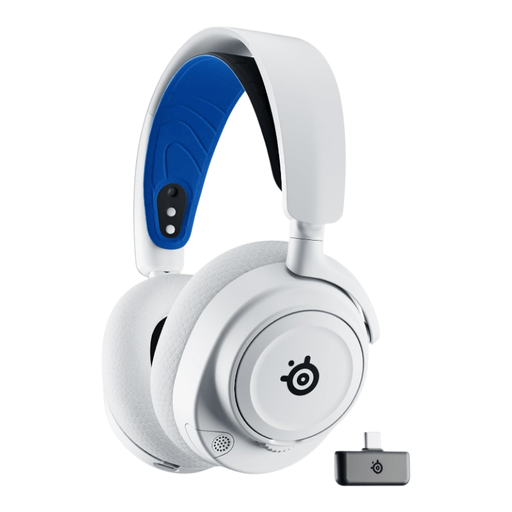 No image available
The wireless 7P variant is worth considering if you’d rather not be tied to a headset cable while talking.
Colour: White. Check that the platform and microphone support suit your setup.
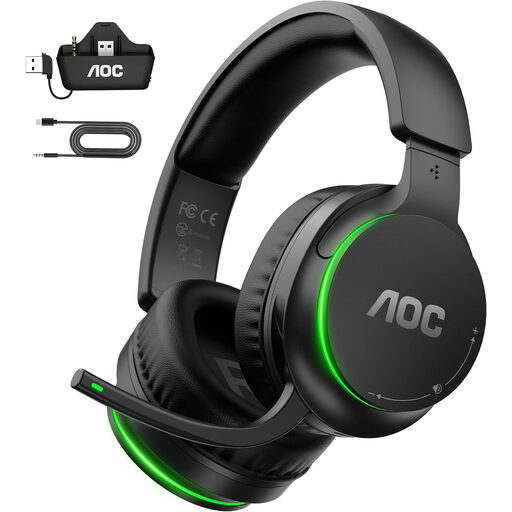 No image available
This wireless model is an option if you want to play without a headset cable.
The product name lists Xbox Series X|S, Xbox One, PS5, PC and Switch. Check that the microphone and chat work with your specific platform.
 No image available
The wired version suits a setup where having a headset cable at your seat is practical.
The product name lists PS5, Xbox Series X|S, Xbox One and PC. Check that the microphone and chat functions work with your device.
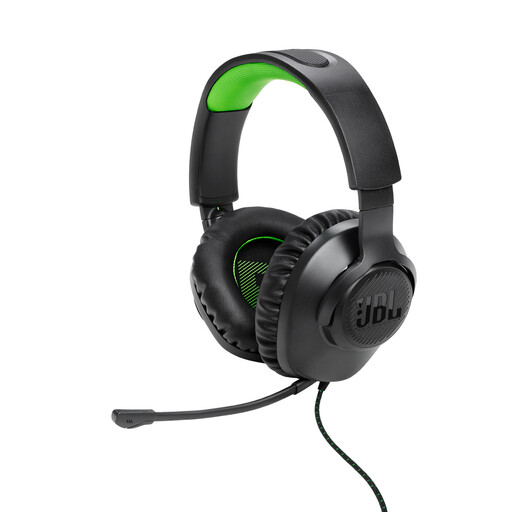 No image available
The wired Xbox variant is worth considering if a headset cable works for your gaming space.
The product name specifies Xbox. Check compatibility and microphone function with your specific platform.
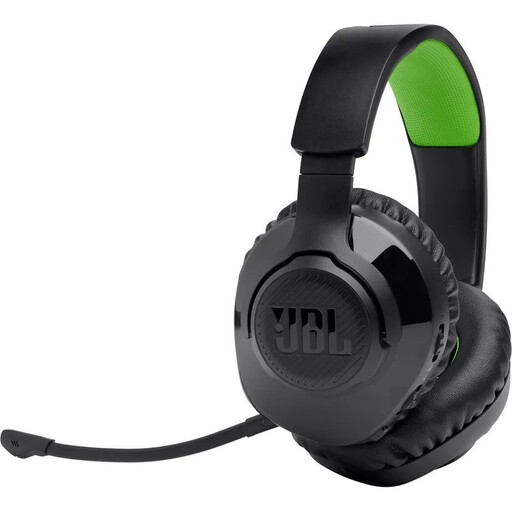 No image available
According to the product name, this wireless model offers 2.4 GHz wireless or Bluetooth.
Check which connection supports game chat and microphone use on your device.
Under ‘Voice & Video’, select the correct input and output devices, then test the microphone. If room noises are coming through, try adjusting input sensitivity or using push-to-talk. If the ends of your sentences are getting cut off, Discord recommends temporarily switching off automatic sensitivity.
No. Sony lists noise reduction in the headphones and the microphone as separate features on the INZONE H9 II. The best way to check whether room noises can be heard in chat is to record the microphone signal in your own room.
Check whether replacement ear cushions are available for your exact model; beyerdynamic lists replacement ear and head cushions for the MMX 150 wireless. For a purchase of consumer goods from a business, statutory claims for defects in such goods generally become time-barred two years after delivery. This is separate from any additional manufacturer’s warranty.
Headsets covered by relevant EU harmonisation legislation must carry the CE marking. Among the checks it recommends, the German Federal Network Agency lists the marking, manufacturer details and German-language instructions. A CE mark alone doesn’t prove that a specific product has been independently quality tested.