Team players who give lots of call-outs
If you coordinate plays over voice chat, check before buying that the microphone is easy to use and the mute button is within easy reach.


For team-based ranked matches, your headset should have a clear microphone, an easy-to-reach mute button and a connection that works with your PC. Wired models save you having to recharge, while wireless ones give you more freedom to move around. For longer sessions, comfort and fit matter too. If you share the room, consider how much sound the headset lets out and keep the volume moderate.
If you coordinate plays over voice chat, check before buying that the microphone is easy to use and the mute button is within easy reach.
For several matches in a row, you’ll want a fit that suits your head. Information about the ear cushions and weight alone won’t tell you how comfortable a headset will feel.
If other people are in the room, consider how much sound the particular model lets out, as well as the volume you listen at.
| Buying criterion | What to look for | Who it matters most to |
|---|---|---|
| Team communication | Check how the microphone is operated and how it’s muted. A test recording with the usual sounds in your room will show whether your voice comes through clearly with your setup. | When I’m coordinating plays over voice chat, I want to speak clearly and mute the microphone quickly. Around 29% of consumers put clear team communication first. |
| Comfort during long matches | Check the adjustment range and cushioning. If possible, try the headset during a session of your usual length. | When I play several matches in a row, I want the headset to suit the shape of my head without pressing uncomfortably. Around 22% of consumers prioritise comfort over several matches. |
| Game audio and call-outs | Compare familiar game scenes and voice chat at the same moderate volume. A single technical specification doesn’t prove that a headset will sound better in your game. | When I want to distinguish game cues from call-outs, I want to compare the sound using scenes from the games I play. Around 21% of consumers prioritise clear game audio. |
| Consideration for others in the study | Think about whether other people share the room, and check how much sound the particular model lets out at a volume you’d normally use. | When other people are working or relaxing in the room, I want to be considerate without turning the volume up unnecessarily. Around 14% of consumers are particularly mindful of others when gaming in a shared study. |
| Connection and freedom to move | Check the complete model variant against your PC’s ports. With wireless models, also consider the connection method and charging requirements. | When I want to step away from my desk between matches or avoid a cable, the connection needs to work with my setup. For around 14% of consumers, connection and freedom to move are their top concerns. |
The wired HyperX Cloud III and the Cloud III Wireless use different connection methods and have different compatibility information.
Compare the full model name with your PC’s ports rather than relying on the product family name alone.
In its test, COMPUTER BILD found that the Sony INZONE H6 Air let a noticeable amount of sound escape. In a shared study, this could disturb other people.
If other people share the room, check how much sound the particular model lets out at a volume you’d normally use.
Your statutory rights for faulty goods are against the seller and are separate from any additional manufacturer’s guarantee.
If something is faulty, find out what you’re entitled to claim from the seller and check the guarantee terms separately. The EU’s consumer information explains the legal guarantee for goods bought by consumers from professional sellers.
Connection methods and ports vary by model. With devices that have a connection hub, individual ports may also be intended for different devices.
Decide which devices and audio sources you want to use, then check they’re compatible with the ports and instructions for the specific model.
The Cloud III models are worth considering if you’re choosing between a wired connection and 2.4 GHz wireless. The specific variant is what matters.
The MMX 300 PRO is a wired, closed-back option, while the MMX 150 Wireless supports both wireless and wired use.
The INZONE H9 II is a wireless option with noise cancelling and a boom microphone, for when you want to account for background noise while gaming.
The Arctis Nova Elite with GameHub is designed for setups with multiple devices and audio sources.
The Maxwell is available in separate Xbox and PlayStation versions, so make sure you know which one you need before buying.
This selection includes wired and wireless gaming headsets for different PC setups. Before buying, compare the specific model name and connection type with your study and PC.
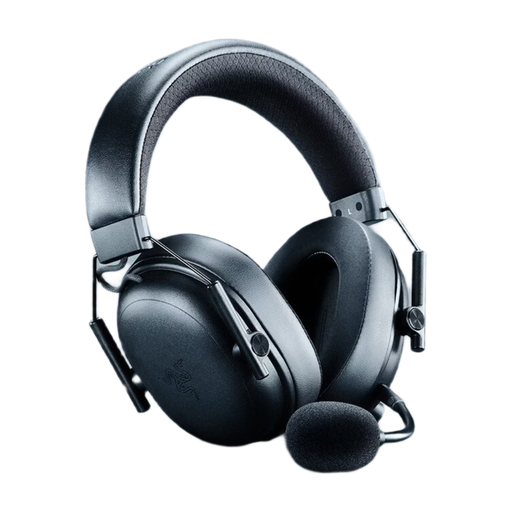 No image available
The wireless version is worth considering if you don’t want a headset cable across your desk while gaming. Before buying, check that the connection it uses works with your PC.
Colour: Black.
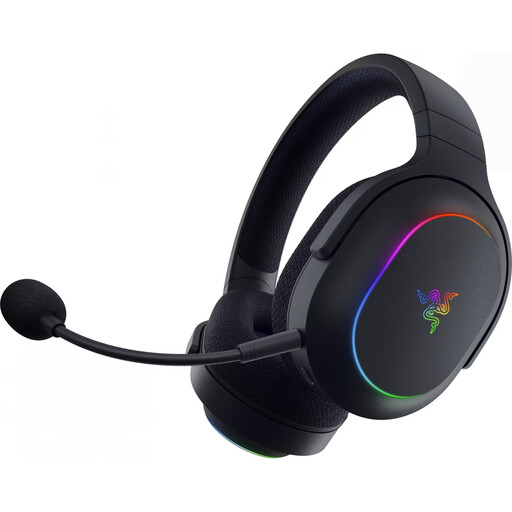 No image available
A wireless option for players who want to choose a connection that suits their PC setup. Before buying, check the model variant and connection method you need against your devices.
Colour: Black.
 No image available
This wireless model could suit a PC setup if you’d rather use a wireless connection than keep a cable plugged in. Check the connection method it uses and how often you’ll need to charge it.
Colour: White and purple.
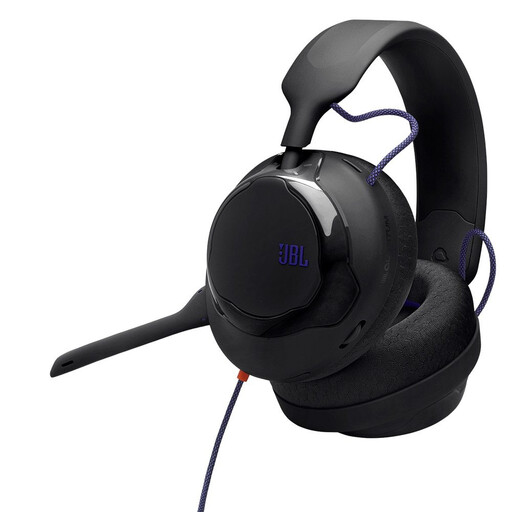 No image available
The wired version is an option if you have a fixed setup at your desk. Before buying, check that the connection on the specific model works with your PC.
Colour: Black.
 No image available
This wireless headset is worth considering if you’re looking for a wireless option for your setup. Compare its connection type and charging requirements with your PC and how you plan to use it.
Product variant: GT889 with LED lighting.
Connect the specific model using the intended connection, select it as your input and output device in your PC and chat settings, then make a short test recording with the usual sounds in your room. Test the mute button separately from the game audio. For example, the connections differ between the wired HyperX Cloud III and the Cloud III Wireless.
No. Compare game scenes and voice chat at a moderate volume. The World Health Organization highlights the potential risks to your hearing from unsafe listening while gaming. This doesn’t mean that a particular headset is safe at every setting.
According to EU consumer information, consumers buying from a professional seller generally have a statutory guarantee of at least two years from receiving the goods. For distance purchases, there is generally a 14-day cooling-off period from delivery; check the legal exceptions and information about return costs. This is separate from any additional manufacturer’s guarantee.
Electrical and electronic waste must not go in household rubbish. The German Environment Agency lists free disposal options, including recycling centres and suitable retail take-back points. Where possible, removable batteries should be handed in separately.