For repeated replay analysis, your headset should suit the playback device and remain comfortable during longer sessions. A closed-back model may be a good choice if background noise is a problem, while an open-back model is better suited to a quiet room. Surround sound modes and driver specifications alone do not prove that a headset will help you assess in-game audio.
Which headset is right for you?
Those checking audio detail
If you listen to the same replay scene several times, you’ll want to assess audio details using consistent settings rather than relying solely on surround sound claims. COMPUTER BILD and F.A.Z. Kaufkompass have published reviews that discuss specific models.
Those analysing for long periods
For longer listening sessions, fit and ear cushions matter. HyperX specifies memory foam for its wired Cloud III, while Sony lists the INZONE H9 II as weighing 260 g without the microphone.
Those switching between setups
If you review replays on multiple devices, check the connectors, wireless connections and exact console variant. HyperX and SteelSeries list different connection options, while Audeze distinguishes between Xbox and PlayStation versions of the Maxwell.
What should you consider when choosing?
Wired and closed-back
A good fit if: you usually listen in one place and background noise is distracting.
Consider: The cable needs to suit your playback device and setup. HyperX lists 3.5 mm, USB-C and USB-A for the Cloud III; Razer’s BlackShark V2 X uses 3.5 mm.
Wireless
A good fit if: you want to move around without a headset cable or switch between compatible connections.
Consider: You’ll need to factor in battery life, the receiver and device compatibility. SteelSeries describes switching between 2.4 GHz and Bluetooth on the Arctis Nova 5 Wireless; this does not mean both connections can play audio at the same time.
Open-back and wired
A good fit if: you listen in a quiet room and still want to hear what’s going on around you.
Consider: COMPUTER BILD’s review found that outside noise was audible through the open-back MMX 330 PRO, which could be distracting in a noisy or shared room.
| Priority |
What to check before buying |
Who is it most important for? |
| Audio detail |
Compare the same replay segment with your game settings unchanged; assess sound profiles separately. |
If you listen to the same scene repeatedly, you’ll want to compare details consistently. Around 36% of consumers put audio detail first. |
| Comfort during long sessions |
Check the fit with glasses and over your usual listening period; take the specific model’s ear cushions into account. |
For longer analysis sessions, you’ll want to keep pressure and heat to a minimum. Around 29% of consumers say fit during long sessions is their main priority. |
| Device connection |
Check your playback device, connection type and full model name; for consoles, confirm the exact variant. |
If you analyse replays on a PC or console, the connection you want to use needs to work with your device. Around 21% of consumers prioritise this compatibility. |
| Background noise |
Choose an open-back or closed-back design to suit your room; take your surroundings into account and listen at a moderate volume. |
In a noisy or shared room, you’ll want to keep distractions from affecting your analysis as much as possible. Around 14% of consumers put noise isolation first. |
Which buying mistakes can you avoid?
-
Assuming 7.1 or driver size means better positional audio in replays
A feature or component specification alone does not prove that a headset will help you assess in-game audio. Razer states that the advertised 7.1 mode on the BlackShark V2 X is only available on Windows 11.
Compare the same replay sections using your actual game settings, and assess each sound mode separately.
-
Treating the Xbox and PlayStation versions of the Audeze Maxwell as identical
Audeze describes different console support via USB and the wireless receiver; the 3.5 mm connection should be considered separately.
Before buying, check the full model name and the connection you plan to use.
-
Choosing an open-back headset for a noisy room based on its sound description alone
In COMPUTER BILD’s review, outside noise was audible through the open-back MMX 330 PRO. This could make it less suitable for use in a noisy or shared room.
Choose a design to suit your actual listening environment, rather than relying on a general description of its sound.
Key brands at a glance
HyperX
The wired Cloud III is worth considering for a replay setup with a compatible 3.5 mm or USB connection.
- HyperX lists memory foam and 3.5 mm, USB-C and USB-A connections for the Cloud III.
- These model specifications do not prove superior positional audio, nor do they confirm that the Cloud III Wireless has the same connections.
SteelSeries
The Arctis Nova 5 Wireless is an option if you want to switch between a 2.4 GHz receiver and Bluetooth.
- SteelSeries lists up to 60 hours of battery life and game audio profiles for this model.
- The described switching does not prove that audio can play through both connections at the same time; for Xbox, SteelSeries specifically lists the Nova 5X variant.
Sony
The INZONE H9 II is aimed at buyers considering noise cancelling as well as wireless use.
- Sony lists the INZONE H9 II as weighing 260 g without the microphone and promotes its noise cancelling.
- These model-specific specifications do not prove improved positional audio in every replay scenario.
beyerdynamic
The MMX 300 PRO and MMX 330 PRO offer closed-back and open-back wired designs respectively; the MMX 150 Wireless is a wireless alternative.
- beyerdynamic describes the MMX 300 PRO as closed-back and the MMX 330 PRO as open-back. COMPUTER BILD reports that outside noise is audible through the MMX 330 PRO.
- F.A.Z. Kaufkompass notes that the MMX 150 Wireless has mobile-only software and limited range. These assessments do not apply to the brand as a whole.
Razer
The wired BlackShark V2 X with 3.5 mm is an option if closed-back ear cups suit your room.
- Razer lists the BlackShark V2 X as weighing 240 g and offering passive noise isolation.
- According to Razer’s product information, its advertised 7.1 mode is only available on Windows 11 and does not prove an advantage for positional audio in replays.
Headsets for replay analysis at Joybuy
This selection includes wired and wireless headsets for replay reviews on compatible devices.
 No image available
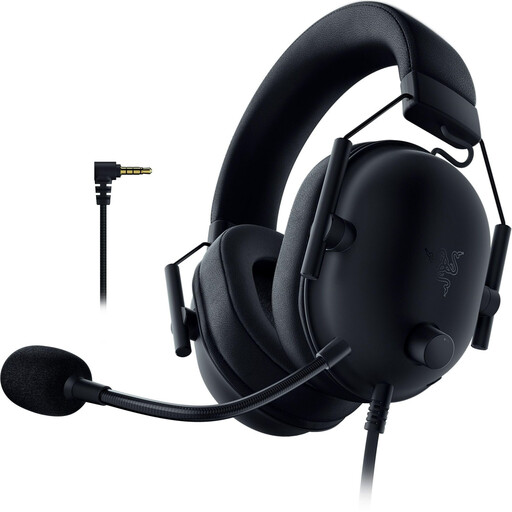
Razer BlackShark V2 X (PlayStation Licensed)
The wired, closed-back design is worth considering for replay reviews at a fixed setup.
3.5 mm connection; passive noise isolation; memory foam ear cushions. An adapter is required for the Xbox use mentioned in the description.
View at Joybuy
 No image available
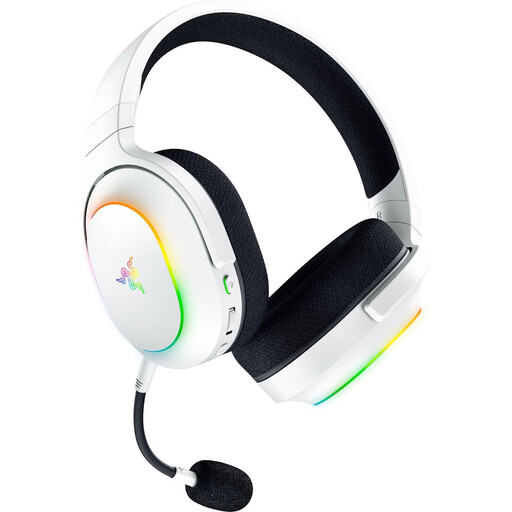
Razer Barracuda X Chroma Wireless, White
This wireless model is worth considering if you want to listen to replays without a headset cable and its listed connections suit your devices.
2.4 GHz wireless and Bluetooth 5.3 with switching; up to 70 hours of battery life; 285 g; memory foam ear cushions.
View at Joybuy
 No image available
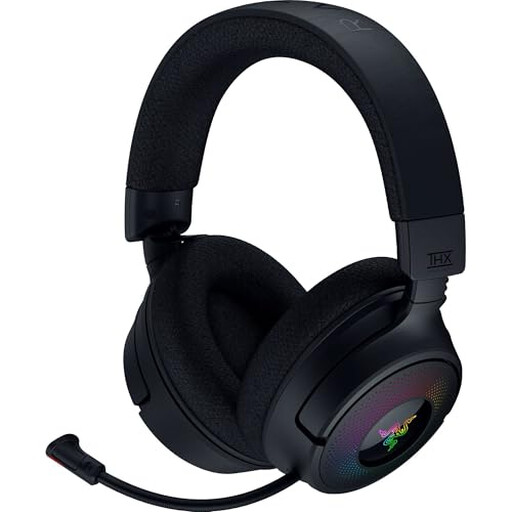
Razer Kraken V4 Wireless
The different connection options can be useful if you want to use the headset with several devices for replay analysis.
2.4 GHz wireless, Bluetooth and USB cable mode; retractable microphone; game/chat balance control.
View at Joybuy
 No image available
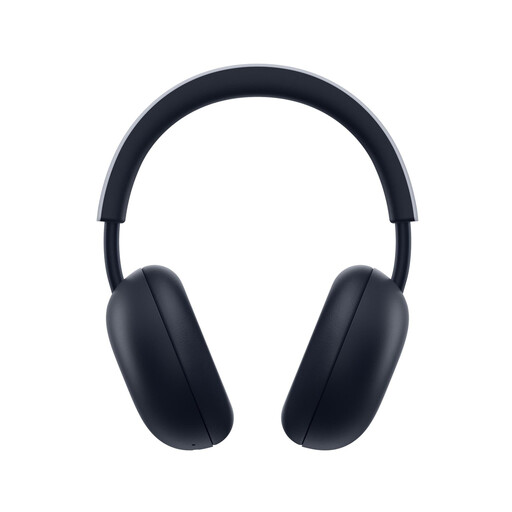
PlayStation PULSE Wireless Headset, White
This wireless model is listed for replay analysis on compatible PlayStation devices.
PlayStation Link and Bluetooth; up to 30 hours of battery life; ear cups fold flat. The stated platform compatibility applies to PlayStation 5 and PlayStation 4.
View at Joybuy
 No image available
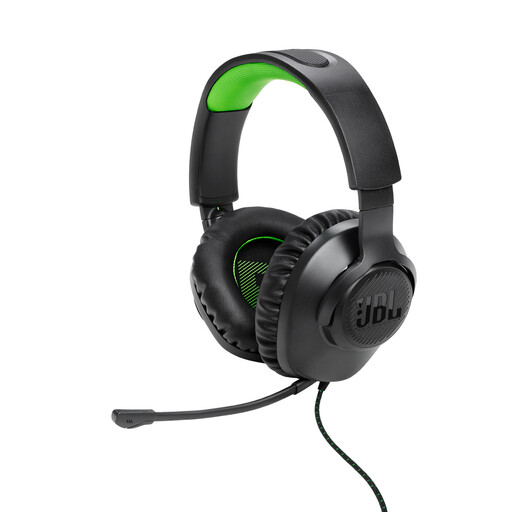
JBL Quantum 100, Xbox, wired
The closed-back, wired design is an option for replay analysis with a compatible Xbox connection.
3.5 mm connection; detachable microphone; detachable 1.2 m cable; memory foam ear cushions.
View at Joybuy
Frequently asked questions
Should I always enable virtual surround sound for replay analysis?
No, not as a rule. Compare the same scene with your game settings unchanged and check each mode separately. Razer states that the advertised 7.1 mode on the BlackShark V2 X is only available on Windows 11; the name alone does not prove it will benefit your replays.
How should I use a headset during longer listening sessions?
Keep the volume down and take regular listening breaks. The World Health Organization gives an average of 80 dB for no more than 40 hours per week as a guideline for adults; this does not mean that a particular headset volume setting equals 80 dB. Also check the care instructions for your model’s ear cushions.
Who should I contact in Germany if my headset develops a fault after purchase?
For a purchase from a retailer as a consumer, your statutory rights regarding faulty goods apply against the seller. EU consumer information states that there is a minimum two-year guarantee from the date you receive the goods; an additional manufacturer’s guarantee does not replace these rights. The EU rules for retailers mentioned here do not apply in the same way to purchases from private individuals.
Can I put an old headset in my household rubbish?
No. The German Environment Agency recommends disposing of old electrical equipment separately, for example at a recycling centre or through the retailer’s applicable take-back scheme. Removable batteries should be collected separately where possible.


