What should you look for when buying?
First, test voice transmission against the noises you’re likely to hear in your shared bedroom. Then check game audio, how well you can hear your own voice, comfort and compatibility with the specific gaming device you use.
| Buying priority |
What to look for |
Who is this especially important for? |
| Clear voice |
Position the microphone in front of your mouth and listen back to a test recording with typical room noise. |
If I want to comment clearly despite other voices in the background, I test the transmission in realistic conditions. Around 28 % of consumers put clear voice transmission first. |
| Less game audio in the room |
Check the closed-back ear cups and how much game audio can be heard outside them at your usual volume. |
If I want to minimise how much game audio disturbs the other person, I use headphones instead of speakers and check the volume. Around 22 % of consumers prioritise this. |
| Hearing your own voice |
Check whether sidetone is available and adjustable on the device you use. |
With isolating ear cups, I still want to hear my voice as I speak. Around 17 % of consumers put voice monitoring first. |
| Comfort during longer commentary sessions |
Consider the clamping force, ear cushions and weight of the specific model. |
If I’m commentating for longer, I want the headset to feel comfortable; replaceable parts subject to wear may also matter. Around 17 % of consumers put long-term comfort first. |
| Connection to your gaming device |
Check the connection, microphone operation and any software features you need for your PC or specific console. |
Especially if I switch between devices, the microphone needs to work with the gaming device I’m using. Around 16 % of consumers prioritise this compatibility. |
Joybuy products
The models below include wired and wireless gaming headsets with microphones for commentary in a shared room.
 No image available
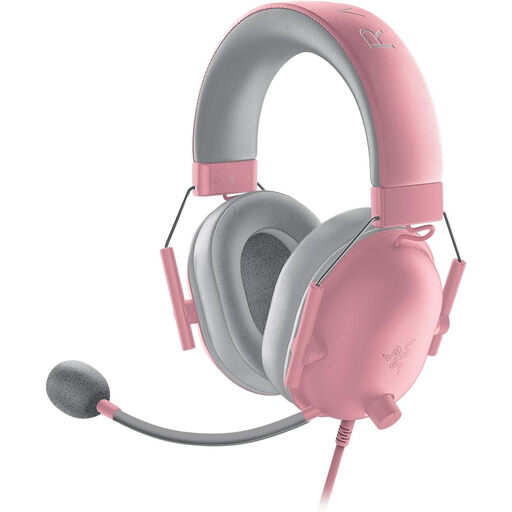
Razer BlackShark V2 X Quartz
A wired option if you want to use a positionable microphone and headphones rather than speakers while commentating.
- Closed-back ear cups
- Flexible cardioid microphone
- 3.5 mm connection
View at Joybuy
 No image available
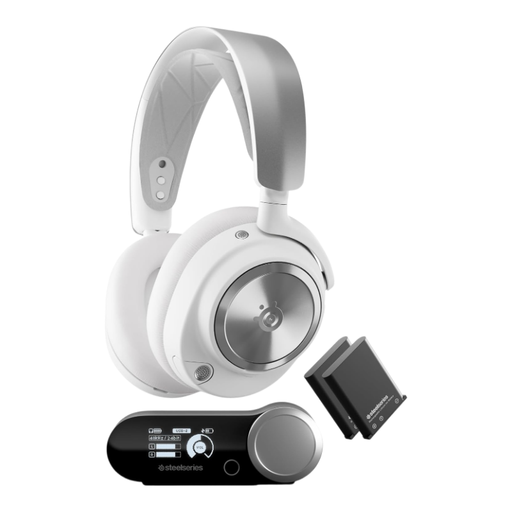
SteelSeries Arctis Nova Pro Wireless Gaming Headset White
A wireless option if you want to assess ANC for listening and a detachable microphone separately for your needs.
- Closed-back ear cups and ANC
- Detachable noise-cancelling microphone
- Wireless base station for PC or console; Bluetooth for mobile devices
- Weight: 516 g
- Wireless use requires charging.
View at Joybuy
 No image available
JBL Quantum 360P Over-Ear Wireless Gaming Headset, White
A wireless option if you want to use a boom microphone and test how it performs with the noises in your room.
- Directional boom microphone with echo cancellation
- ANC for listening
- Bluetooth and detachable 3.5 mm cable connection
- Listed battery life: up to 22 hours
- Wireless use requires charging.
View at Joybuy
 No image available
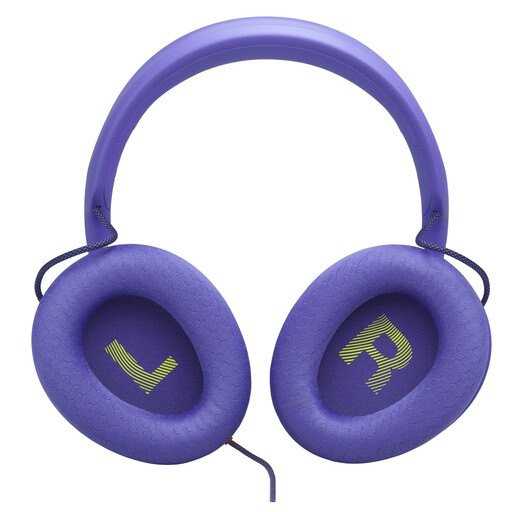
JBL Quantum 120 Gaming Headphone, Wired Over-Ear, Purple
A wired option if you’re looking for a detachable directional microphone and a 3.5 mm connection.
- Detachable 6 mm cardioid boom microphone
- 3.5 mm connection
- PC software for noise reduction and microphone settings via QuantumENGINE
- The product description says a Y-splitter is required for a PC with separate headphone and microphone sockets; it isn’t included.
View at Joybuy
 No image available
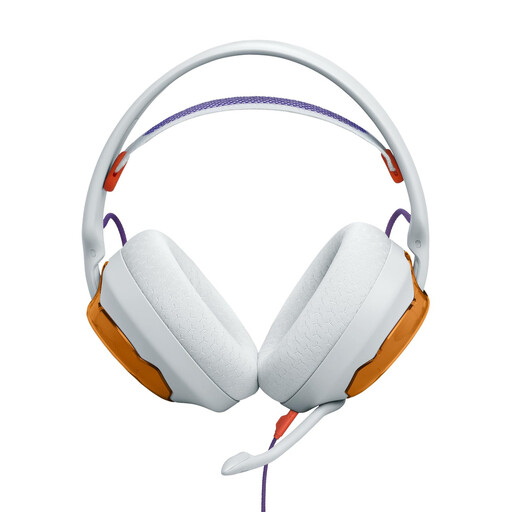
JBL Quantum 250 Gaming-Wired Over-Ear Headset, Light Teal and Orange
A wired option if you want a boom microphone and the 3.5 mm connection is compatible with your gaming device.
- Detachable cardioid boom microphone
- 3.5 mm audio connection
- Breathable ear cushions
- Listed as compatible with PC, Mac, PlayStation, Xbox and Nintendo Switch
View at Joybuy
Frequently asked questions
Will a headset make my spoken match commentary inaudible to the other person in the room?
No. Ear cups affect game audio and the sounds you hear yourself; a microphone feature affects the signal that’s transmitted. They won’t mute your voice in the room. If you need to keep things quiet, agree speaking times and volume levels with the other person.
How should I set up my headset before commentating?
Position the microphone boom close to your mouth and select the correct microphone input on your gaming device. Make a test recording with typical room noises, then check the mute function and, where available, sidetone on the exact platform you’ll be using.
Does ANC also block other people’s voices from voice chat?
Not automatically. ANC mainly affects what the wearer hears, while a microphone feature processes the signal that’s transmitted. Test the two features separately and listen back to a test recording made in your room.
What should I bear in mind during longer commentary sessions?
Choose a comfortable fit and keep playback volume moderate. The World Health Organization notes that both volume and listening time affect exposure to loud sounds. Also check whether the ear cushions or cable can be replaced on the specific model.
Can I record a conversation with the other person in the bedroom?
Recording can raise legal questions: Section 201 of the German Criminal Code (StGB) covers, among other things, the unauthorised recording of another person’s non-public speech and certain uses of such a recording. Whether the law applies in a particular case depends on the circumstances. Avoid recording accidentally, and get consent before you record.


