What should you look for when buying?
Wired headset
A good fit if: you mostly practise at the same desk and don’t want to manage a battery or wireless dongle.
The trade-off: The cable limits your movement and needs to suit your setup; features can vary depending on the connection.
Wireless headset with gaming dongle
A good fit if: you want more freedom to move at your desk and your device supports the dongle supplied.
The trade-off: You’ll need to consider charging and check that the specific version and connection are compatible.
Wireless multi-device system
A good fit if: you want several gaming devices permanently connected at your home-office desk.
The trade-off: A base station takes up desk space and needs extra cables. Also check that the available connections suit your devices.
The approximate figures below group consumers by the single most important priority for this type of purchase.
| Priority |
What to look for when buying |
Who cares most about it? |
| Picking out in-game audio |
Compare sound modes in the same game scenes; don’t assume surround-sound labels mean a training advantage. |
When I want to tell footsteps and directions apart in a shooter, I compare settings in the game I play. Around 36 % of consumers say picking out in-game audio is their top purchase priority. |
| Voice communication |
Test the microphone and mute control in your usual room. |
When I’m making team call-outs or work calls as well as gaming, I want my voice to remain clear and the mute control to be easy to reach. About 29 % of consumers prioritise clear voice communication. |
| Comfort |
Assess the fit and ear cushions for the length of a typical practice session. |
When I practise for longer, I pay particular attention to how the headset fits and whether the cushions feel comfortable. Around 21 % of consumers put comfort during longer sessions first. |
| Connection and readiness to use |
Check that the connection works with your PC or console, and factor in charging if you choose wireless. |
When I want to use my headset with the devices actually on my desk, I check the connection before buying. Around 14 % of consumers prioritise a suitable connection and as few interruptions as possible. |
Gaming headsets at Joybuy
This selection includes wired and wireless gaming headsets for desk setups. Before you buy, check that each headset’s connection and device compatibility suit your PC or console.
 No image available
HyperX Cloud Alpha gaming headset
For a fixed desk setup if you’re looking for a wired headset with a detachable microphone.
Wired; the listed connection is 3.5 mm.
View at Joybuy
 No image available
ONIKUMA GT889 wireless gaming headset
An option if you want to switch between wireless and wired use at your desk.
The product title mentions 2.4 GHz wireless and wired use; wireless use requires charging.
View at Joybuy
 No image available
Logitech G G535 LIGHTSPEED wireless gaming headset
For wireless gaming on a PC or one of the PlayStation consoles listed in the product title.
The product title gives a battery life of up to 33 hours; wireless use requires charging.
View at Joybuy
 No image available
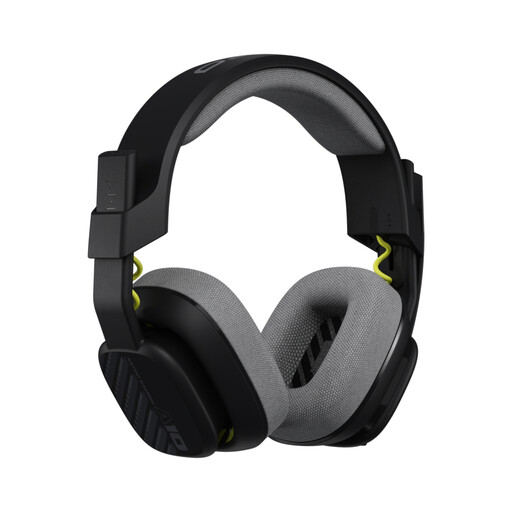
Astro A10 Gen 2 wired over-ear gaming headset
For voice chat at your desk if you’re looking for a wired headset with a flip-to-mute microphone.
The listed connection is 3.5 mm; check that it suits your device.
View at Joybuy
 No image available
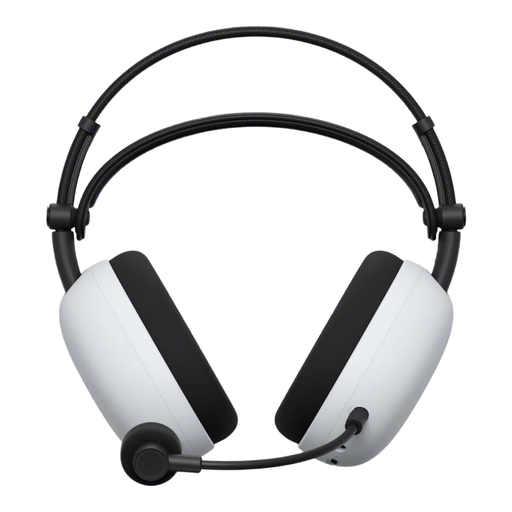
Sony INZONE H9 II wireless gaming headset
For wireless use at your desk, if the connection provided suits your device.
Sony lists a USB-C dongle for 2.4 GHz and Bluetooth. According to Sony, it weighs around 260 g without the microphone.
View at Joybuy
Frequently asked questions
How do I set up my headset for practice and voice chat?
Connect the headset using the connection intended for your device, then select it as the playback and recording device in your audio settings. Next, check the microphone mute and in-game audio in the game itself. HyperX’s Cloud III guide explains how to select it as a recording device on a PC; it’s best to compare suitable sound modes for positional cues yourself.
What volume is sensible when practising?
There isn’t one set volume that works for every headset and practice session. Germany’s Federal Environment Agency points out that both sound level and exposure time can cause hearing damage. Choose the lowest volume you can still hear clearly, and avoid listening loudly for long periods. Workplace noise limits aren’t general volume settings for gaming at home.
What should I know about care and replacement parts?
Check whether suitable cushions or replacements for any accessories you need are available. beyerdynamic lists ear and headband cushions for the MMX 150 wireless; SteelSeries says the Nova Elite has a swappable battery that can be charged through the GameHub. These model-specific details don’t tell you how much replacement parts cost.
What are my rights if something I buy online in Germany is faulty?
For faulty goods, the seller’s statutory liability is separate from a voluntary guarantee. The Verbraucherzentrale generally gives a two-year period for faults the seller is responsible for. Online purchases in Germany also usually come with a 14-day right to cancel; the conditions and any exceptions depend on the circumstances.
How can I check compliance information for a wireless headset?
The Bundesnetzagentur lists CE marking as something to check for products with Bluetooth too. By applying the CE mark, the manufacturer declares on its own responsibility that the product meets the relevant requirements; it isn’t an independent quality mark. You can’t determine whether a specific product complies based on a shop description alone.


