Long-session quest players
If you play story-driven games for hours at a time, pay attention to the fit, padding and clamping force. You can’t tell how comfortable a headset will be just from its specifications.


Start by choosing a headset that’s comfortable to wear, sounds good and connects to your gaming platform. Then decide whether a cable would really get in the way on your small desk. Wireless keeps your desk clear, but you’ll need to account for the battery, receiver and charging. A wired headset avoids these considerations, but you’ll need a suitable port and a practical way to manage the cable.
If you play story-driven games for hours at a time, pay attention to the fit, padding and clamping force. You can’t tell how comfortable a headset will be just from its specifications.
If you want to keep audio cables off your desk, check the receiver connection and where you’ll charge the headset. With a wired headset, it’s all about finding a practical way to route the cable.
If you switch between gaming devices or chat while you play, check that the connection and microphone work with each device and the specific headset version.
A good fit if: Your gaming device has a suitable port and you’d rather not deal with a battery or wireless receiver.
The trade-off: You’ll need to find a clear route for the cable on a small desk. Some PCs may also have separate audio and microphone sockets.
A good fit if: You don’t want an audio cable getting in the way and your gaming device supports the receiver.
The trade-off: You’ll need a free USB port and somewhere to charge the headset.
A good fit if: You’d like to use a mobile device for audio or calls as well as your gaming device.
The trade-off: Whether you can play audio from both devices at once depends on the model. Consider whether the extra feature is worth the charging and space requirements for you.
| Priority | What to check before buying | Who it matters to most |
|---|---|---|
| Comfort | Check the padding material and whether it can be replaced; try the fit yourself if possible. | If I play long quests, I want a headset that feels comfortable and doesn’t press on my head. Around 28 % of consumers put comfort first. |
| Clear desk space and cable management | For wireless, make room for a free USB port and charging; for a wired headset, check the cable length and routing. | If an audio cable gets in the way on my small desk, I want to keep the surface clear. Around 22 % of consumers name this as their main priority. |
| In-game sound | Look for reviews that test the specific model and check its audio controls; don’t assume the manufacturer’s claims will match your own experience. | I want to hear dialogue and the atmosphere of the game world clearly. Around 22 % of consumers consider in-game sound their top priority. |
| Platform connection | Check that the gaming device, connection, audio and microphone all work with the exact model. | If I want to use the headset with a particular gaming device, the connection needs to work with it. Around 17 % of consumers prioritise platform compatibility. |
| Voice chat | Check the microphone connection, mute function and chat support on your platform. | If I play with others, I want my voice to come through on the platform I’m using. Around 11 % of consumers name voice chat as their main priority. |
A receiver or Bluetooth mode listed in the specifications doesn’t automatically mean that every console will support both game audio and the microphone.
Before buying, check your exact gaming platform and make sure the connection, audio and microphone work with that specific headset version.
Padding materials and weight figures don’t tell you how a headset will fit your head.
Try it on if you can, and check the applicable returns policy before buying online.
Wireless models need a charged battery and may also require a receiver; a wired model, on the other hand, needs space for its audio cable.
Compare how much space each connection option will actually take up on your desk.
According to beyerdynamic, the MMX 150 wireless combines a closed-back, over-ear design with both wired and wireless use.
The wired Cloud Alpha is worth considering if your gaming device has a suitable 3.5 mm port.
According to SteelSeries, the Arctis Nova 7 Gen 2 is designed for game audio via a USB-C dongle and simultaneous audio from your phone via Bluetooth.
According to Sony, the INZONE H9 II combines noise cancelling with a USB-C wireless receiver.
According to Logitech G, the PRO X 2 LIGHTSPEED offers wireless, Bluetooth and a 3.5 mm wired connection.
Joybuy headsets for gaming sessions at a small desk: when choosing, pay particular attention to fit, connection type and the platform compatibility you need.
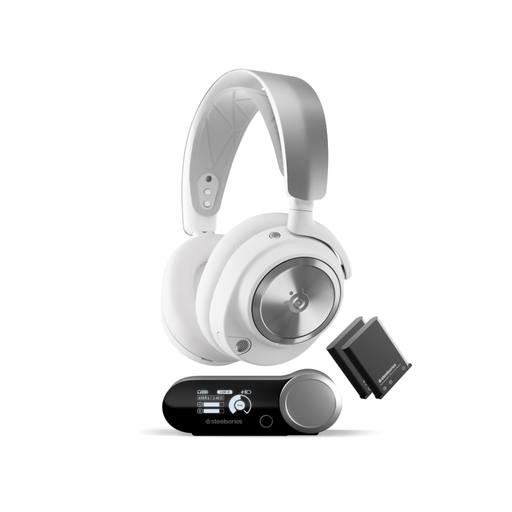 No image available
An option if you’re looking for wireless gaming and extra connection options. Make room for the wireless base station required for the setup described.
Features listed in the product name: Active Noise Cancellation, 2.4 GHz, Bluetooth and hot-swappable batteries. The product name lists PC and PlayStation as compatible platforms.
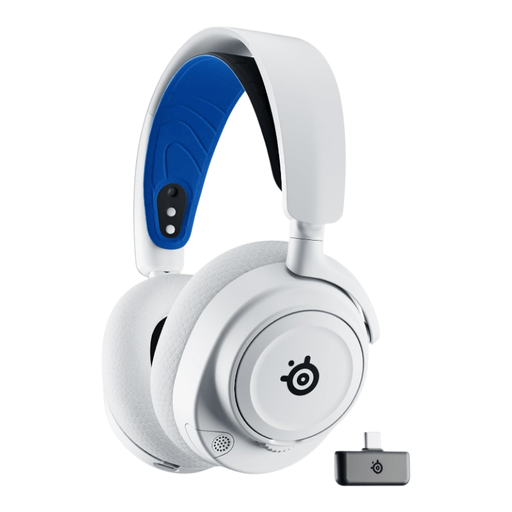 No image available
An option if you’re looking for a white Arctis Nova 7P model. Check the connection options against your gaming device, and if you plan to use it wirelessly, make room for a USB port and somewhere to charge it.
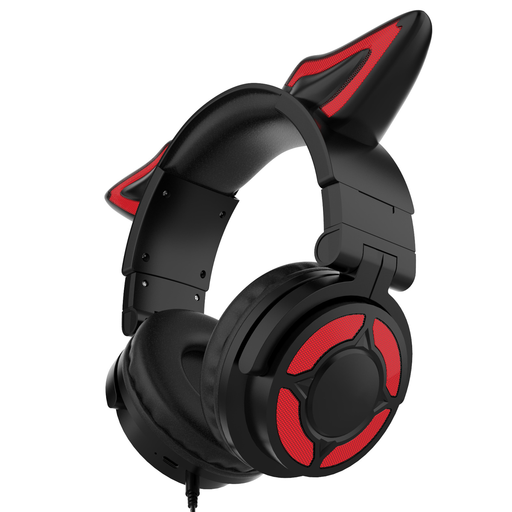 No image available
An option if you’re looking for an over-ear gaming headset with a microphone. Before buying, check that the connection and microphone work with your gaming device.
Features listed in the product name: over-ear design and RGB lighting.
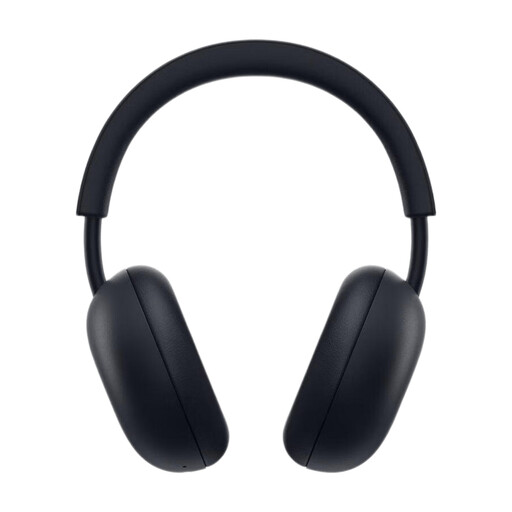 No image available
An option if you’re looking for a wireless headset for PlayStation. The listed console compatibility includes PS5 and PS4.
Features listed in the product name: PlayStation Link, Bluetooth, 3D Audio, a microphone with AI-powered noise cancellation and up to 30 hours of battery life.
 No image available
An option if you’re looking for a USB receiver for wireless game audio. Before buying, check that your gaming device supports it and make room for charging.
Features listed in the product name: 2.4 GHz wireless and wired use, a microphone and LED lighting.
Start by checking your gaming device’s ports. SteelSeries lists a USB-C dongle and USB-A adapter for the Arctis Nova 7 Gen 2; the Cloud Alpha uses a detachable jack cable and comes with a PC extension cable that has separate audio and microphone plugs. Make room for the receiver and charging cable, or plan how to route the headset cable.
Keep the volume at a moderate level and take listening breaks. The World Health Organization explains that the volume, duration and frequency of exposure all matter for your hearing. This does not guarantee that any particular headset will safely limit the volume.
No. The Verbraucherzentrale distinguishes between your statutory rights against the seller and voluntary warranties offered by the manufacturer or retailer. Check the specific terms of any voluntary cover; an additional protection plan does not replace your statutory rights.
Distance-selling contracts generally come with a statutory right to cancel; § 355 BGB sets a 14-day period. § 312g BGB includes exceptions, including certain cases involving unsealed hygiene products. Whether an exception applies to a particular headset cannot be determined just from its product category.
Waste electrical equipment must be taken to an authorised collection point, such as a local authority recycling centre. Retailers also have take-back obligations in certain circumstances. Remove any removable used battery and dispose of it separately.