What to look for when buying a headset for commentary
Start by assessing your voice recording and the mix that will actually be broadcast, then consider comfort and how the headset connects to your devices.
| What matters |
What to check before buying |
Who it matters most to |
| Clear commentary |
Microphone position and mute function; record a voice test with game audio. |
If I comment throughout my gameplay, I want my voice to remain clear in the finished mix. Around 31% of consumers say voice clarity is their main concern. |
| Control over the broadcast mix |
Distinguish sidetone from OBS monitoring; listen back to a recording using the sources you plan to broadcast. |
When game audio, my voice and possibly chat are all in the mix, I want to control what is actually output. Around 25% of consumers prioritise the broadcast mix. |
| Comfort during long sessions |
Check the fit, ear cushions and headband over a typical period of use. |
If I comment during long gaming sessions, I want my headset to feel comfortable. Around 25% of consumers say comfort is their main concern. |
| Connectivity and freedom to move |
Check that the connection and microphone work with your device; for wireless models, consider the receiver and charging requirements. |
If I want to switch between devices at my streaming desk or move around, I need a connection that suits my set-up. Around 19% of consumers prioritise connectivity or freedom to move. |
Gaming headsets at Joybuy
This selection includes wired and wireless gaming headsets with microphones for commentary at your streaming desk. Before buying, check that the connection and device compatibility suit your set-up.
 No image available
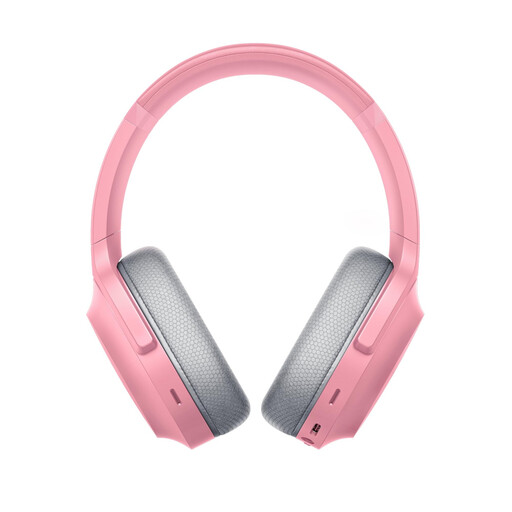
Razer Barracuda X Wireless Multiplatform Headset, Quartz Pink
An option if you’re looking for a wireless gaming headset for commentary.
The product title lists Dual Wireless, a cardioid microphone, 40 mm drivers, 50 hours of battery life and USB-C.
View at Joybuy
 No image available
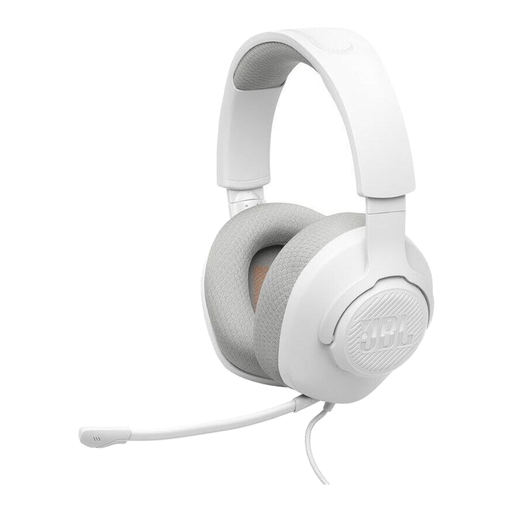
JBL Quantum 100M2 On-Ear Gaming Headset, White
A wired option for a permanent streaming set-up.
The product title lists a 3.5 mm connection and a detachable microphone with mute function.
View at Joybuy
 No image available
ONIKUMA GT889 Wireless Gaming Headset
An option if you’re looking for a wireless gaming headset with a microphone for commentary.
The product title lists 2.4 GHz wireless and a wired mode, 50 mm drivers and an adjustable headband.
View at Joybuy
 No image available
Logitech G G535 LIGHTSPEED Wireless Gaming Headset, Black/Blue
A wireless option if you want more freedom to move while commentating.
The product title lists 33 hours of battery life, USB-C charging and compatibility with PS5, PS4 and PC.
View at Joybuy
 No image available
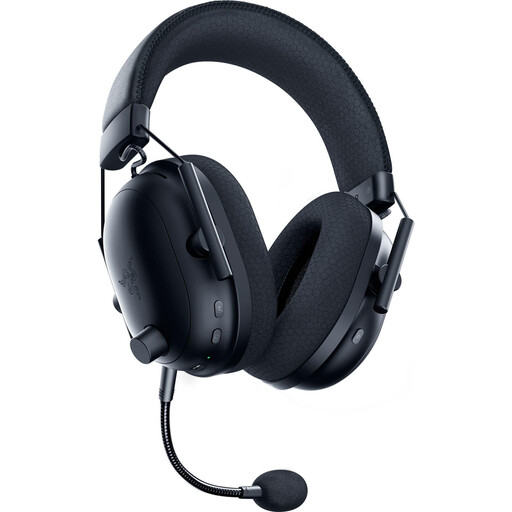
Razer BlackShark V2 Pro (2023) Wireless Gaming Headset, Black
An option if you’re looking for a wireless gaming headset with a microphone for gameplay commentary.
The product title lists 50 mm drivers and 70 hours of battery life.
View at Joybuy
Frequently asked questions
Is noise suppression enough if my home studio is noisy?
Not necessarily. OBS Project describes its filter as a possible aid for light background or steady noise, not a solution for loud ambient noise. Test the microphone position and make a recording in your actual room conditions.
How can I check what my audience will hear before I go live?
Set up the audio sources you plan to use in OBS, watch their levels and listen to the mix using monitoring or a test recording. Sidetone lets you hear your voice in your headset, but it doesn’t confirm the whole broadcast mix.
What costs and rights should I consider when buying online?
Check whether replacement ear cushions are available for your model and how a wireless headset is charged. For purchases from a trader, EU consumer information specifies a minimum two-year legal guarantee from the date you receive the goods; this is separate from a voluntary commercial guarantee. In Germany, online purchases generally come with a 14-day right of withdrawal, which you must exercise by notifying the trader.
How should I dispose of an old headset in Germany?
According to the German Environment Agency, electrical and electronic waste must not go in household rubbish; it should be collected separately. If you can remove old batteries easily, take them out before returning the headset and dispose of them separately at an appropriate collection point.


