Team players who make lots of callouts
You regularly call out positions and need a microphone that’s easy to position and quick to mute. What matters most is how clearly your callouts come through, not just how well the mic filters out noise.


When callouts make all the difference, check the microphone position, mute control and speech clarity with the usual sounds in your room. Assess positional audio with the specific model on your own device, rather than judging it by a single audio specification. A wired headset may suit a fixed setup where charging isn’t an issue; with a wireless model, you’ll also need to check the platform version and connection.
You regularly call out positions and need a microphone that’s easy to position and quick to mute. What matters most is how clearly your callouts come through, not just how well the mic filters out noise.
You want to hear in-game cues while also considering what your housemates can hear of your game audio and voice.
You switch between a PC and a console, or between consoles. So check the connection, microphone functionality and exact model version separately.
First, check the microphone and try it in a chat. Then assess positional audio on your own device. Finally, make sure the headset’s fit, connection and design suit your room and everyday routine.
| What you need | What to check before buying | Who is it important to? |
|---|---|---|
| Clear positional callouts | Check the microphone position, whether the mute control is easy to reach, and how a test recording sounds with the usual noises in your room. | If I regularly call out positions to my team, the microphone needs to work where I sit and be quick to mute. Around 26% of consumers put the clarity of their own callouts first. |
| Locating in-game audio cues | Look for tests of the exact model’s positional audio, and try adjusting game and chat volume on your own device. | If I need to distinguish footsteps from team voices in a game, I want to judge the balance directly on my device. Around 21% of consumers consider positional audio their top buying priority. |
| Being considerate in a shared room | Check whether it has a closed-back design or a transparency mode; test sound leakage and what the microphone picks up in your room. | If my housemates are in the same room, I want to know what they can hear of the game audio and my callouts. For around 21% of consumers, being considerate in a shared room comes first. |
| Connection and platform version | Check the device, exact model version, connector or receiver, and the chat functionality you need. | If I want to use the same headset with several devices, the specific connection needs to work with each one. Around 16% of consumers prioritise the connection and platform version. |
| Comfort during longer sessions | Check the clamping force, space around your ears and the ear cushions; if it’s wireless, factor in charging too. | During longer gaming sessions, I want the headband and ear cushions to suit my head, rather than relying on product specifications alone. Around 16% of consumers consider long-term comfort their most important buying priority. |
ANC affects what you hear around you. What comes through in team chat depends separately on the microphone and its processing.
Make a recording with the usual sounds in your room, then listen to it through the chat service you actually use.
Audeze says the PlayStation version of the Maxwell won’t work with Xbox over USB or low-latency wireless.
Before buying, check the full version name and the connection you need against your device.
The wrong version may prevent you from using the USB or wireless connection you want.
How well the headset blocks sound when you’re wearing it doesn’t tell you how loud your callouts or leaked game audio will be for your housemates.
Check both at your usual volume, and use an appropriate mute control or chat setting when you’re talking.
Wired headsets need compatible connections and a cable you can manage; wireless models need a connection that works with your platform.
Check the connections, where you sit and which replacement parts are available for the exact model separately.
Depending on your setup, you may need an extra adapter; check that replacement ear cushions are available for your exact model.
The wired Cloud III is an option for a fixed gaming setup with team chat.
The INZONE H9 II may suit players considering wireless connectivity, a boom microphone and ANC for their listening environment.
The Arctis Nova Elite is a wireless option for a setup with several audio sources.
The exact Maxwell version matters if you use an Xbox or PlayStation.
The wired, closed-back MMX 300 PRO is an option for players who prefer analogue connections and replaceable ear cushions or cables.
This selection includes wired gaming headsets for team chat and gaming. Before buying, check that the connections and device compatibility suit your setup.
 No image available
An option if you’re looking for a wired headset for one of the devices listed in the product name.
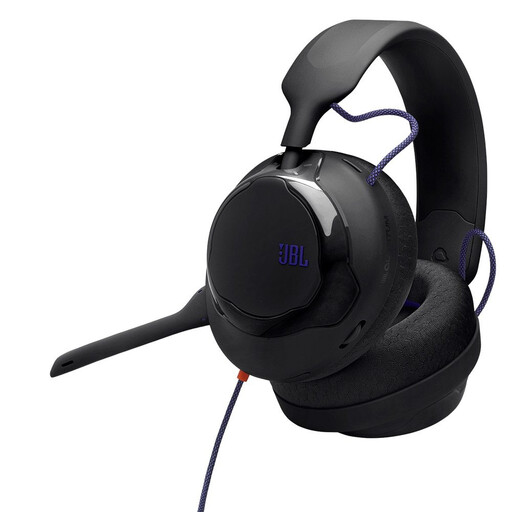 No image available
An option if you’re looking for a wired over-ear headset for your gaming setup.
 No image available
An option if you’re looking for a gaming headset with wired in-line audio controls.
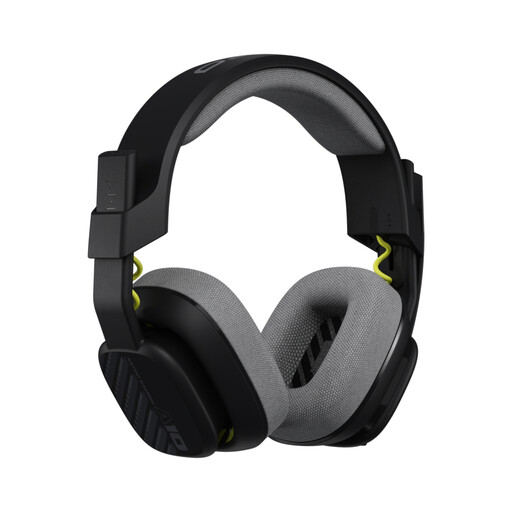 No image available
An option if you’re looking for a wired over-ear model with a flip-up mute microphone.
The product title lists 32 mm drivers and compatibility with PS5, PS4, Nintendo Switch and PC.
 No image available
An option if you’re looking for a gaming headset with a USB connection; check that it works with your device.
No, you shouldn’t rely on it. Check the microphone position and make a test recording in the chat service you use. Discord describes its Krisp filtering as being designed in particular for non-speech background noise, and notes that it can reduce voice quality in a quiet environment.
First, check that the connection and microphone functionality of the exact model are compatible with your device. HyperX lists several connection types for the wired Cloud III; with the SteelSeries Arctis Nova Elite, ChatMix through Sonar requires Windows and isn’t supported on PlayStation. Then select the right microphone in your game or chat app and check it with a test recording.
According to Audeze, the PlayStation version won’t work with Xbox over USB or low-latency wireless. Before buying, check the full model version and the connection you want; this limitation applies to that connection and can’t be inferred from the shared model name.
You can’t tell from the closed-back design alone. Check how much game audio leaks out at your usual volume, and try the chat with the sounds that actually occur in your room.
No, turning up the volume isn’t a reliable solution. The World Health Organization warns that loud gaming sounds can damage your hearing. Adjust game and chat volume so you can understand callouts and audio cues without making the overall volume unnecessarily high. The WHO/ITU standard is a guide to safe listening features, not proof that a particular headset is safe.